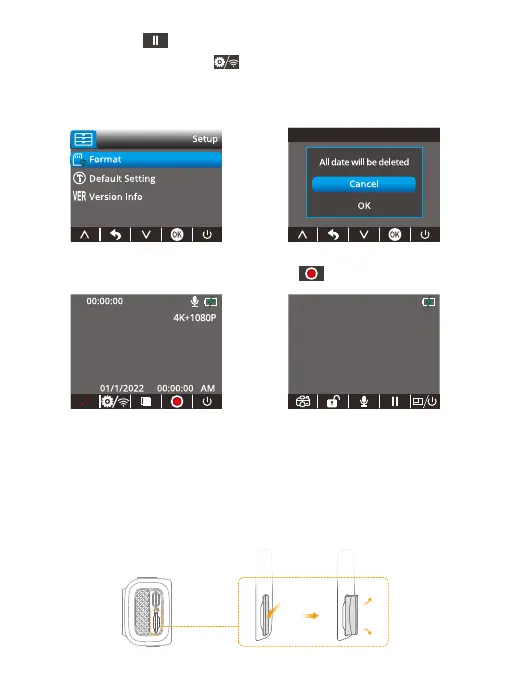
① Press the button to stop recording.
② Short-press Setup/Wifi button to enter Menu.
③ Choose options on the menu, click the OK button to confirm.
④ Click the Format option to format, then choose OK.
5. Return to the main interface, press the button to start recording.
Tip: We recommend formatting your memory card every 2 months to keep it
running smoothly. The memory card has a certain life span. After repeated reading,
writing, and wiping, the life of the memory card will be shortened. When the card
frequently reports errors, please replace it with a new one.
3.3 Removal
To remove the memory card, gently push its edge inward until it clicks, and then
pops out, then simply pull it out of the slot.
4K+1080P
01/1/2022 00:00:00
00:00:00
AM
P
01 02 03 04 05 06
07 08 09 10 11 12 13
14 15 16 17 18
19 20
21 22 23 24 25 26 27
28 29 30 31 32



 To Next Page