Contents
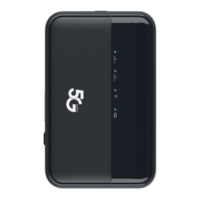
1. Get to know your 5G MiFi KT-M3A ....................................................... - 1 -
1.1 Dimensions and Appearance .........................................................- 1 -
1.2 Device Structure .............................................................................- 1 -
2. Prepare your 5G MiFi ............................................................................ - 2 -
2.1 Install the SIM Card ........................................................................- 2 -
2.2 Remove the SIM Card ................................................................... - 2 -
2.3 Charge the Battery .........................................................................- 2 -
3. Access the Internet ................................................................................ - 3 -
4. Indicator light status description ............................................................- 4 -
5. Manage your 5G MiFi ............................................................................ - 4 -
5.1 Logging into the Device Management website ............................. - 4 -
5.2 Setting up Wi-Fi connection ...........................................................- 5 -
5.3 How to change the Wi-Fi Name & Password ................................- 5 -
5.4 Power Off........................................................................................- 5 -
5.5 Restore Factory Settings ............................................................... - 6 -
6. Troubleshooting your 5G MiFi ............................................................... - 6 -


 To Next Page