2. Prepare your 5G MiFi
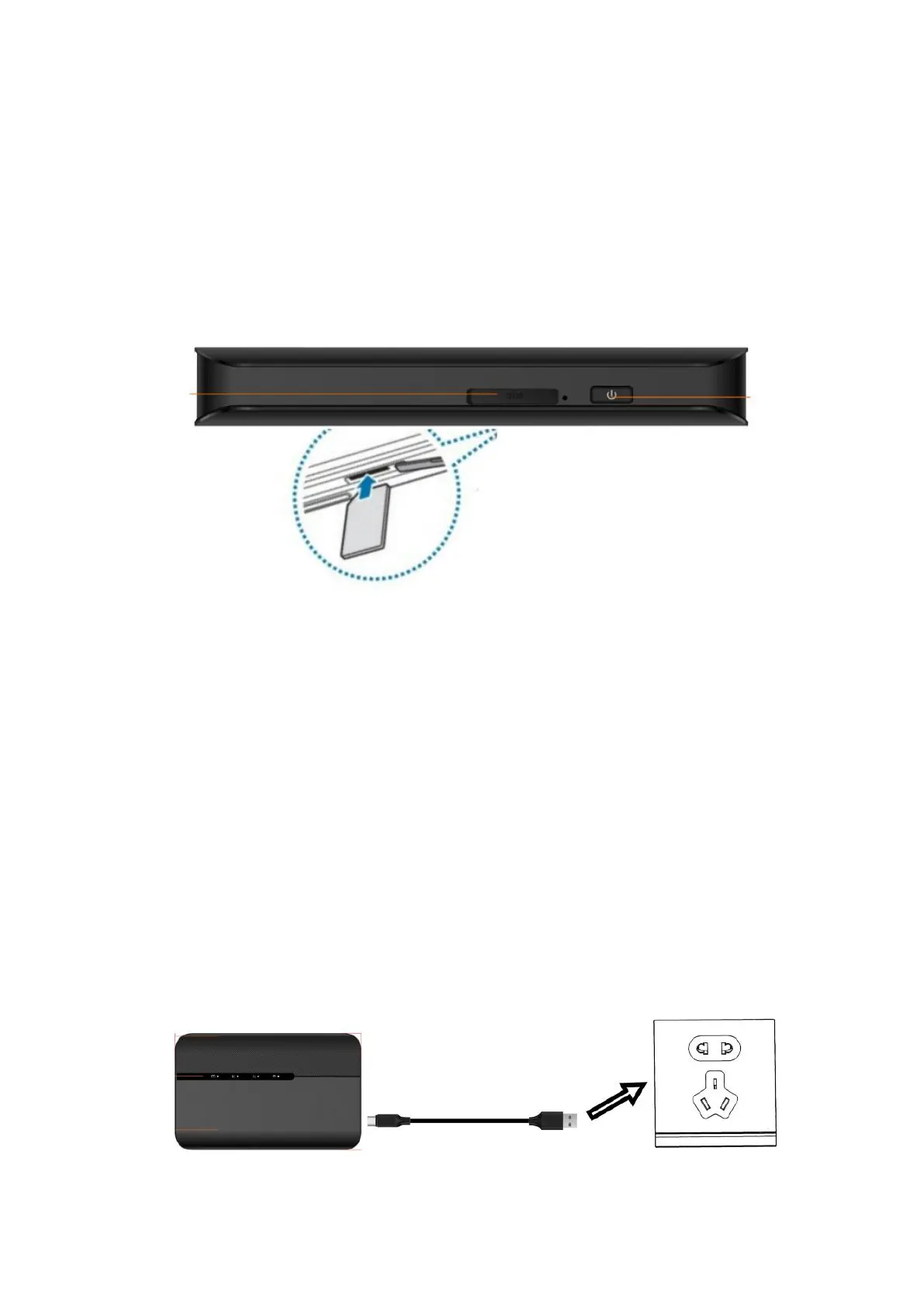
2.1 Install the SIM Card
2.1.1 Power off the 5G MIFI, Opening the SIM card slot.
2.1.2 Insert the SIM card into card slot in the correct position.
2.1.3 Close the SIM card slot.
Note:
1. Do not remove SIM card when the device is powered on since this may damage the card and the
device.
2. Do not bend or scratch your SIM card. Avoid exposing your SIM card to static electricity, water or
dirt.
2.2 Remove the SIM Card
2.2.1. Open the SIM Card cover.
2.2.2. Gently remove the SIM card from the SIM card slot and close the SIM Card cover.
2.3 Charge the Battery
There are 2 ways to charge the battery of 5G MIFI.
2.3.1 Charging battery by using the power socket.


 To Next Page