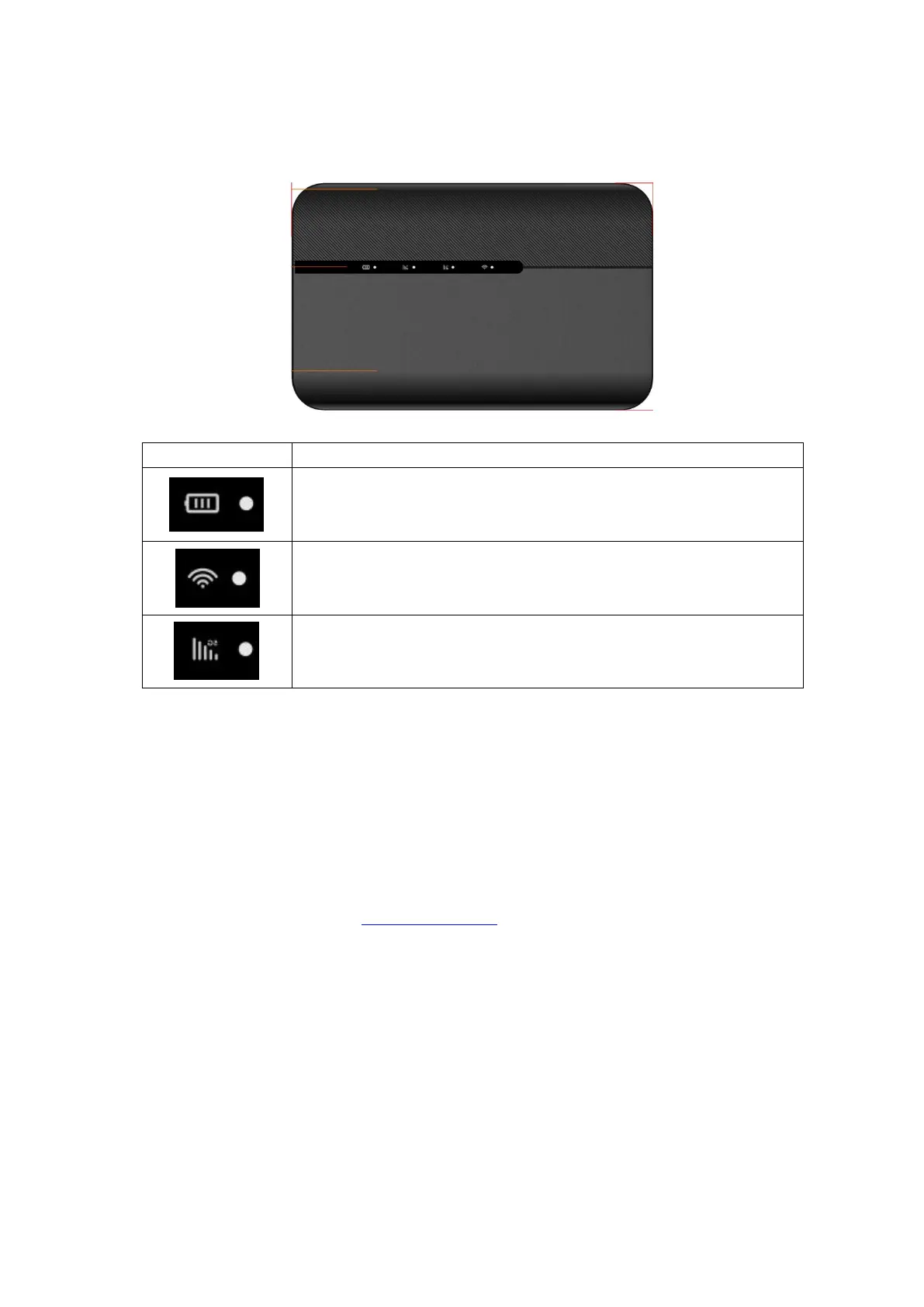
4. Indicator light status description
Battery capacity indicator light, if the battery capacity is less than
20%, this indicator light is red
Wi Fi status display, indicator light on when WiFi is on, indicator light
off when WiFi is off
The cellular status indicator lights for 4G and 5G respectively light up
after successful network connection, indicating successful
registration in the 5G or 4G cellular network
5. Manage your 5G MiFi
5.1 Logging into the Device Management website
5.1.1 Make sure your device is connected to the 5G MIFI via Wi-Fi or USB Type-C cable.
5.1.2 Open the browser, and enter http://192.168.43.1 in the address bar.
5.1.3 Enter password, and click “Login”.
Note: To access the web management page for the first time, you need to reset the password


 To Next Page