1. Get to know your 5G MiFi KT-M3A
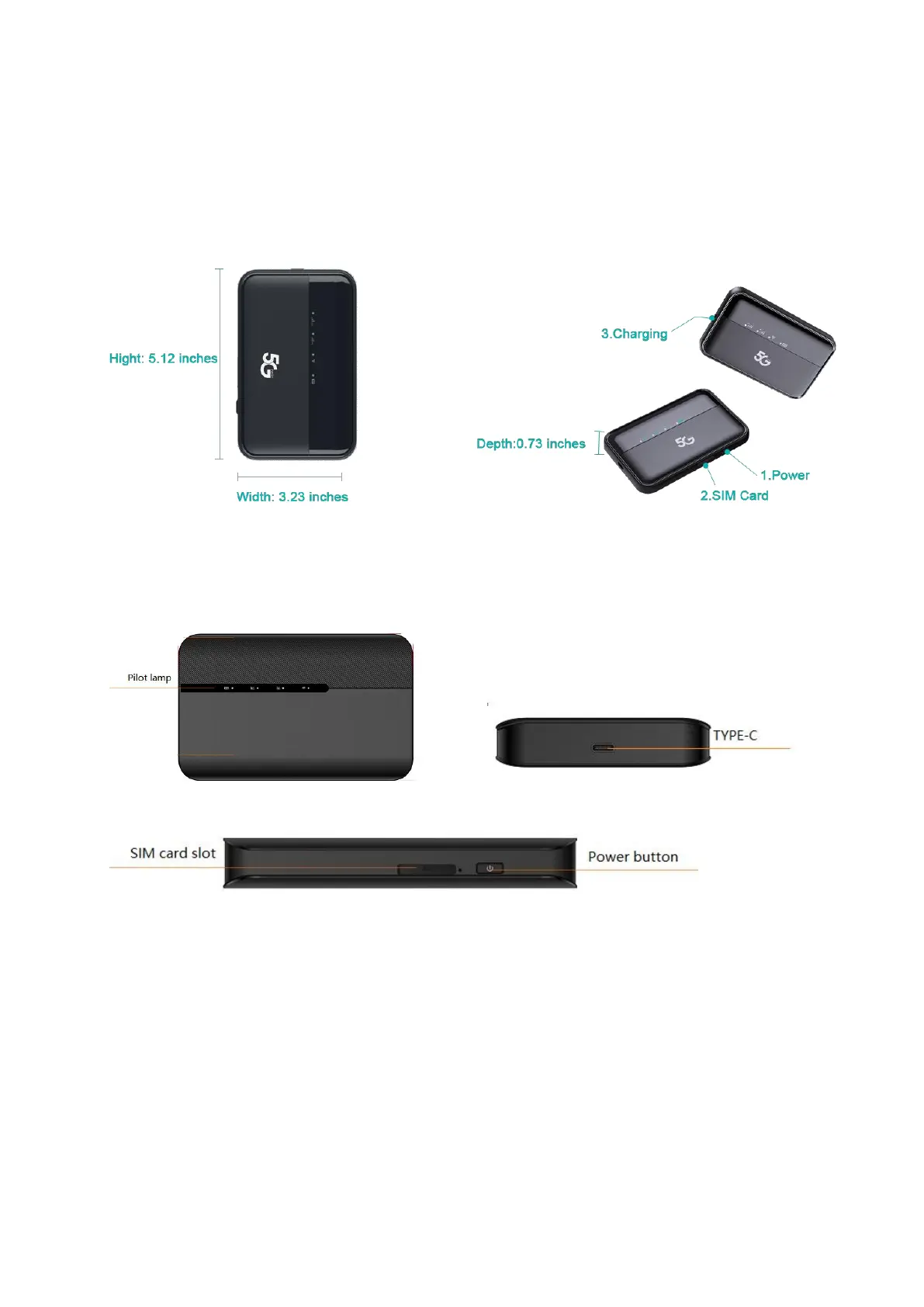
1.1 Dimensions and Appearance
1.2 Device Structure
Pilot lamp——
There are a total of 4 indicator lights
1.2.1 WiFi status.
1.2.2 4G cellular network status
1.2.3 5G cellular network status
1.2.4 Battery level status: to switch the functional menu by pressing the button.
Power button——
To turn on/off the device by pressing the power button
1.2.1 Reset button:One button forced shutdown
1.2.2 USB Type-C Port : Using this type C port for battery charging, data tethering and device
management.


 To Next Page