Chapter 1 Before Use 1-7
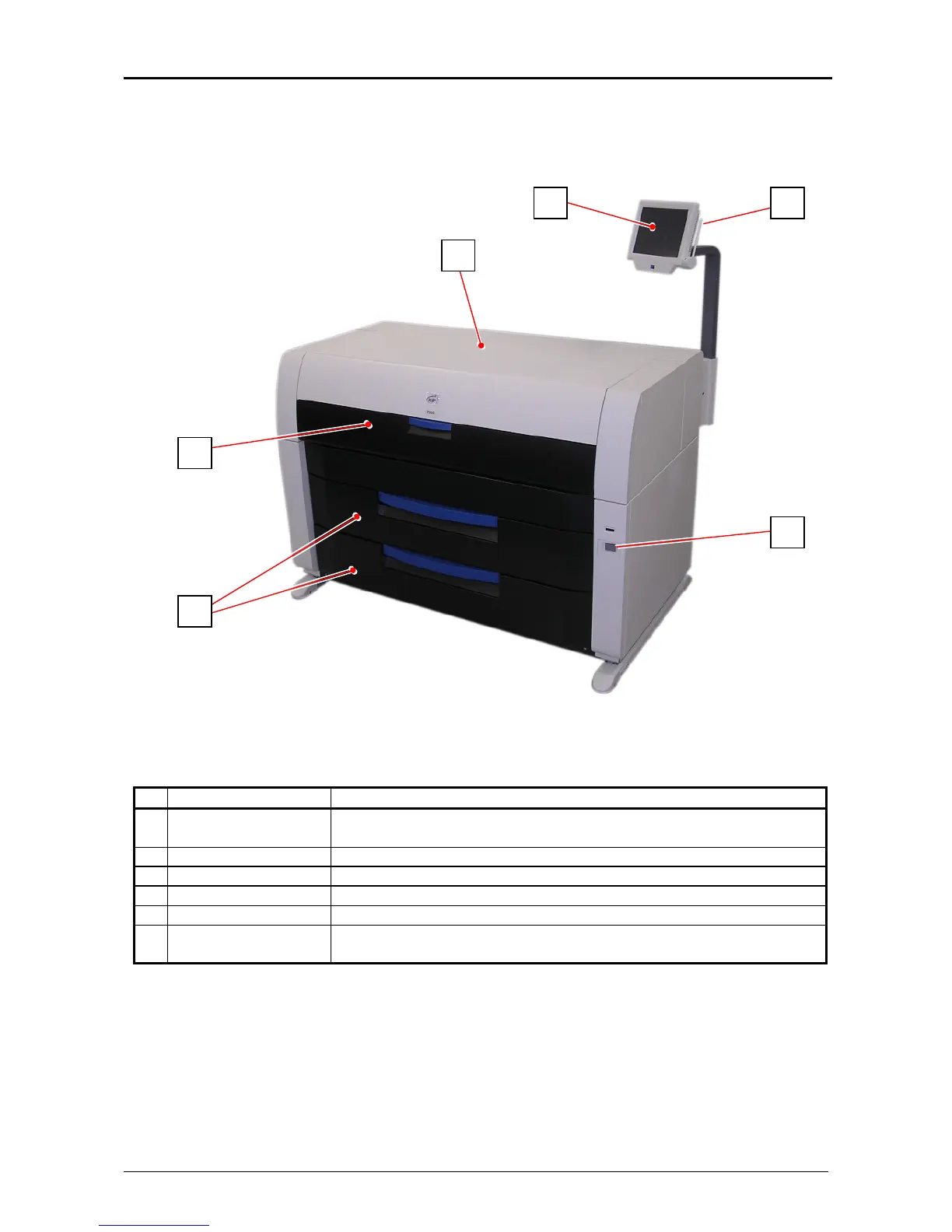
1. 5 Appearance
1. 5. 1 Front
Name of part Function
1 User Interface (UI) This is a Touch Screen, and many user operations are available.
PLEASE DO NOT push the LCD area too strong.
2 Top Cover Open here to clear the mis-fed paper.
3 Manual Table Open here to insert a cut sheet or to pull the Upper Frame Unit.
4 Roll Decks Each Roll Deck drawer holds 2 rolls of print media.
5 Power Switch You can turn on/off the KIP 7900.
6 Stylus This pen is used to operate the User Interface (UI).
PLEASE DO NOT use any other pointed object to tap on the UI.
1
3
4
5
6
2



 To Next Page