Chapter 2 Basic Operations 2-6
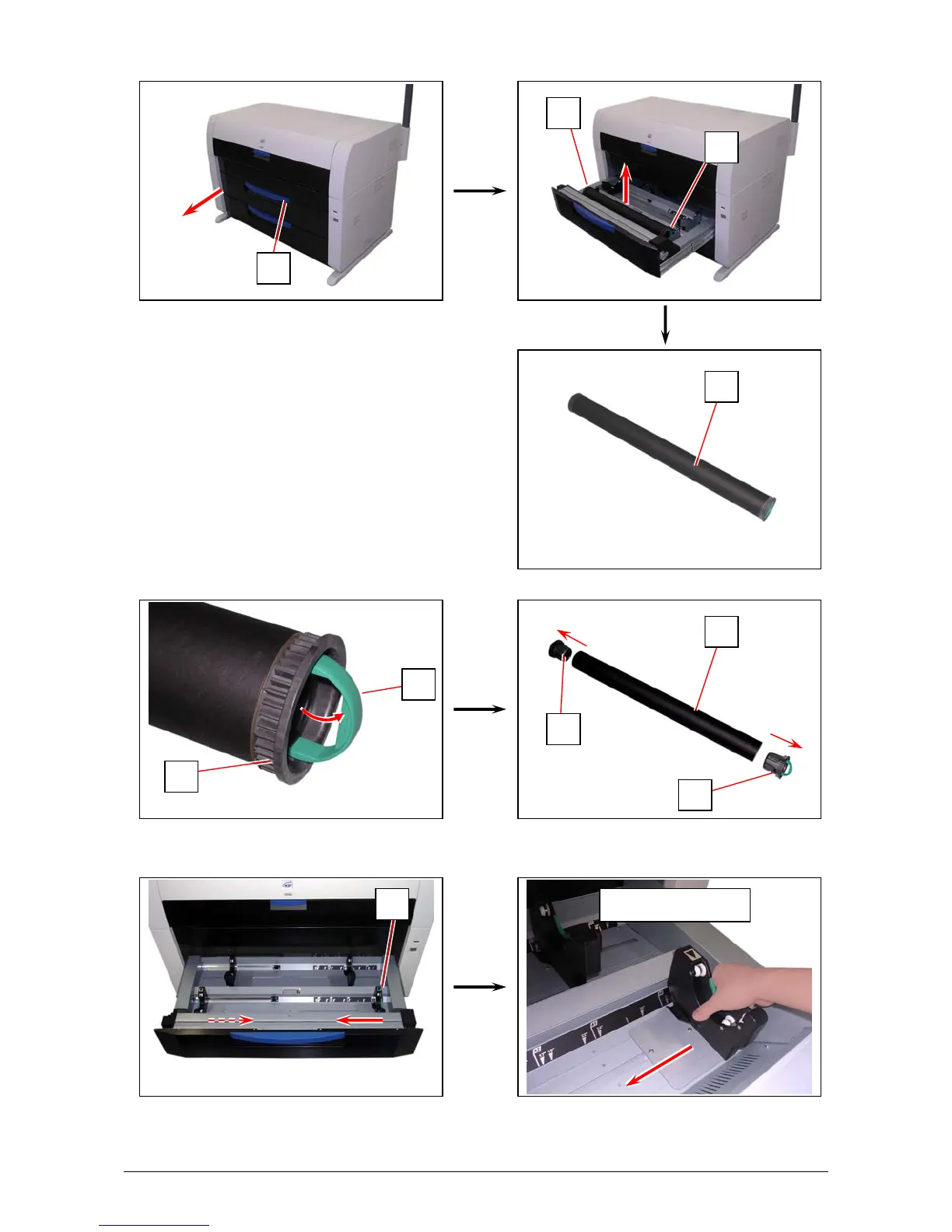
1. Open Roll Deck (1).
Holding both Flanges (2), lift and remove a roll media or an empty roll core (2).
2. Raise the green lever (4) on Flange (2). Remove both Flanges (4) from the roll core (3).
3. Hold the shown part of the right Slide Guide (5). Move it to match your roll media’s width.
The right and left Side Guides will automatically move together.
Hold here to slide
1
3
4
2
2
3
5
2
2
2



 To Next Page