Chapter 2 Basic Operations 2-16
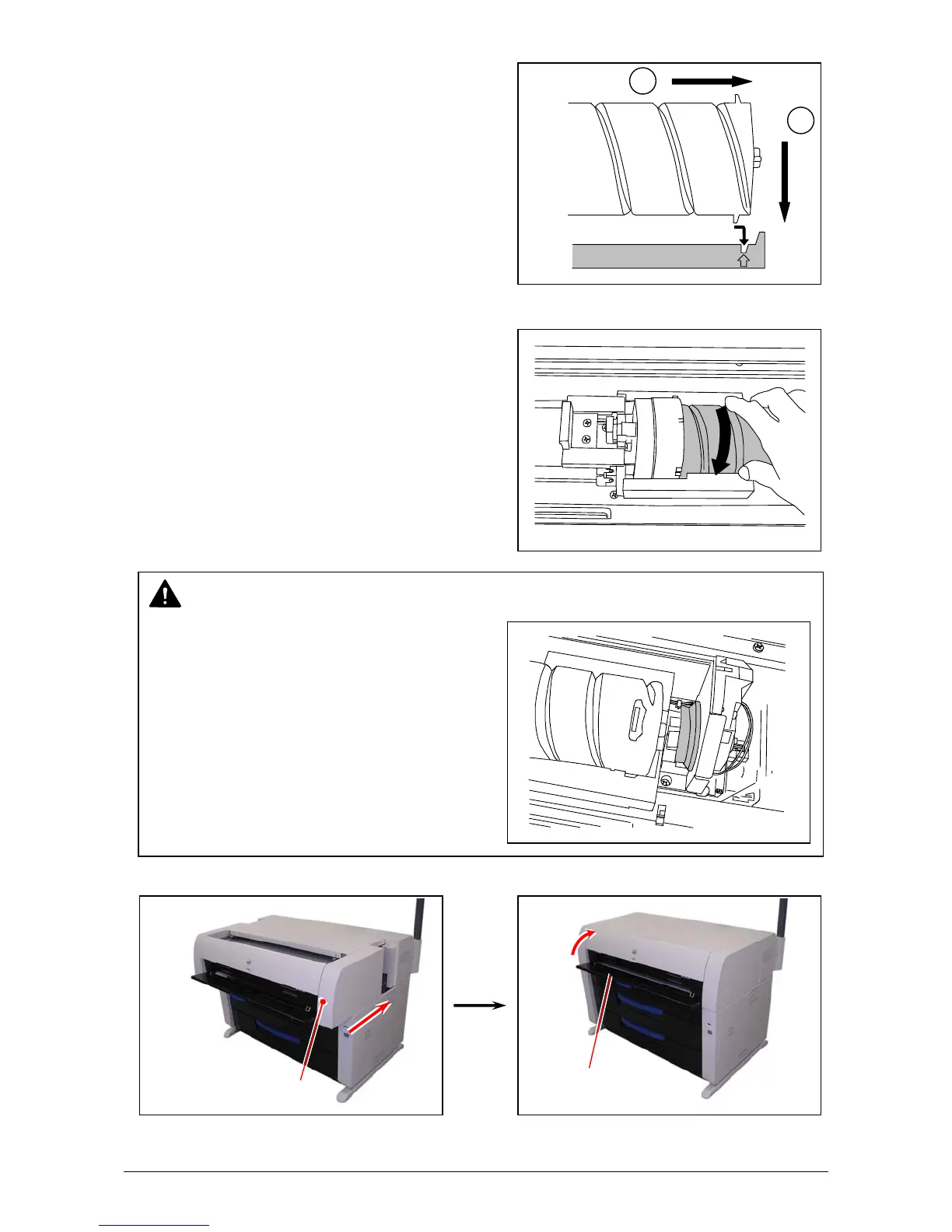
8. Slightly pull Toner Cartridge rightward and insert the swelling tab in the arrowed slot.
9. Rotate Toner Cartridge to the arrow direction at least 180 degrees.
(The new Toner Cartridge is closed firmly so as
not to lose the toner during the transportation)
10. Push in Upper Frame Unit firmly. Close the Manual Table.
NOTE
Even if the Joint is not fit to the Toner Cartridge,
when you turn on the printer, it is automatically fit
properly.
1
2
Upper Frame Unit
Manual Table



 To Next Page