9
8 The controller support
The following describes the shortened
manual of the controller.
8.1 Description of the controller
support
The controller is operated by pressing
buttons that allow to select items from the
menu and edit parameters.
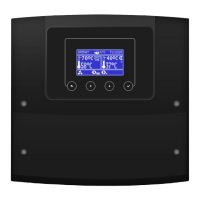
View of the controller control panel.
Buttons description:
1. Exit from the currently selected menu
level as well as abandoning the set value.
2. Reduce the edited value.
3. Increase the edited value.
4. Enter the MENU and confirm the setting
of the selected parameter.
8.2 Description of the main screen
Main screen view.
Legend:
1. The controller modes: FIRING UP,
OPERATION, SUPERVISION, BURNING
OFF, STOP,
2. boiler preset temperature,
3. boiler measured temperature,
4. functions having influence on preset
boiler temperature:
- preset boiler temperature
decrease due to thermostat
disconnection,
- preset boiler temperature
decrease due to activated time
spans,
- boiler preset temperature during
loading the hot water boiler (HUW),
- boiler preset temperature increase
from mixer circulation,
- activation of weather control for
the boiler circuit,
5. signaling blowing operation,
6. signaling fuel feeder operation,
7. signaling boiler pump (central heating
pump) operation,
8. signaling central heating pump operation
(HUW),
9. measured temperature of hot water tank
(HUW),
10. preset hot water (HUW) tank
temperature,
11. clock and weekday,
12. part of the screen coshared between two
icons:
– symbolizes operating heater, and
the digit next to it stands for a number of
Firing-up attempts;
– symbolizes activating automatics
of furnace cleaning;
13. external (weather) temperature,
14. current boiler power level,
15. signaling activating regulating mode
Individual Fuzzy Logic,
16. signaling disinfection of the hot water
container,
17. signaling burner feeder (stoker)
operation.
Right window on the main screen is
configurable, allows on changing information
displayed there. It is possible to choose a
configuration displaying by pressing the
or button. Note: after connecting the


 To Next Page
 Loading...