18
INSTALLATION
OPERATION
Resetting the Shade (If Necessary)
Calibration Reset
The calibration reset is used to recalibrate the shade’s travel limits.
1. Press and hold the programming button for approximately 6 seconds. The shade will move slightly. Release the programming
button (the light flashes red).
2. The shade will raise to its fully open position to reestablish the upper travel limit, then lower to the fully closed position to
reestablish the lower travel limit. The middle rail will then move slightly twice (up, then down) to indicate that the travel limits
were recalibrated.
3. Press and hold the manual control button for 6 seconds. The shade will move slightly.
4. Release the manual control button. The shade will traverse to its fully open position to set the open travel limit, then traverse to
the fully closed position to set the closed travel limit. The shade will move slightly one more time to indicate that the travel limits
have been reset.
Resetting Shade Programming
The programming reset erases shade programming from memory, including group assignments, preventing input devices from
operating the shade. The primary use is to correct group and network assignments during installation. The reset does not aect
travel limits or the favorite position.
1. Press and hold the programming button for approximately 12 seconds. The shade will move slightly aer 6 seconds, then again
aer 12 seconds. Release the programming button (the light flashes red). The light then flashes a series of green and red to
indicate that shade programming is erased from memory.
2. Refer to “Joining a Shade to a Group” on page 18 to program the shade to a group.
Dual Operation
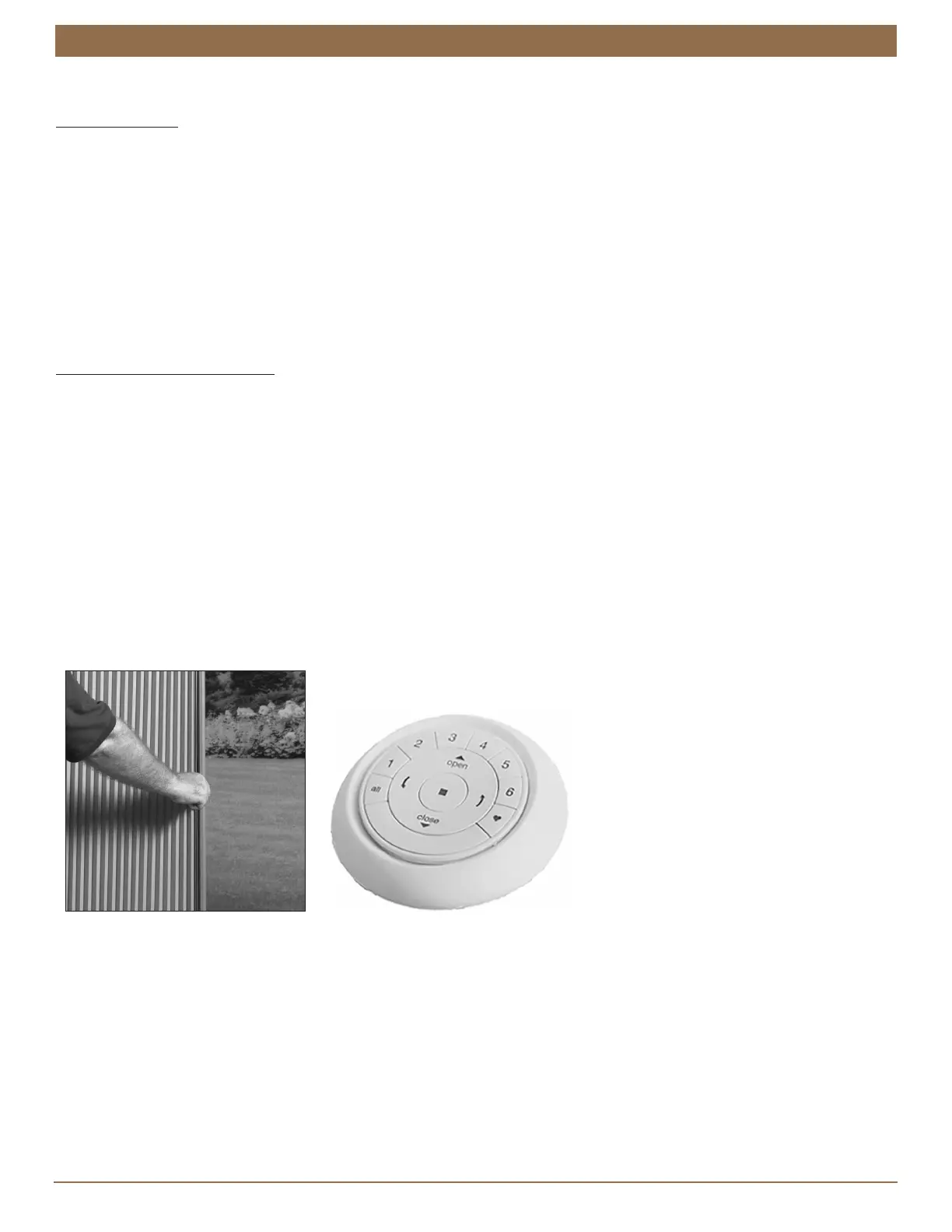
An innovative feature of Kirsch
®
Cellular Shades Vertical Cellular Automation is dual operation: the shade can be operated either
motorized or manually. The drive belt automatically disengages aer each motorized use, allowing the shade to be traversed
manually. When the remote is used, the drive belt automatically re-engages for motorized operation.
With dual operation, the automation app can be used for precise positioning of the shade. The App knows the position of the
shade when the motor re-engages, so if the shade has been moved manually, the App positions the shade correctly.


 To Next Page