3. Turn the mixer around to the other side
and remove the 2 screws. Then lift the
upper housing off and sit to the side on a
soft surface be careful not to scratch the
housing.
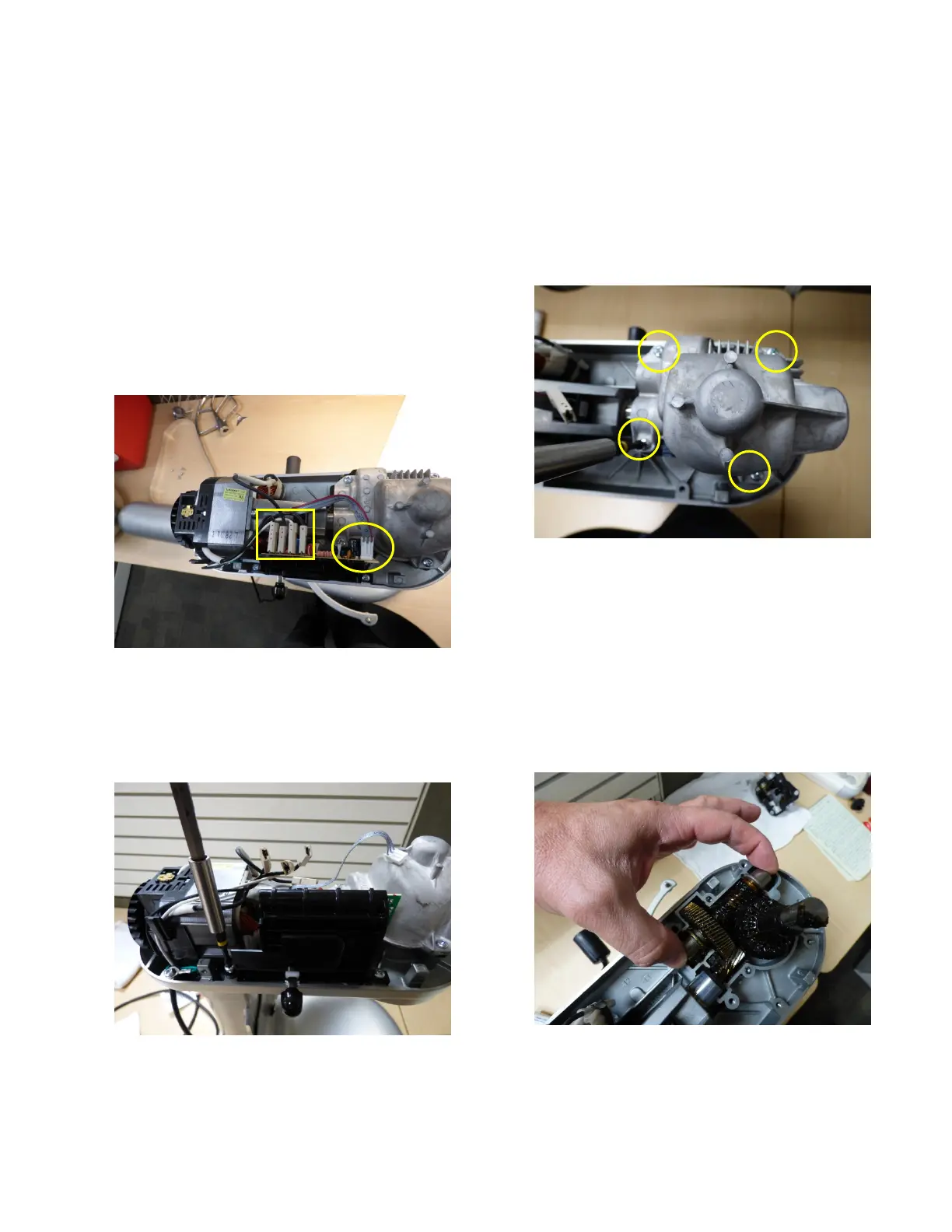
4. Disconnect 4 terminals from the control
board. Paying close attention to where
they belong for reassembly. You can
easily mark them with a marker. From
right to left mark with a dot. Also
disconnect the Hall effect(the gray
ribbon cable) (Fig. 3)
Fig. 3 Mark Control Board Connections
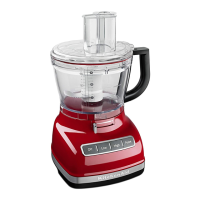
5. Remove 2 screws that hold the Control
Board in place and set to the side. The
control board is not serviceable so if it
fails it needs to be replaced.(Fig. 4)
Fig. 4 Remove control board
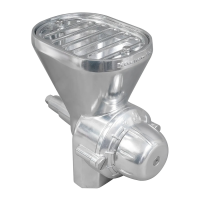
6. Remove 4 Transmission screws, Lift up
and off of the gears. Tilt forward a bit so
you do not drop the Hub Gear out. The
Transmission housing can be plastic as
well, If plastic check that the 2 locator
pins are not broke off in the lower
housing and check for cracks.(Fig. 5)
Fig. 5 Remove Transmission Housing
7. If the Transmission Housing is metal
there should be a gasket under the
Housing. If the unit has a plastic
Transmission Housing it should be
changed out for the new Housing and
Gasket.(8212396)
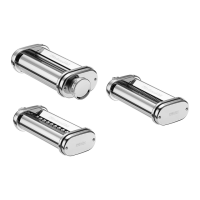
8. Remove 1
st
stage gear and inspect for
wear, damage or metal shavings.(Fig. 6)
Fig. 6 Remove 1
st
Stage Gear


 To Next Page