Note: The Technician should be aware of
different worm gear variations that have evolved
with the products, as different replacement parts
may be repaired, depending on the date code of
the unit. Units prior to WL46 will have a 53
tooth worm gear and a 8 tooth motor. Units after
WL46 will have a 60 tooth worm gear and a 10
tooth motor. These variations are not
interchangeable. The assembly with the 53 tooth
worm gear are no longer available and if it needs
to be replaced with the new style, the motor will
also have to be replaced with the new style.
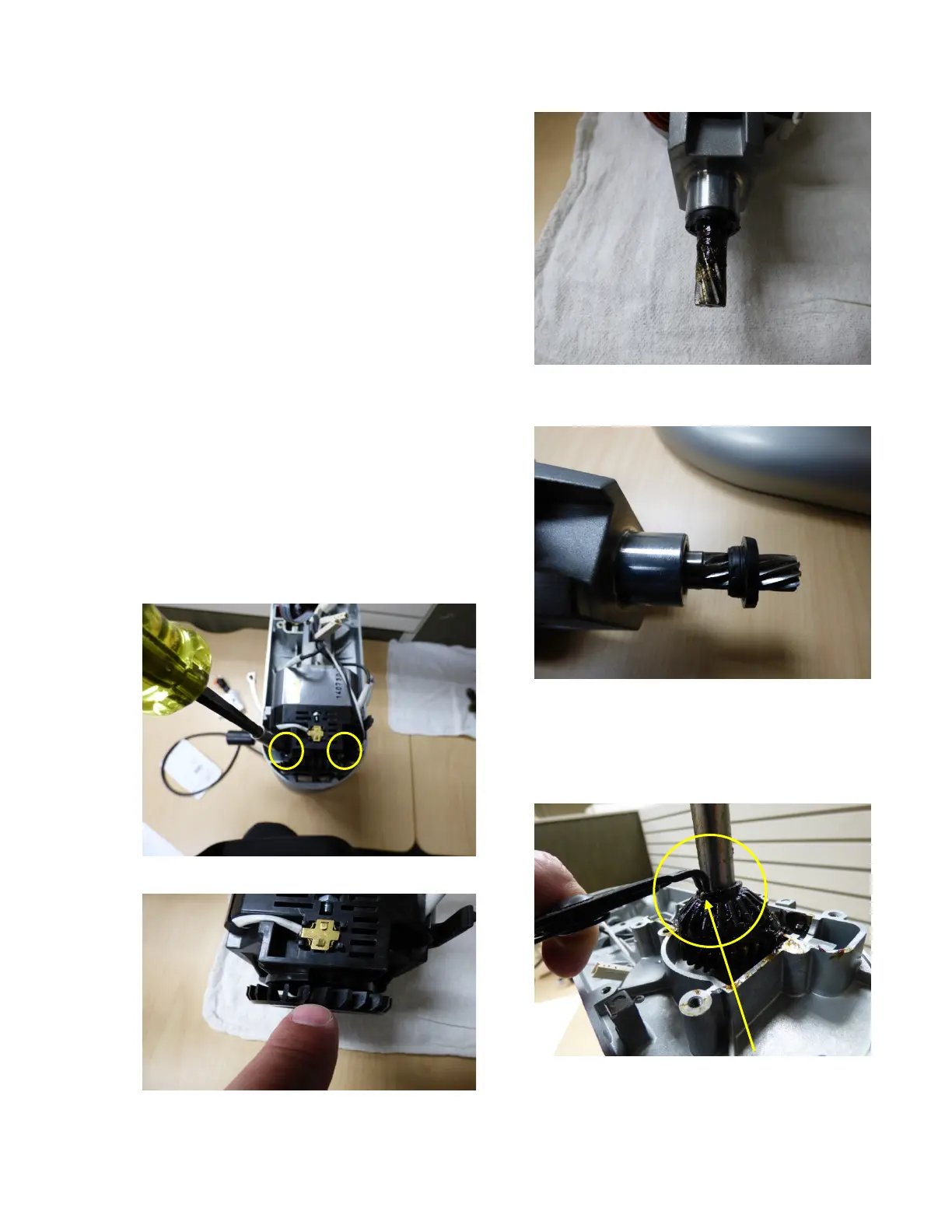
9. Remove the 2 screws that hold the
motor in place,(Fig. 7) lift motor out and
inspect the fan,(Fig. 8) the spline on the
end of the motor(Fig. 9) and the motor
seal.(Fig. 10)
Fig. 7 Remove Motor
Fig. 8 Inspect Fan
Fig. 9 Inspect Motor Shaft
Fig. 10 Motor Shaft Seal
10. Usesnapringpliersandremovethe
snapringfromthecentershaft.(Fig.11)
Fig. 11 Remove Snap Ring


 To Next Page