USING YOUR ACCESSORIES
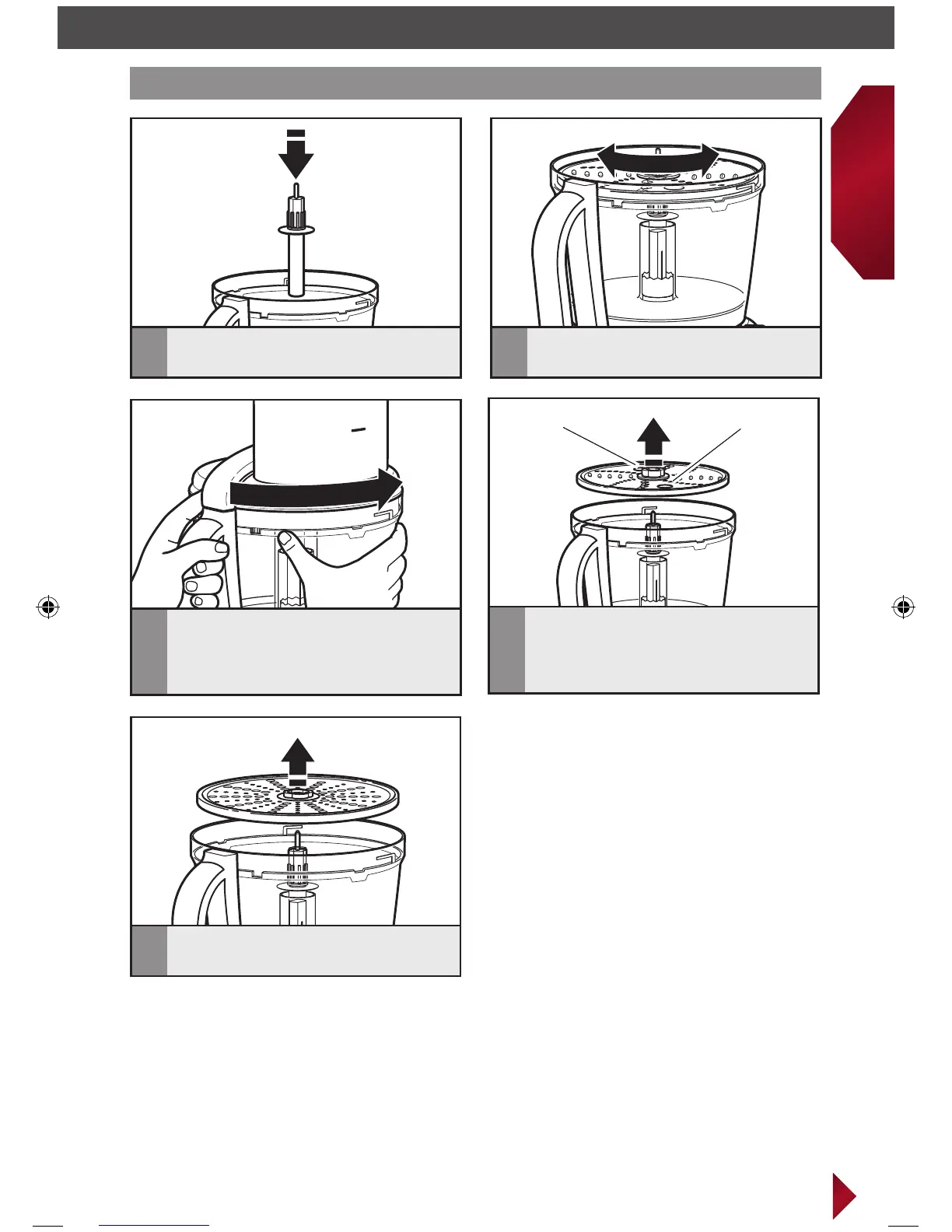
IMPORTANT: Discs and adapters must be removed before removing bowls.
5
To remove the parmesan disc after
processing, lift off of adapter.
Finger grip holeFinger grip hole
4
To remove shredding disc and julienne
disc, remove work bowl lid and
using the 2 finger grip holes, lift the
disc straight up.
3
Install the work bowl lid, aligning
the tabs and locking it into place.
Installing/removing the shredding, julienne*, and parmesan* discs
1
Place the adapter on the power shaft.
2
Slightly rotate the disc until it drops
into place onto the adapter.
* Available with select models only.
W10545030B_ENv3.indd 19 1/25/13 10:53 AM



 To Next Page