USING YOUR ACCESSORIES
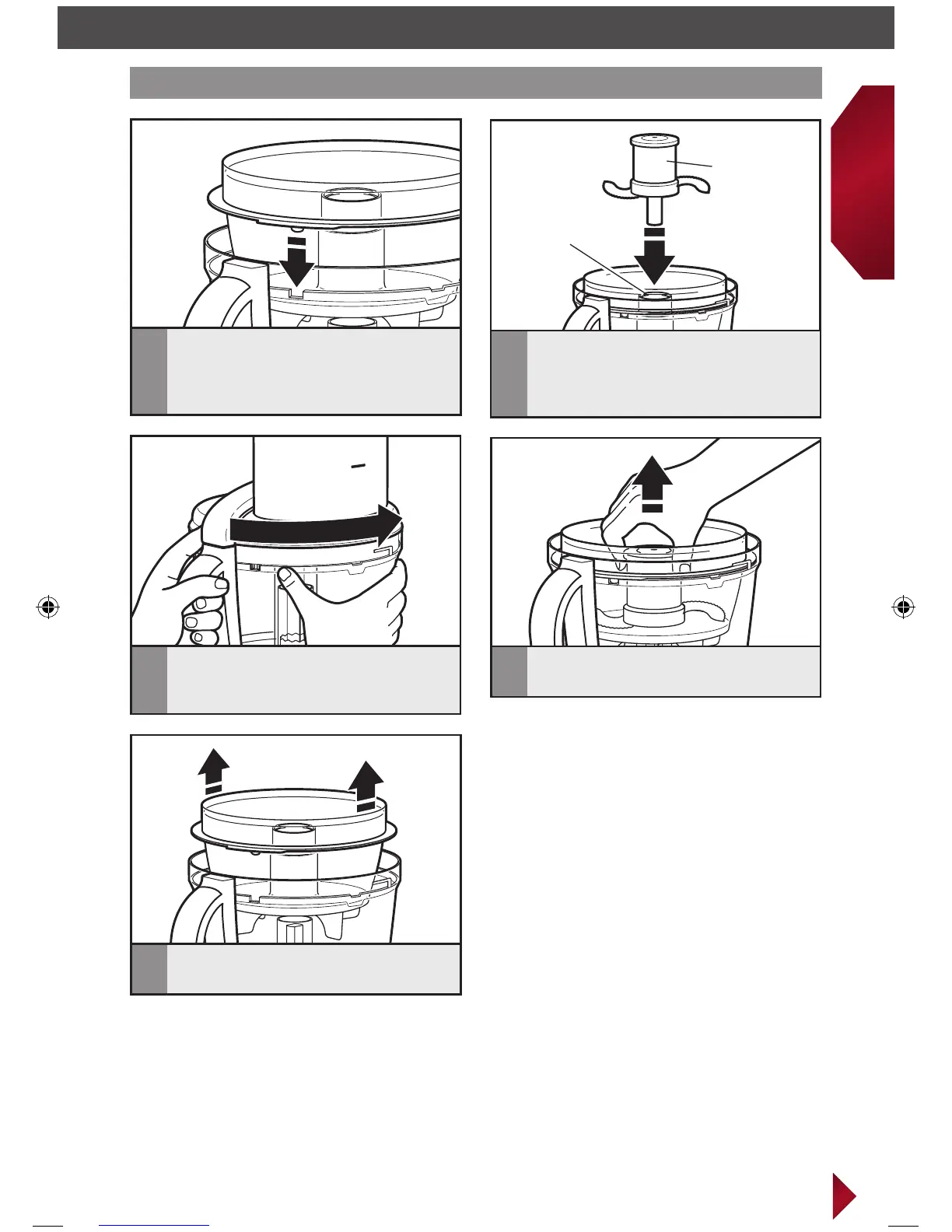
Installing/removing the mini-bowl and mini-blade
Mini-blade
Power shaft
4
Remove the work bowl lid. Grasp and
pull the mini-blade straight up.
1
Place the mini-bowl inside the work
bowl, making sure the tab on the
mini-bowl lines up with the notch
in the work bowl.
5
Using the two finger grips lift the
mini-bowl up.
2
Press down firmly on the mini-blade.
You will hear a click when it locks
into place.
3
Install the work bowl lid, aligning
the tabs and locking it into place.
IMPORTANT: Discs and adapters must be removed before removing bowls.
W10545030B_ENv3.indd 21 1/25/13 10:53 AM



 To Next Page