8 9
1
4
2 3
Functions
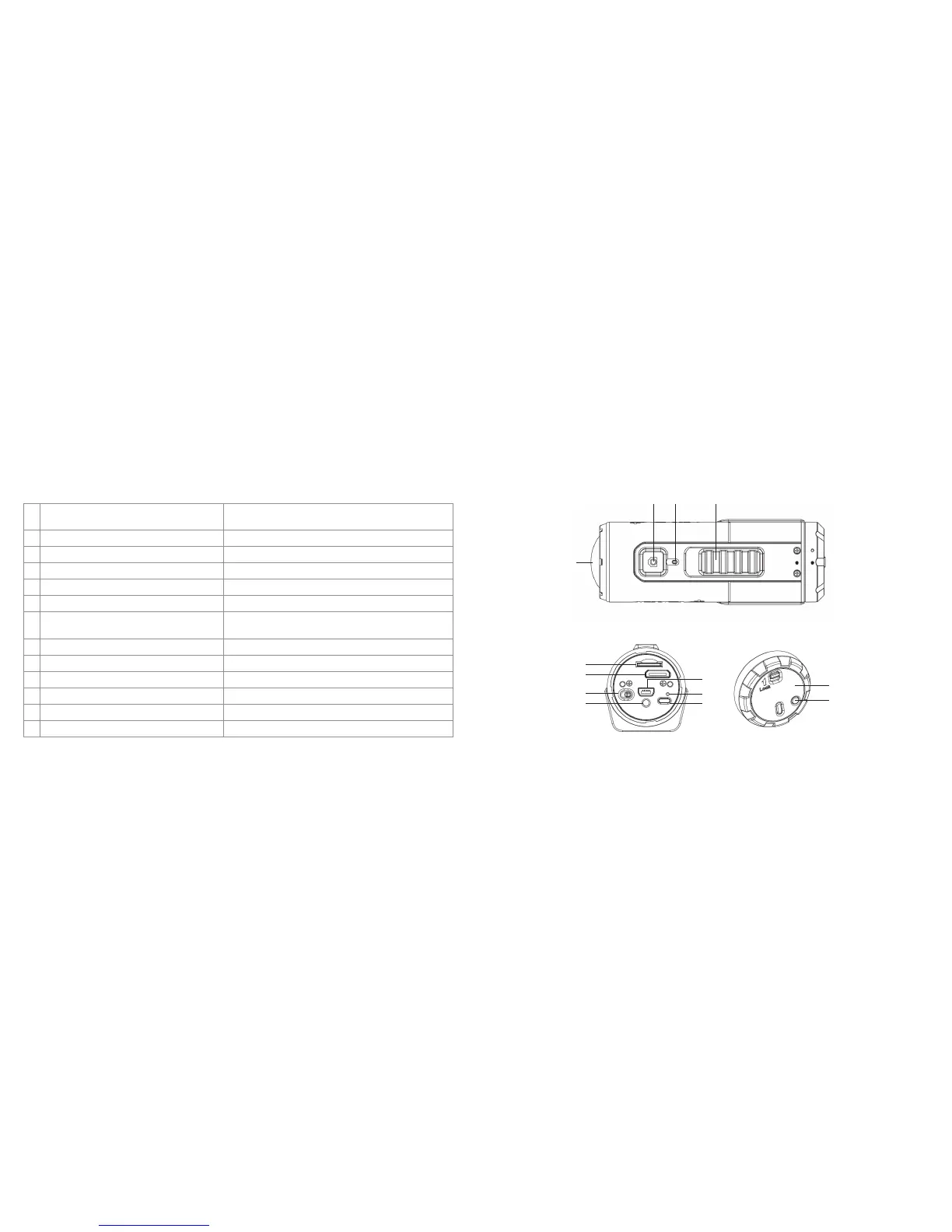
1. Power/Shutter button •Turnsthecameraonoroff
•Takesasinglephotograph
2. LEDindicator Shows the camera status
3. Recording slide switch Slide to start or stop video recording
4. Lens High quality lens
5. MicroSDcardslot MicroSDcardstoragelocation
6. MiniHDMIport ConnectsthecameratoaTVviatheHDMIcable
7. USB port •Connecttoacomputerfordatatransferorcamerasetup
•Chargesyourcamera
8. Video resolution switch Selectsvideoresolution:FHD(FullHD)orHD
9. Reset button Resets the camera
10. Wi-FiLEDindicator Shows the Wi-Fi status
11. Wi-Fi power button (located on the camera body) Turns the Wi-Fi on or off
12. Back cover Rotates to seal the camera
13. Wi-Fi power button (located on the back cover) Turns the Wi-Fi on or off
5
6
8
9
12
13
7
10
11



 To Next Page