72
EN
Swing Function up/down
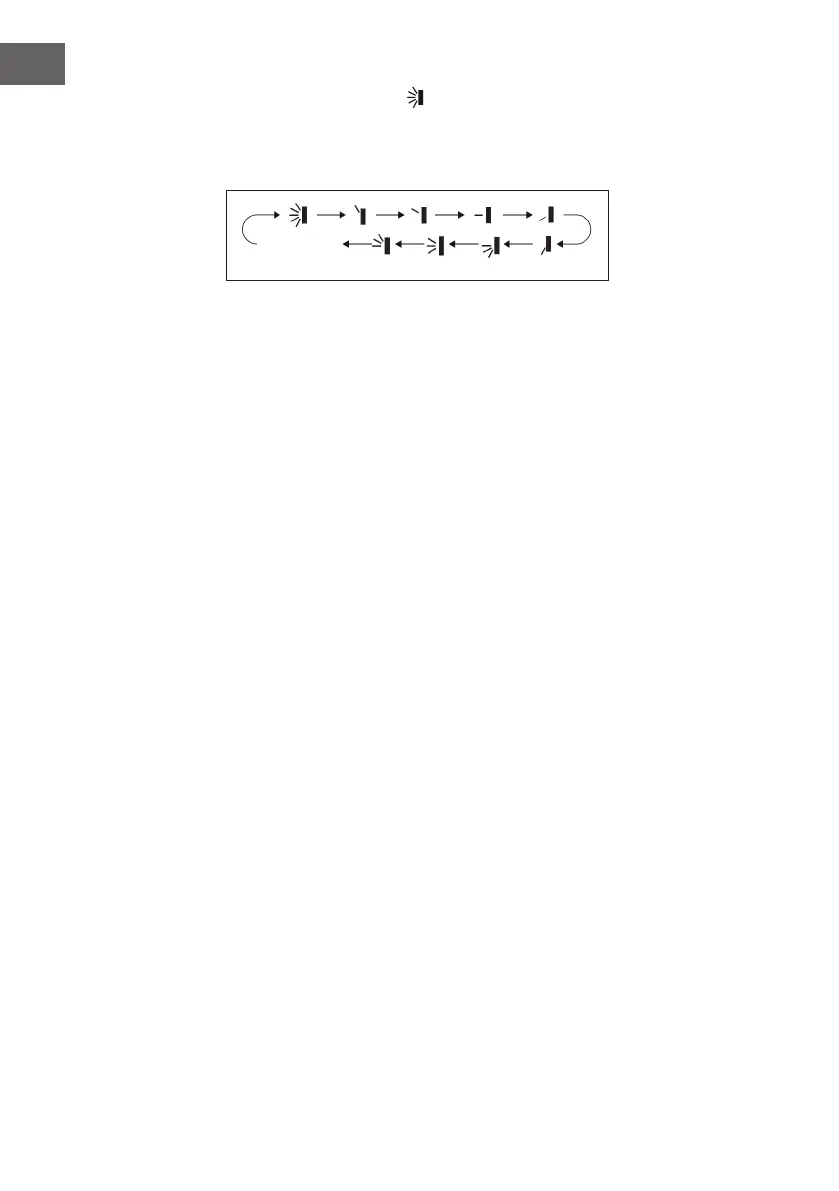
If you press this button, you can select the swivel angle (up/down). By pressing this key
several times, the swivel angle is adjusted as follows:
• When you select the rst stage, the air conditioner automatically blows the air out.
The horizontal ventilation opening swings up and down at the maximum angle.
• When you select the next 5 levels, the air conditioner blows the air in a xed
position. The horizontal ventilation opening automatically stops at this position.
• When you select the last 3 steps, the air conditioner blows the air at a xed angle.
The horizontal ventilation opening blows the air out at the specied angle.
• Press and hold the button for 2 seconds to set the desired swivel angle. Release the
button as soon as the angle is reached.
• The last 3 steps may not be available. If this is the case, the air conditioner will
automatically blow out the air when it receives the signal.
• If you keep this button pressed for more than 2 seconds, the unit will swing from
top to bottom. As soon as you release the button, the unit stops swinging and the
position of the horizontal ventilation opening is maintained.
• If you activate the swivel mode and press the button again two seconds later, the
swivel mode will stop immediately. If you press the button again within 2 seconds,
the pan status will change depending on the sequence shown above.
no
display




 To Next Page