79
EN
Child Safety Lock
Press both ARROW KEYS simultaneously to turn the parental control on or off. Once
the parental control is turned on, the icon will be displayed on the remote control. If you
now wish to use the remote control, it will not send a signal to the air conditioner and the
lock icon will ash three times.
Switching between Celsius and Fahrenheit
While the unit is turned off, press the and MODE buttons simultaneously to change from
°C to °F or vice versa.
EMERGENCY BUTTON
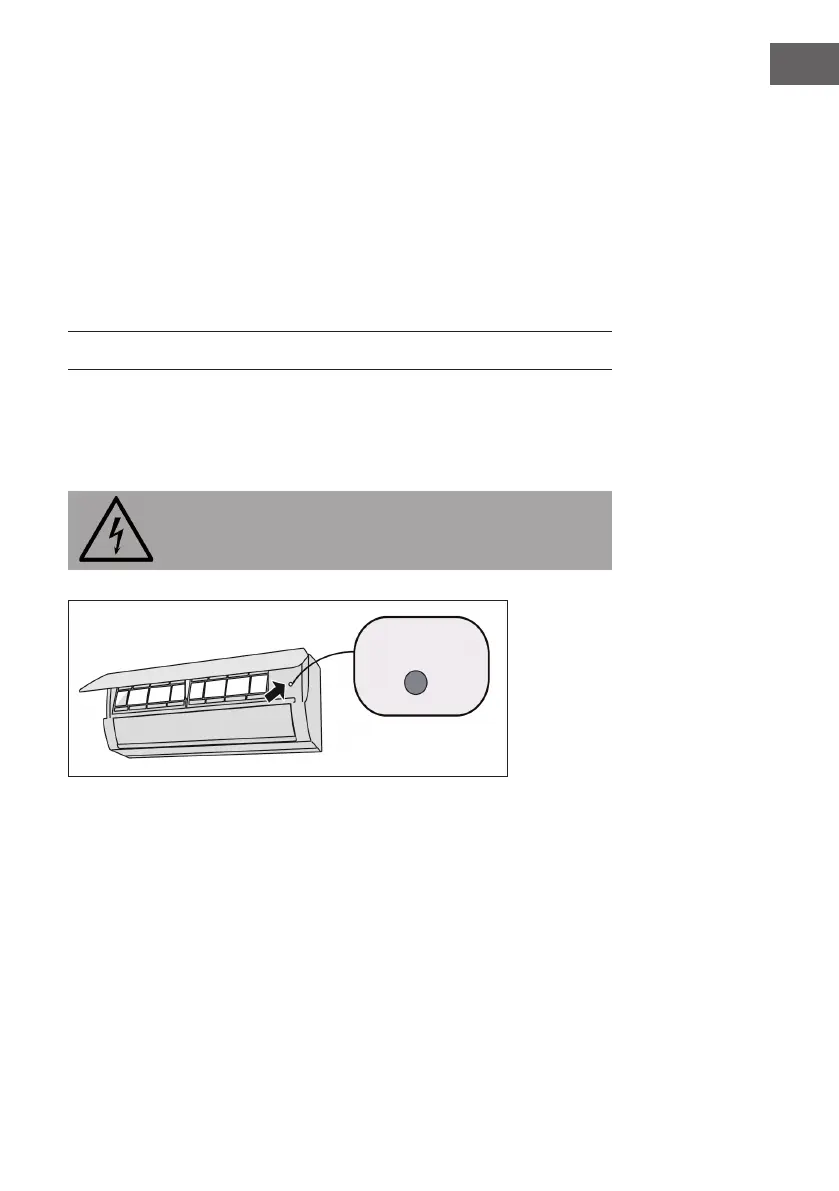
If the remote control is lost or damaged, use the emergency button to turn the air
conditioner on or off. Operating Instructions: As shown in the illustration, open the
cover and press the emergency button to turn the air conditioner on or off. When the air
conditioner is on, it runs in automatic mode.
WARNING
Risk of injury due to electric shock. Press the button with a well insulated
object!




 To Next Page