16
EN
CONTROL PANEL AND INDICATORS
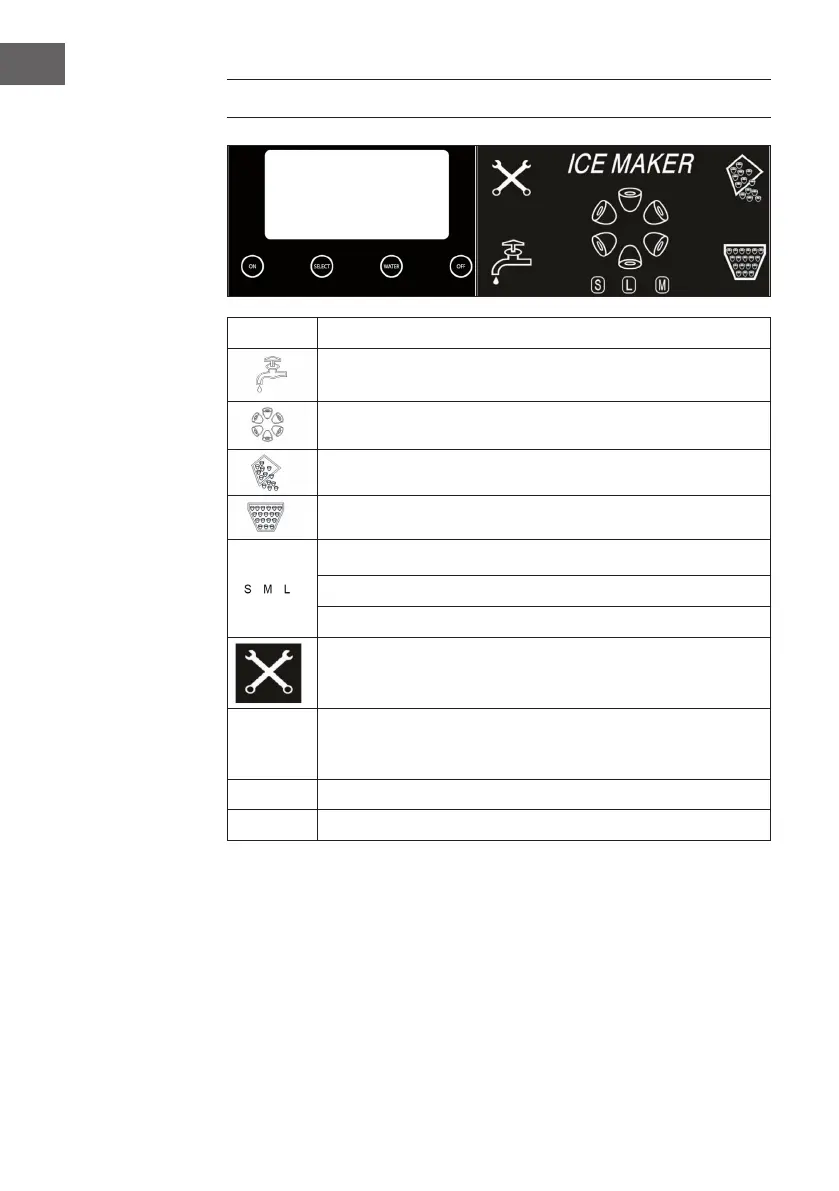
Display Description
Water is not enough in water reservoir, need to add water.
Ice on making.
Unit is on ice dropping process.
Ice is full.
S means small ice size is selected.
M means middle ice size is selected.
L means large ice size is selected.
The unit has problem,need to take off the plug,and restart it. If it
appears again,then ask for service.
SELECT Press it to select size ice,if small size is selected,then S will be shown on
the screen.If middle or large size is selected,then M or L will be shown
on the screen too.
WATER Press it to release water only.
ON/OFF Press it to turn on or off the unit.




 To Next Page