GENERAL SPECIFICATIONS
The Klein Tools Coax Explorer
®
2 verifies proper continuity of F-connector coaxial cables
and maps their location. The color-coded push-on remotes allow for up to four cables
to be tested and mapped, displaying cable status via LED indicators (PASS, OPEN, or
SHORT) that also identify the cable/remote location.
NOTE: The Coax Explorer
®
2 tester is required, and is not included with this kit.
TESTING/MAPPING CABLES
NOTE: Not for use on powered circuits or outlets.
1. Connect a test remote
1
,
2
,
3
or
4
to one end of the cable or outlet to be
tested. If necessary, use the included F-adapter
6
to connect the test remote to
the cable. If mapping, install remaining remotes to additional locations.
2. Connect the opposite end of the cable or outlet to be tested to the F-connector on
the Coax Explorer
®
2
7
(not included).
3. Press and hold the TEST button. If the cable is wired correctly, one of the four PASS
LEDs will light, also indicating the cable/remote location. If there is a problem with
the cable, one of the FAULT LEDs (OPEN or SHORT) will light.
4. Repeat steps 2 and 3 to test/map additional cables.
TESTING AN UNINSTALLED CABLE
1. Using the included F-adapter
6
, connect a test remote
1
to one end of the cable
to be tested.
2. Connect the opposite end of the cable to be tested to the F-connector on the Coax
Explorer
®
2
7
(not included).
3. Press and hold the TEST button. If the cable is wired correctly, the corresponding
PASS LED will light. If there is a problem with the cable, one of the FAULT LEDs
(OPEN or SHORT) will light.
REMOTE HOLDER/STORAGE
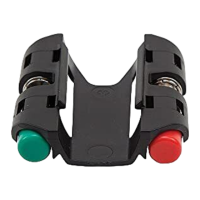
The test remotes conveniently snap into the remote holder
5
for storage. To store the
included F-adapter
6
, push two remotes onto the adapter before snapping the remotes
into the holder.
The remote holder snaps onto the body of the Coax Explorer
®
2
7
(not included) and
may be removed if desired. Hold the tester in one hand and apply slight downward
pressure to one side of the remote holder with the other hand to release it from the
tester. To reattach, align the holder with the tester body and snap back into place.
WARRANTY
www.kleintools.com/warranty
DISPOSAL / RECYCLE
Do not place equipment and its accessories in the trash. Items must be properly
disposed of in accordance with local regulations. Please see
www.epa.gov or www.erecycle.org for additional information.
CUSTOMER SERVICE
KLEIN TOOLS, INC.
450 Bond Street, Lincolnshire, IL 60069
1-877-775-5346
customerservice@kleintools.com
www.kleintools.com
1 3
4
6
2
7
5
1.
Test Remote #1 (Red)
2.
Test Remote #2 (Blue)
3.
Test Remote #3 (Green)
4.
Test Remote #4 (Black)
5.
Remote Holder
6.
F-Adapter
7.
Coax Explorer
®
2 Tester (not included)
ENGLISH
FIG. 1
VDV512-110 Instructions

 Need help?
 General






 To Next Page