6
Note: baery charging status is also indicated by the logo light. This indication overrides
any custom DPI lighting. Once the mouse is done charging, you can unplug it to display your
selected colors.
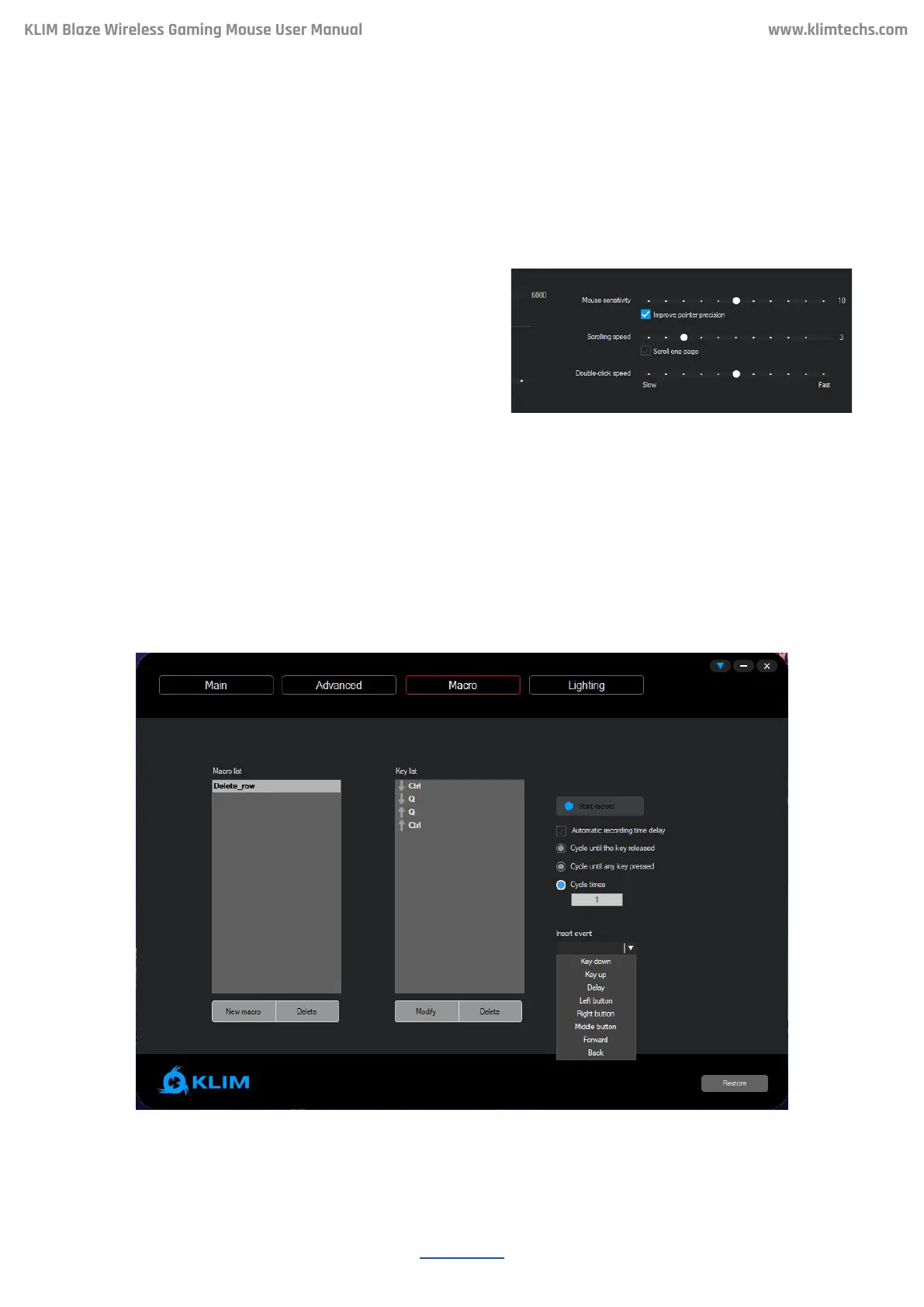
On the boom-right corner of the Advanced
screen, you may adjust the Mouse sensitivity,
Scrolling speed and Double click speed.
Note: you may also change these seings directly
on Windows.
For maximum accuracy we suggest disabling
Enhance Pointer Precision.
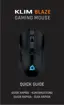
Macros allow you to perform a number of predened actions with a single mouse buon
press. The Macro window lets you create, save and edit macros.
Mouse Settings
MACROS
KLIM Blaze Wireless Gaming Mouse User Manual


 To Next Page