8
1. Access the Main menu on the top-le side of the screen.
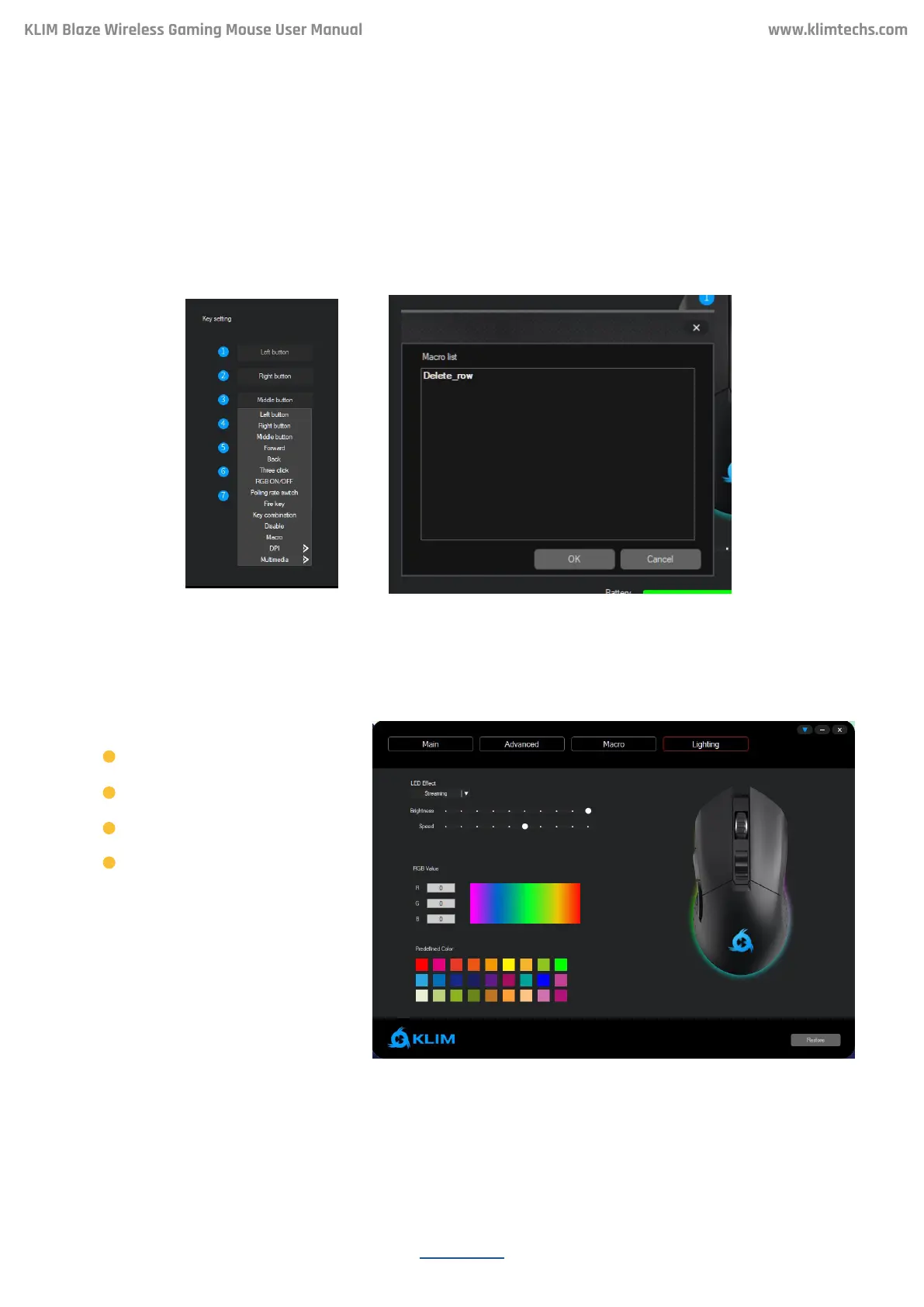
2. Click on the buon (1-7) you would like to assign the macro to, then select Macro and
choose a macro you have previously created.
Note: if you can’t nd your macro listed in the dialog box, check that it was properly saved in
the Macro menu.
Using a macro
LIGHTING
KLIM Blaze Wireless Gaming Mouse User Manual
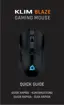
Click on Lighting to access color and effect customization. You may select different modes
and change their brightness, speed and/or color (for selected modes only).
Available effects:
Select a predened color or
enter a custom RGB value to
update the rim’s lighting.
Note: selecting a lower
brightness or disabling the
RGB rim signicantly increases
baery duration.
Steady
Respiration
Streaming
Off


 To Next Page