15
CS.A80.IST-1 / Rev 1.0 ENGLISH
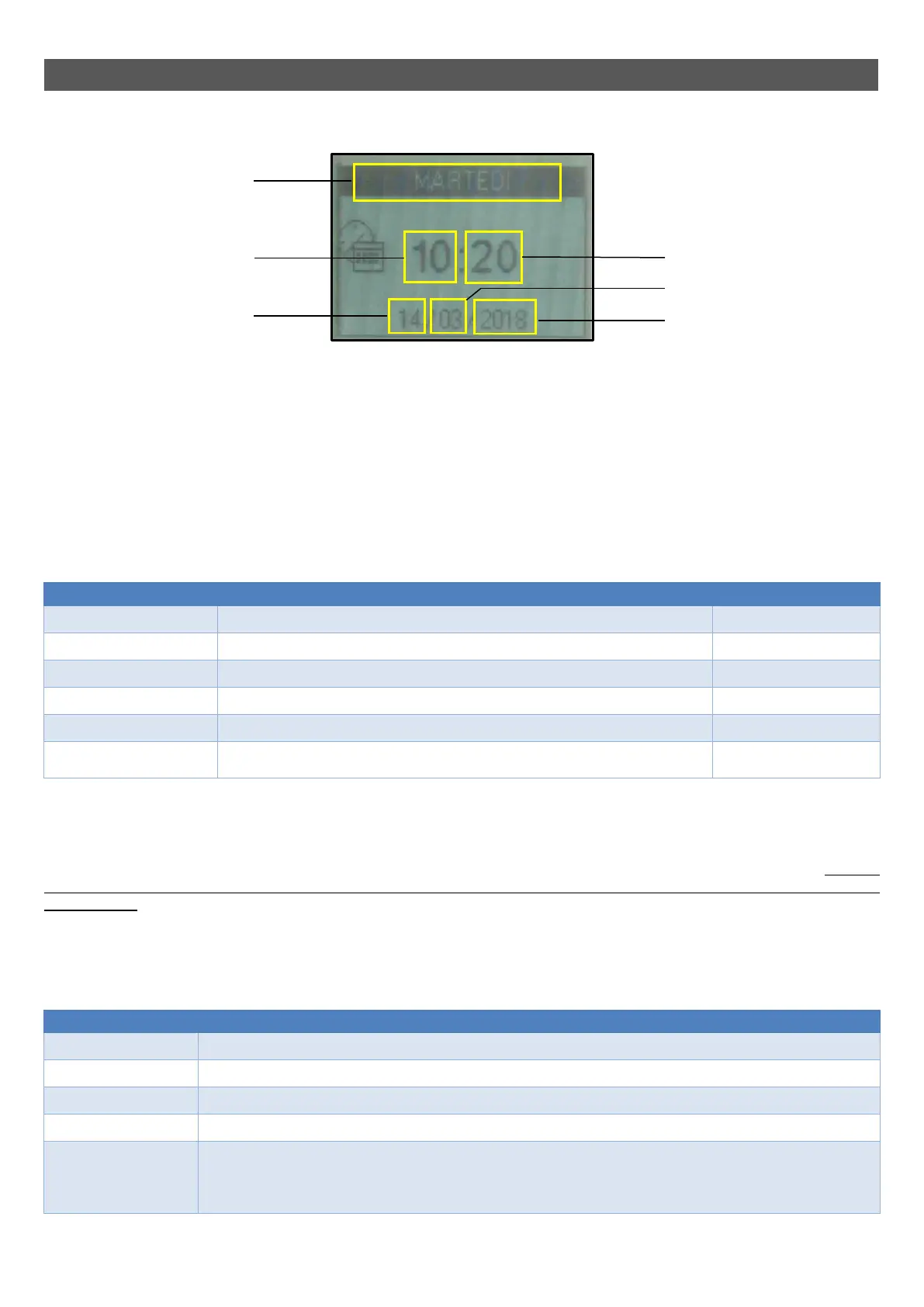
MENU 03 – DATE AND TIME
Allows for setting the current day, date and time.
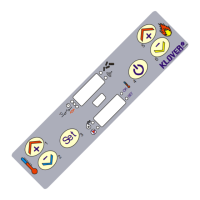
- Keys 1 and 2 (Increase and Decrease) allow you to modify the selected value.
- Key 4 (Set) selects the subsequent value.
- Key 5 (Esc) selects the previous value.
- Key 3 (ON/OFF) takes you back to the previous menu item.
MENU 04 – LANGUAGE
Allows you to select the dialogue language from the available choices (Italian, English, French, German and Spanish).
MENU 05 – SETTINGS
Allows you to adjust the different settings on the remote control.
The table below shows the settings and their meanings:
Menu Meaning Values that can be set *
CARD BEEP Enables/disables the beep sound made by the power card ON – OFF
DISPLAY ILLUMINATION Regulates the duration of the display illumination 2 / 10 secs
DISPLAY ON Regulates the duration of the display activation 15 / 60 secs – ON
DISPLAY BRIGHTNESS Enables/disables display illumination ON – OFF
DISPLAY CONTRAST Regulates the display contrast 15 / 60 #
KEY BEEP
Enables/disables the beep sound made each time a key on the remote control is
essed
ON – OFF
* The values set affect the life of the batteries fitted in the remote control.
MENU 06 – INITIAL LOAD
Enables pellet pre-loading for 90” when the appliance is switched off and cooled down. Start the function with key 1 (Increase) and stop with key 3
(On/Off). This may be useful if the appliance is switched on after the tank has been completely emptied, or when it is filled for the first time. Warning:
once the operation has been completed, before switching on the appliance you should remove any accumulation of pellets deposited inside
the ash drawer.
MENU 07 – FIREPLACE STATUS
Allows for viewing the current status of the appliance, by showing the operating conditions of the various devices connected to it. Several pages are
displayed in succession. The data is reserved for Technical assistance Centre.
The table below shows the various devices and their meanings:
Display Meaning
L04-270218 (example) Firmware code loaded in the control unit.
ARIA 1.0 (example) Firmware code loaded in the remote control.
F.GS.T Indicates the temperature read by the sensor inside the combustion chamber.
R.TMP. Indicates the room temperature as measured by the sensor inside the remote control.
R.TMP 1
If a temperature sensor is connected, this indicates the temperature in ducted room 1 measured by the same.
If a room thermostat is connected, this indicates the status of the same
(OFF = R.T. contact OPEN = Thermostat not in demand)
ON = R.T. contact CLOSED = Thermostat in deman
DAY Date
HOURS Clock
MINUTES Clock
MONTH Date
YEAR Date
DAY



 To Next Page