Page 3 / 8
ver. 1.3.2 04-12-2019
KME Sp. z o.o.● ul. Św. Teresy od Dzieciątka Jezus 103A● 91-222 Łódź● Office: Aleksandra 24/26 93-418 Łódź ●
tel +48(42) 611 00 26 ● fax +48(42) 611 82 52 ●
www.kme.eu ● NIP: 732-199-00-33 ● REGON: 473207460 ●
Nr KRS: 0000181402
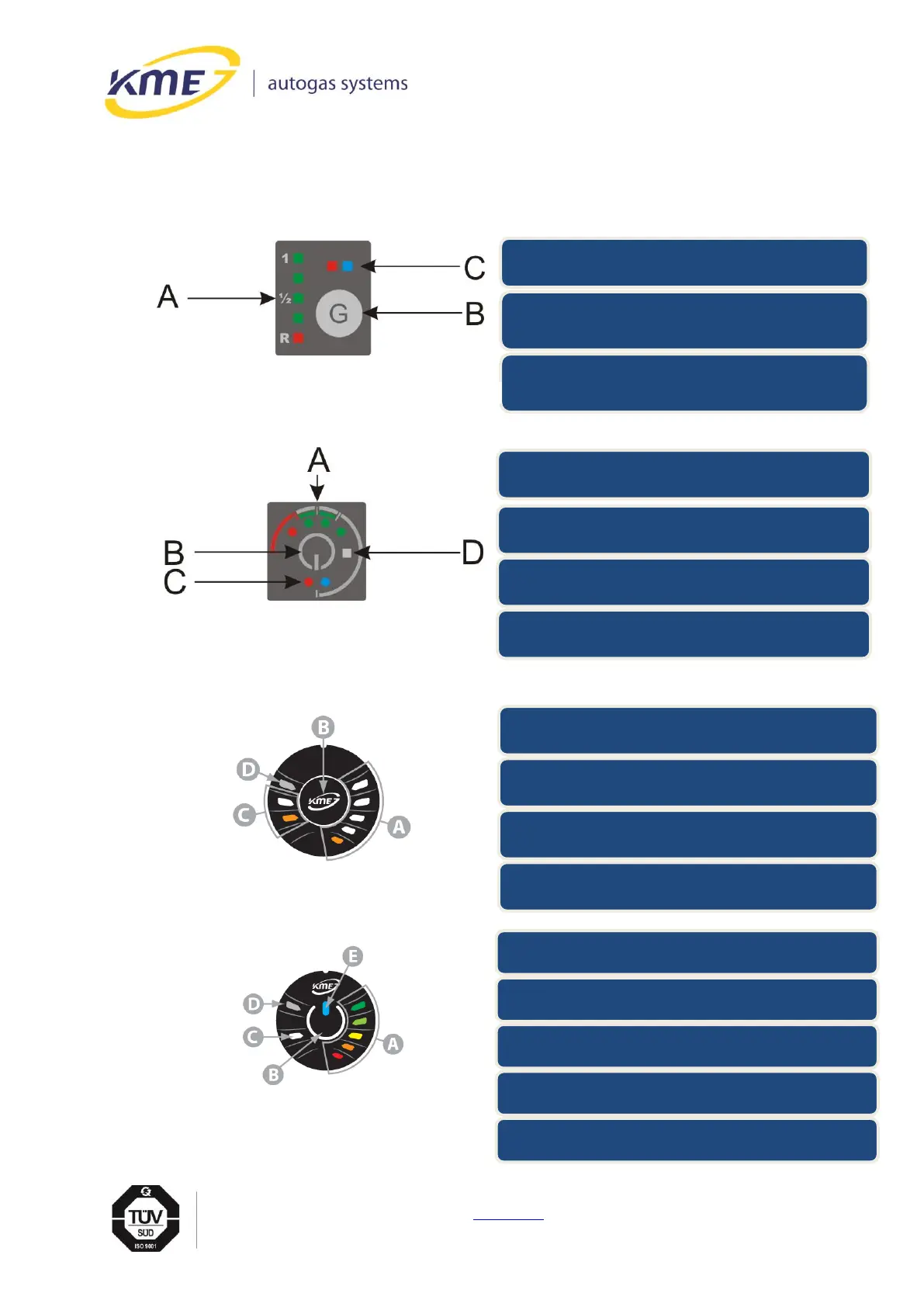
A - LED indicator of actual gas level in the tank
B - switch for fuel type selection
C - status LEDs (working state indication)
(blue or red LED - configurable into software)
D - light sensor
A - RGB LED indicator of actual gas level in the tank
((configurable into software)
B - switch for fuel type selection
C - status LEDs (working state indication)
(configurable into software)
D - light sensor
E - backlight LED (configurable into software)
A - LED indicator of actual gas level in the tank
B - switch for fuel type selection
C - status LEDs (working state indication)
(configurable into software)
D - light sensor
A - LED indicator of actual gas level in the tank
B - switch for fuel type selection
C - status LEDs (working state indication)
(blue or red LED - configurable into software)
2. CONTROL PANEL
Driver uses controls panels to communicate with gas ECU.
Fig. 2.1 Diego G3 control panel.
Fig. 2.2 DG4 control panel
Rys. 2.4 DG7 RGB control panel
Rys. 2.3 DG5 control panel



 To Next Page