EasyManua.ls Logo

Ko Propo EX-2 - Display and Control Methods; Basic Settings Operation

Ko Propo EX-2
57 pages
Print Icon
To Next Page IconTo Next Page
To Previous Page IconTo Previous Page
Loading...
STTURN 50
%
STRETURN100
%
ターンスピード
リターンスピード
STSPEEDスピード
STTURN 100
%
STRETURN100
%
ターンスピード
リターンスピード
STSPEEDスピード
STTURN 50
%
STRETURN100
%
ターンスピード
リターンスピード
STSPEEDスピード
STTURN 100
%
STRETURN100
%
ターンスピード
リターンスピード
STSPEEDスピード
16
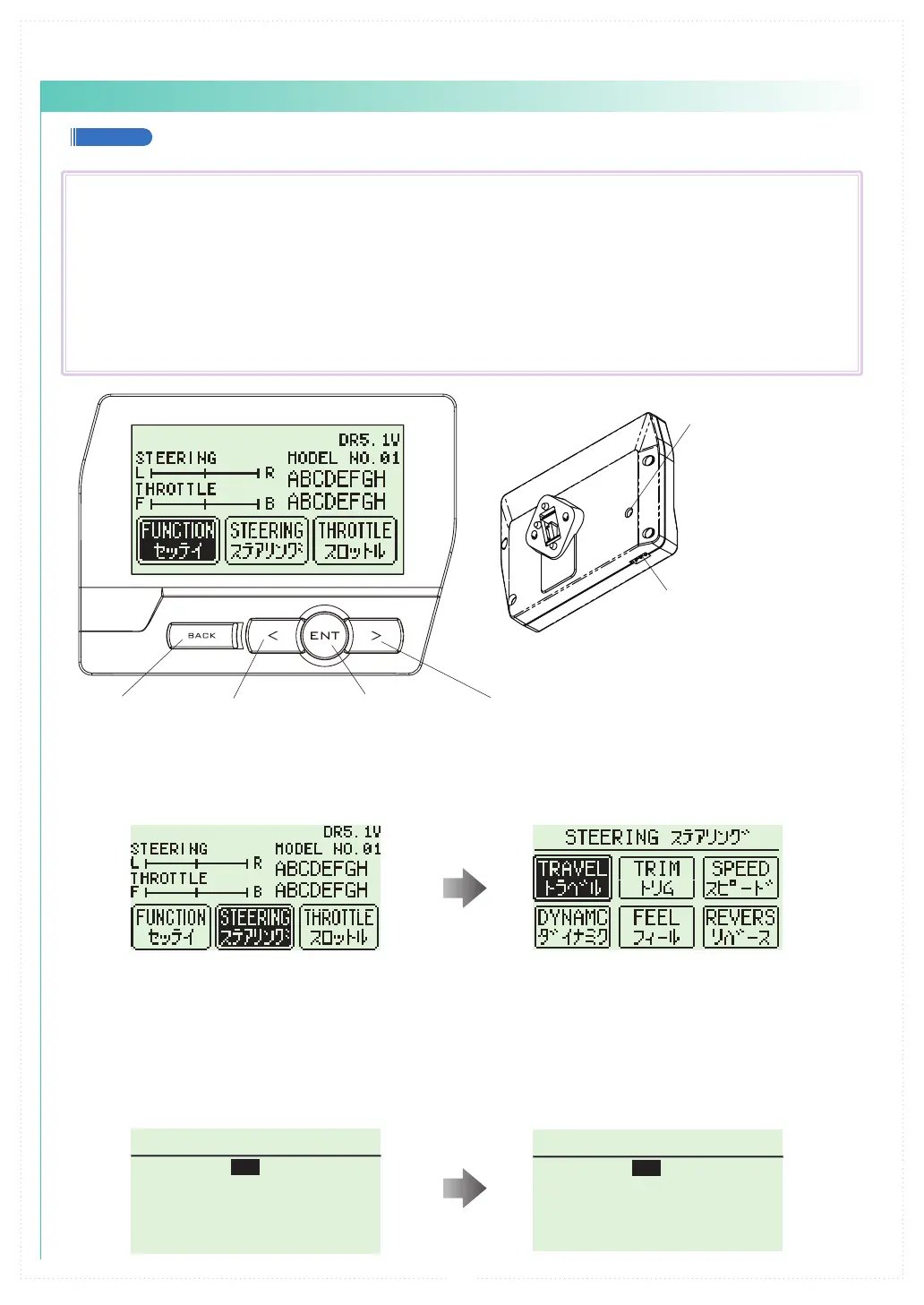
【 Basic Operation 1: Selecting from a Menu 】

󰴤Use the R(>) key to move the cursor over [Steering].
󰴥Press the ENTER key to change to the Steering Menu screen.
【 Basic Operation 2: Changing a Setting Value 】

󰴤 
󰴥
󰴦
󰴧
Display and Control Method for attaching the Xpansion unit
Basic Operations to Change Settings
BACK Key L( < )Key R( > )Key
Command Button
Communication port







ENT Key



ENT Key:

L( < )Key:


R( > )Key:


BACK Key:

L(<) key + R(>) key Pressing simultaneously:
Resets the value to default setting.

Table of Contents

Related product manuals