EasyManua.ls Logo

Ko Propo EX-2 - SYSTEM MENU Options; Display and Battery Settings

Ko Propo EX-2
57 pages
Print Icon
To Next Page IconTo Next Page
To Previous Page IconTo Previous Page
Loading...
34
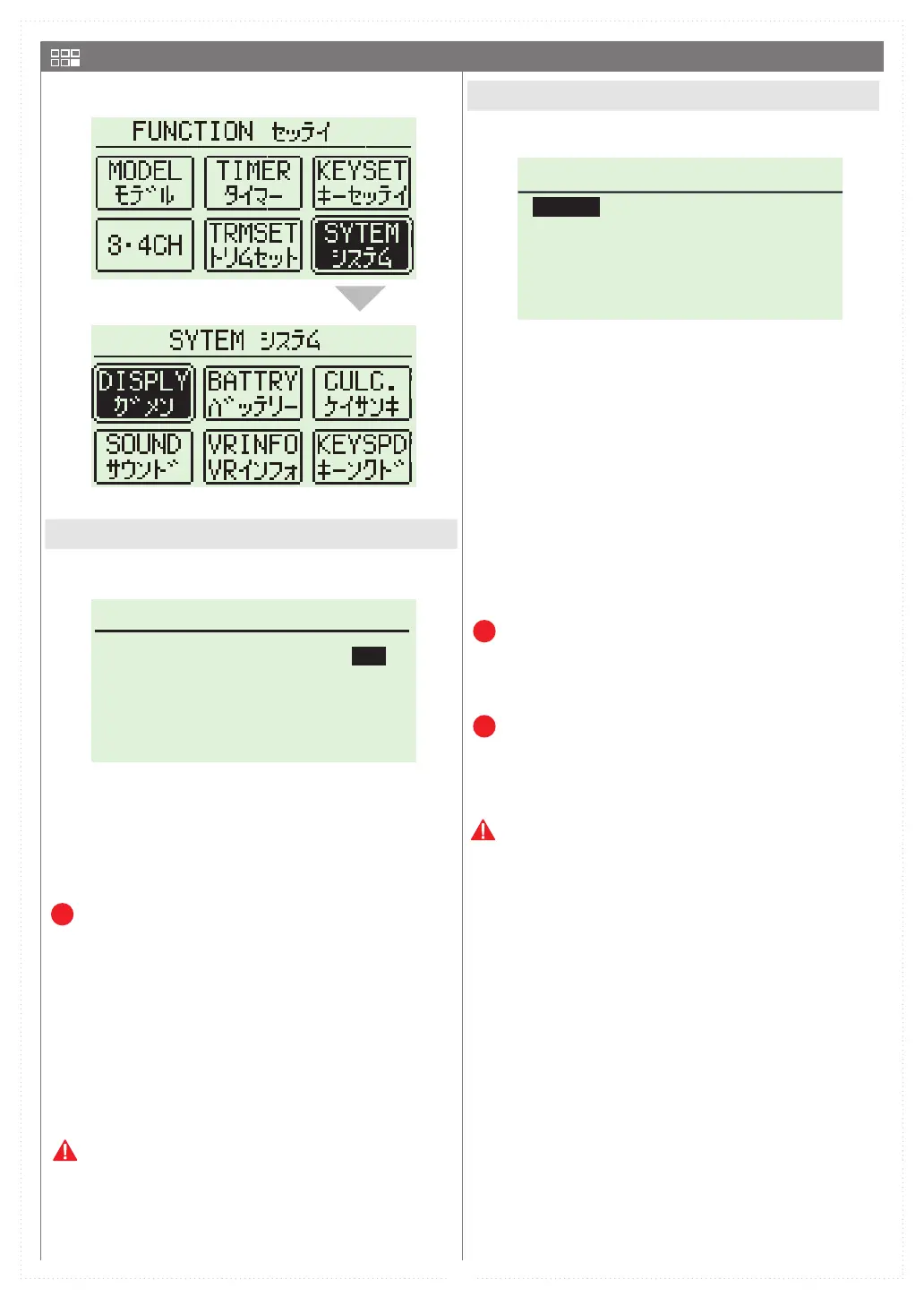
DISPLAY ガメン
CONTRAST ノウド
LIGHTMODE
LIGHTTIME ライトタイム
4
5
バックライト
KEY-ON
DRY
LIPO
カンデンチ
リポ
NI-MH
ニッケル
LIFe
リフェ
BATTERYバッテリー
DISPLAY MENU
BATTERY 



        
       

C h a n g e P o w e r M a n a g e m e n t A f t e r
Switching Battery Type!




      

P
      

        
 

When setting a battery type by mistake,
the warning message can be canceled by
pushing and holding the BACK key to display
the initial screen. Please set it to right
battery again.
P
P
SYSTEM MENU


 



















 

󱐯


Table of Contents

Related product manuals