CHECKING BELT TENSION
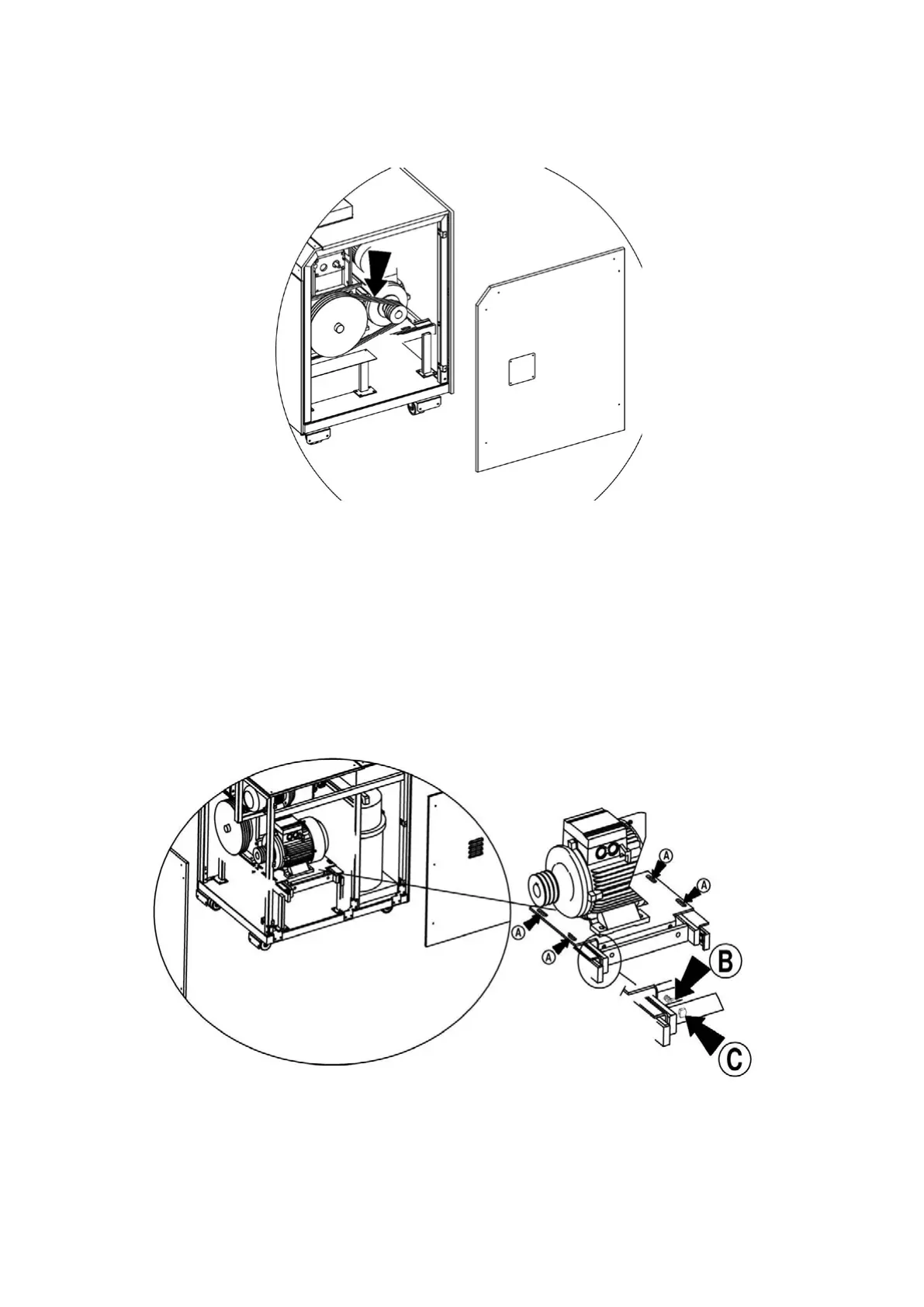
Remove the side panel on the right of the machine.
Check that the belt has a movement of between 10-15mm in the central part as shown in the diagram.
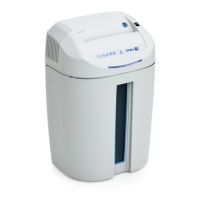
TENSIONING THE BELTS (Figure “C”)
IF BELT TENSION NEEDS TO BE ADJUSTED:
- Remove the side panel on the right rear side of the machine.
- Loosen the screws “A” and the nut “B”, tighten the screws “C” then check that there is between 10-15mm
movement in the central part.
- Tighten nut “B” and tighten screws “A”.
- Put the panel on the right side of the machine back in place.
Figure “C”
32


 To Next Page