EasyManua.ls Logo

Kodak CAROUSEL 800 - Page 6

Kodak CAROUSEL 800
20 pages
Print Icon
To Next Page IconTo Next Page
To Previous Page IconTo Previous Page
Loading...
setting
up
POWER
AND
REMOTE
CONTROL
CORDS
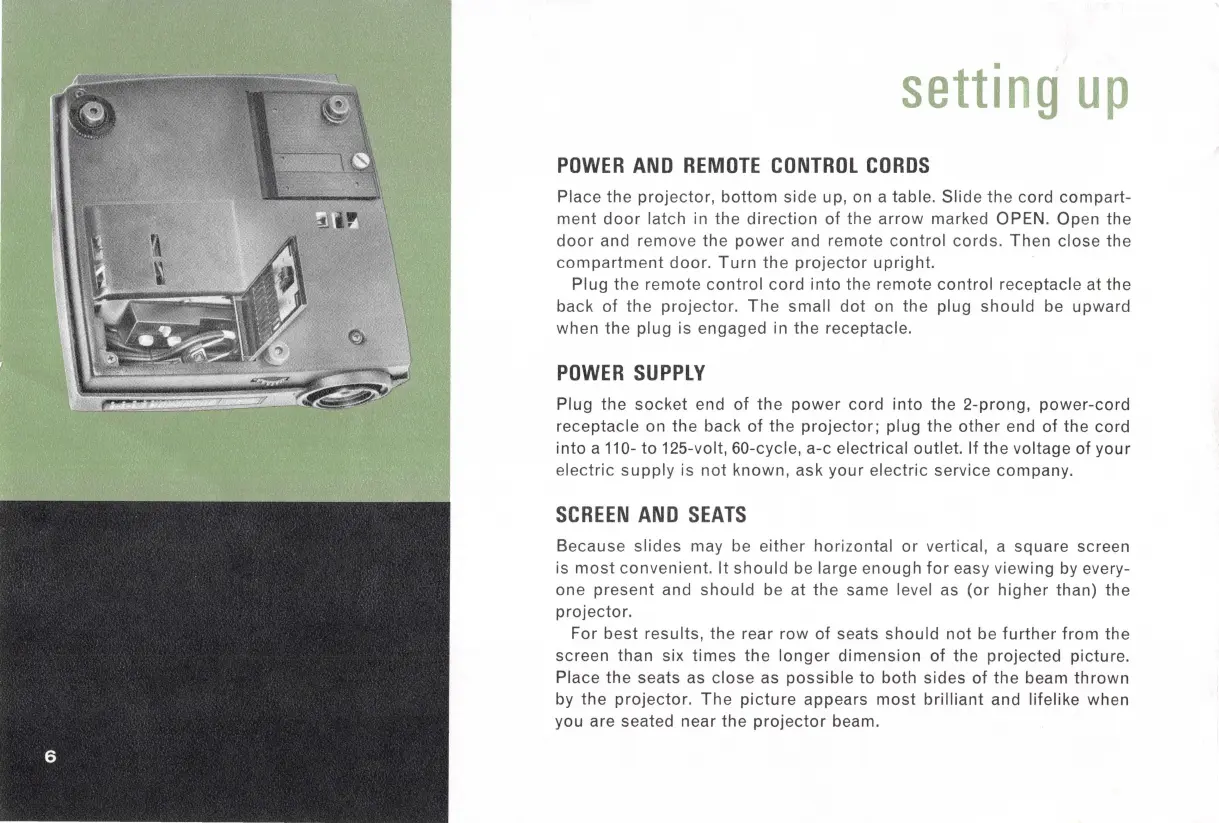
Place the
projector,
bottom
side up, on a table.
Slide
the
cord
compart-
ment
door
latch in the
direction
of
the
arrow
marked OPEN. Open the
door
and remove the
power
and remote
control
cords.
Then
close the
compartment
door.
Turn
the
projector
upright.
Plug the re
mote
control
cord
into
the remote
control
receptacle at the
back
of
the
projector
.
The
small
dot
on the plug
should
be upward
when the plug is engaged in the receptacle.
POWER
SU
PPL
Y
Plug the
socket
end of the
power
cord
into
the 2-prong,
power-cord
receptacle on the back
of
the
projector;
plug the
other
end
of
the cord
into
a 110-
to
125-volt, 60-cycle, a-c electrical outlet. If
the
voltage of
your
electric
supply
is
not
known, ask
your
electric
service company.
SCREEN
AND
SEATS
Because
slides
may be either horizontal
or
vertical, a square screen
is
most
convenient.
It
should
be large enough
for
easy viewing by every-
one
present
and
should
be at
the
same level as
(or
higher
than) the
projector.
For
best
results, the rear row
of
seats
should
not
be
further
from
the
screen than six
times
the
longer
dimension
of
the projected picture.
Place the seats as
close
as
possible
to both sides
of
the beam
thrown
by the
projector.
The
picture
appears
most
brilliant
and lifelike when
you are seated near the
projector
beam.

Related product manuals