
 Need help?
Do you have a question about the Kodak Carousel 860H and is the answer not in the manual?
Describes the self-storing spring-loaded handle for carrying and storage.
Details the permanently attached power cord and its connection to a suitable outlet.
Explains the 12-foot cord storage and connection to the projector's rear socket.
Explains the sliding lens cover for protecting the projection lens during transport or storage.
Describes the transparent dust cover for protecting the projector from dust and dirt.
Details how to check the tray's index hole, remove the lock ring, insert slides, and replace the lock ring.
How to center the projected image vertically by adjusting the projector's front elevation.
Explains the function of the forward and reverse bars for controlling slide tray rotation.
Instructions on focusing the projected image for sharpness using the focus knob.
Explains how to set the automatic timer for controlling slide change intervals.
Describes the forward/reverse buttons and focus lever on the remote control.
Steps for projecting a specific slide from the tray using the select bar.
Procedure for removing the slide tray from the projector using the select bar.
How to project individual slides directly into the projector gate.
Steps to turn off the projector, retract the lens, and store cords after use.
Explains the thermal fuse's function to prevent projector overheating and damage.
Details the types of projection lamps and how to replace a burnt-out lamp.
Instructions for cleaning the projection lens, condenser lens, heat-absorbing glass, and mirror.
Procedure for removing the slide tray if the changing mechanism fails.
Provides tips on lamp life, air flow, and voltage for optimal projector operation.
Methods for previewing and reorienting slides before or during projection.
Information on projecting 110-size slides, including adapter use and lens recommendations.
Guidelines for extended projector use, including air circulation and environmental protection.
Details the features and design of the 40x40 inch projection screen.
Information on purchasing additional slide trays and their storage boxes.
Describes the projector case for protection, convenience, and storage.
Details the case designed to hold multiple slide trays and miscellaneous equipment.
Explains how the extension cord increases the range of the remote-control cord.
Describes the unit that synchronizes projector slides with stereo record/playback tape recorders.
Describes slide clips for easier handling and storage of slides for the Stack Loader.
Explains the adapters for projecting 110 slides in 30x30 mm mounts.
Lists curved-field lenses suitable for cardboard or non-glass mounted slides.
Lists various EKTANAR and EKTANON lenses, including those recommended for 110 slides.
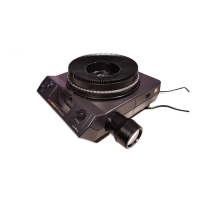
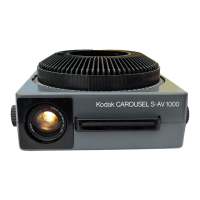
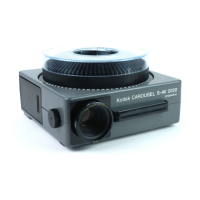
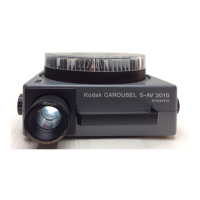
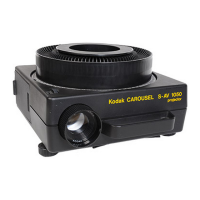
The Kodak Carousel Custom 860H Projector is a device designed for projecting slides, offering a range of features for both casual and more advanced users. It is built for ease of use and durability, with several integrated functionalities to enhance the slide viewing experience.
The primary function of the Kodak Carousel Custom 860H Projector is to project 2 x 2-inch slides, including 126, 135, and 110 slides (when used with adapters), onto a screen for viewing. It utilizes a projection lamp to illuminate the slides and a lens system to focus and magnify the image. The projector is designed to work with Kodak Carousel 140 Slide Trays, which can hold up to 140 slides, allowing for extended presentations without manual slide changes.
The projector features both manual and automatic slide changing capabilities. Users can advance or reverse slides using controls on the projector itself or via a remote-control cord. An automatic timer allows for hands-free presentations, with adjustable intervals for each slide. The projector also supports random selection of slides within a loaded tray, providing flexibility in presentation order. For individual slide viewing or editing, slides can be inserted directly into the projector gate without a tray.
The device incorporates a power-focusing lens system, which can be controlled manually via a focus knob or remotely using the focus lever on the remote control. This allows for precise image sharpness adjustments. Additionally, the projector includes elevation and leveling adjustments to ensure the projected image is properly aligned on the screen.
For more advanced applications, the projector can be integrated with auxiliary equipment such as the Kodak Carousel Dissolve Control, Model 2, or the Kodak Carousel Quick-Change Control, Model A. These controls enable smooth transitions between slides, either fading one image out as another fades in (dissolve) or providing a quick cut between slides. The projector can also be used with the Kodak Carousel Sound Synchronizer, Model 3, to synchronize slide changes with an external stereo record/playback tape recorder, creating multimedia presentations.
The Kodak Carousel Custom 860H Projector is designed with user convenience in mind, offering several features that simplify its operation.
Setting Up: The projector includes a self-storing spring-loaded handle for easy carrying and storage. The power cord is permanently attached and stored on a retainer on the bottom of the projector, while a 12-foot remote-control cord is stored in a compartment at the front. Setup involves unwinding these cords, plugging the power cord into a 120-volt, 60 Hz outlet, and connecting the remote-control cord to the rear of the projector. A sliding lens cover protects the projection lens during transport and storage, and a transparent dust cover is provided to protect the projector from dust and dirt when not in use.
Loading Slides: The projector uses Kodak Carousel 140 Slide Trays. Slides are loaded into the tray with the top of the picture down, and the printed border or emulsion side facing the next lower number. The tray has an index hole and notch to ensure correct alignment when placed on the projector. The lock ring secures the slides in the tray.
Projecting Slides: Once the tray is loaded and placed on the projector, the power switch can be set to HI (300-watt illumination) or LO (255-watt illumination). The LO setting extends lamp life. The first slide is projected by briefly pressing the forward bar on the projector or the forward button on the remote control. Focusing is achieved by rotating the focus knob until the image is sharp. For auto-focus operation with mixed slide mounts, manual readjustment may be needed.
Slide Control: Slides can be changed sequentially using the forward and reverse bars on the projector or the corresponding buttons on the remote control. The automatic timer allows for timed slide changes, with settings for 5, 8, or 15 seconds, or manual (M) operation. Random slide selection is possible by pressing and holding the select bar, rotating the tray to the desired slide number, and then releasing the bar. Single slides can also be inserted directly into the projector gate for quick viewing or editing.
Image Adjustment: The projector features an elevating wheel to adjust the vertical position of the projected image and a leveling foot for horizontal alignment. For projectors equipped with a zoom lens, the image size can be varied without changing the projector-to-screen distance by rotating the front part of the lens barrel.
After the Show: To conclude a presentation, the tray is removed, the power switch is set to OFF, and the projector's front is lowered by turning the elevating wheel and retracting the rear leveling foot. The lens is retracted by turning the focus knob counter-clockwise, and the lens cover is slid into place. Finally, the power and remote-control cords are unplugged and stored.
The Kodak Carousel Custom 860H Projector is designed for minimal maintenance, with self-lubricating bearings. However, certain user-level maintenance tasks are necessary to ensure optimal performance and longevity.
Lamp Replacement: The projector uses an ELH projection lamp with a rated life of 35 hours (at HI setting). Special-application lamps (ENH for longer life, ENG for greater brightness) are also available. The lamp switch's LO position can extend lamp life by up to three times. To replace a lamp, the projector must be cooled, unplugged, and the coin-slotted screw on the lamp-access door turned to open it. The old lamp is grasped by the reflector edge and lifted out, and a new lamp is inserted, ensuring the prongs align with the socket slots. Care must be taken not to touch the transparent portion of the lamp; if touched, it should be wiped with a clean, soft cloth moistened with rubbing alcohol. The lamp must be securely seated before closing the access door.
Cleaning: To maintain bright and sharp images, the optical system needs to be kept clean. Dust or fingerprints on the projection or condenser lens can reduce brightness and contrast.
Emergency Slide-Tray Removal: If a defective slide or foreign object causes the slide-changing mechanism to become inoperative, the tray can be removed by turning the coin-slotted tray-removal screw in either direction to retract the tray lock. While holding the screw, the tray can be lifted off. The defective slide can then be removed from the projector by pushing down on the select bar or pulling it from the gate by hand.
General Care: The projector should be operated with unrestricted airflow through its intake and exhaust vents to prevent overheating. If used in an enclosure, an adequate outlet for warm air is necessary. Cool, dust-free air is recommended for better cooling. The projector should not be left operating unattended for long periods.
Warranty and Service: The projector comes with a full one-year warranty covering proper function, excluding the projection lamp. If the projector malfunctions within this period, Kodak will repair it without charge. If repair is not possible, replacement or refund will be offered. For service, the projector can be returned through a Kodak dealer or one of the Kodak Equipment Service Centers.
 General
| Type | Slide Projector |
|---|---|
| Model | Carousel 860H |
| Film Format | 35mm |
| Lens Aperture | f/2.8 |
| Slide Tray Capacity | 80 slides |
| Lamp Wattage | 300W |
| Slide Format | 2x2 |
| Light Source | Halogen lamp |
| Power Supply | 120V AC, 60Hz |
| Lens | Various, typically Kodak Ektanar or Ektapro lenses |
| Projection Distance | Varies depending on lens and desired image size |


 To Next Page
