EasyManua.ls Logo

Kodak CAROUSEL 800 - Slide Tray

Kodak CAROUSEL 800
20 pages
Print Icon
To Next Page IconTo Next Page
To Previous Page IconTo Previous Page
Loading...
SLIDE
TRAY
Furnished
with
the
projector
is a slide tray
that
holds
80
slides.
The
tray accepts
126
(28
x 28mm),
135
(24
x 36mm),
828
(28
x 40mm), and
127
(1
¼ x 1
¼-inch)
slides
in cardboard,
glass, metal,
or
plastic
- all in 2 x 2-inch
mounts.
KODAK
CAROUSEL
Slide
Tray
accepts
slides
up
to
1
/
10
-inch
thick-
ness;
KODAK
CAROUSEL
Universal
Slide
Tray
accepts
slides
up
to
½-inch
thickness.
Slides mounted with loose
or
sticky tape
or
mounts that have sharp glass corners are
not
recommended for use
in
the slide tray.
Slide-identification
numbers
are molded
onto
the
tray.
As
the
tray revolves,
the
number
of
the
slide being
shown
will be
opposite
the
gate
index on
the
projector.
LOADING
SLIDE
TRAY
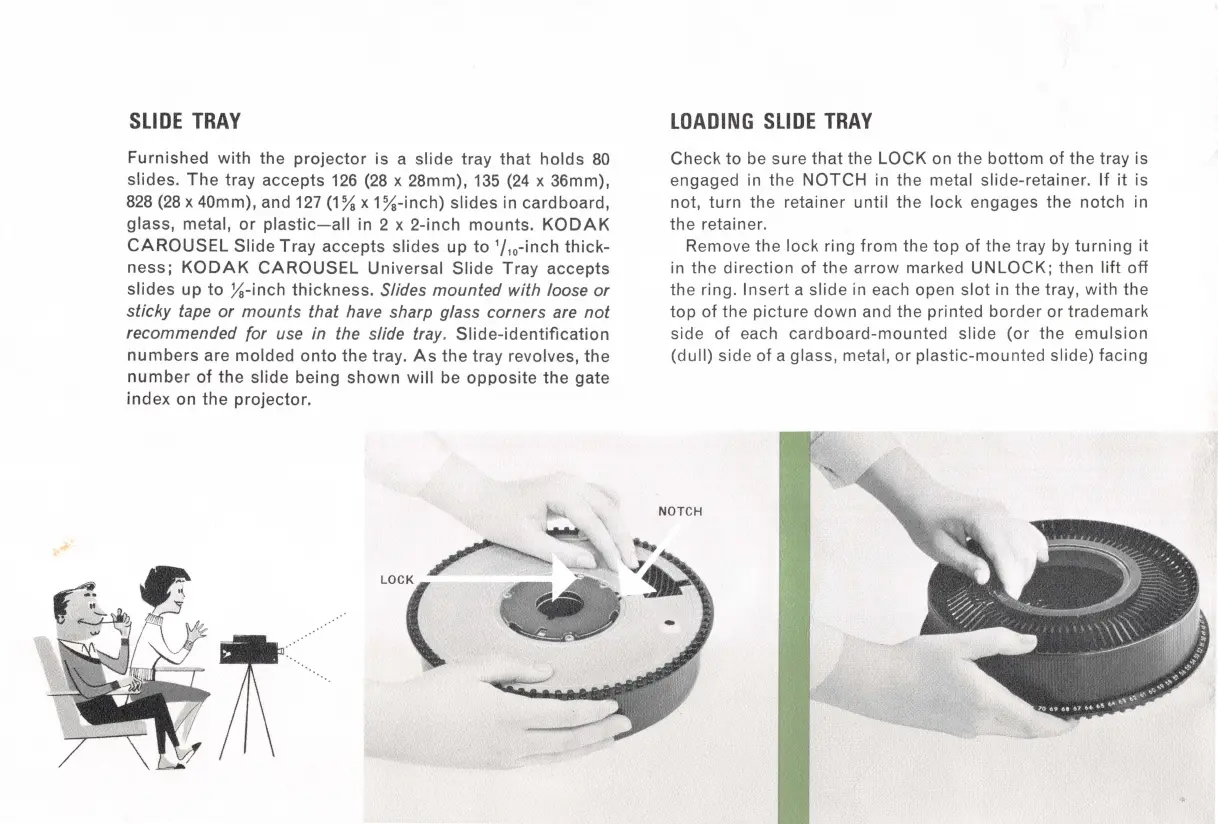
Check
to
be sure
that
the
LOCK
on the
bottom
of
the
tray is
engaged in the
NOTCH
in the metal slide-retainer.
If
it
is
not,
turn
the retainer until the
lock
engages the notch in
the
retainer.
Remove
the
lock ring
from
the
top
of the tray
by
turning
it
in
the
direction
of the
arrow
marked
UNLOCK;
then
lift
off
the ring.
Insert
a slide
in
each open
slot
in the tray, with the
top
of
the
picture
down
and the printed
border
or
trademark
side
of
each
cardboard-mounted
slide (or the
emulsion
(dull) side
of
a glass, metal,
or
plastic-mounted
slide) facing

Related product manuals