EasyManua.ls Logo

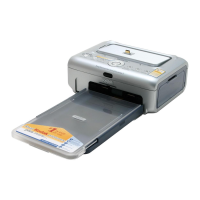
Kodak EasyShare printer dock - User Manual

Kodak EasyShare printer dock
78 pages
Print Icon
To Next Page IconTo Next Page
Loading...
Kodak EasyShare printer dock
6000
User’s Guide
Visit Kodak on the World Wide Web at www.kodak.com
urg_00041.book Page 1 Monday, August 18, 2003 10:02 AM

Table of Contents

Other manuals for Kodak EasyShare printer dock

Questions and Answers

  • J
    Jason FischerSep 8, 2025
    How to fix Kodak EasyShare dock Printer paper that stops traveling before print is completed?
    • R
      Rebecca CooperSep 8, 2025
      If the paper stops traveling before the print is completed, the removable tabs may be missing, causing the paper to misfeed. Remove the paper tray and make sure removable tabs have not been detached. Reload with new paper if necessary.
  • F
    franklinamyAug 21, 2025
    Why is my Kodak Printer printing blank or light?
    • K
      Kelly SimmonsAug 22, 2025
      If your Kodak printer is printing blank or light, several factors could be at play. Ensure the color cartridge is properly installed, and if it's empty, install a new one. Check that the paper is loaded correctly with the print side facing up and the Kodak logo facing down. Also, verify that you're using the correct paper, specifically the Kodak color cartridge & photo paper kit PH-40.
  • C
    Curtis GriffinSep 5, 2025
    Why is my Kodak EasyShare dock printing dark pictures?
    • A
      alexander97Sep 5, 2025
      If your Kodak printer is producing dark prints, the captured image might be too dark; try retaking the picture with better lighting or adjust the exposure compensation on your camera. High print head temperature can also cause this; ensure the printer dock isn't in direct sunlight or a high-temperature environment, and let it cool down for 5 minutes. Additionally, check that the cooling vents are not blocked or dirty.
  • M
    Melissa SmithSep 3, 2025
    How to fix a steady red light (Cartridge Light) on my Kodak EasyShare dock Printer?
    • D
      Diana JenkinsSep 4, 2025
      A steady red light on the Cartridge Light suggests an issue with the color cartridge. The cartridge might be depleted, so install a new one. Alternatively, it could be improperly installed; remove and reinstall it. A color cartridge jam could also be the cause, in which case you should install a new color cartridge.
  • E
    Ellen MoralesSep 2, 2025
    Why is my Kodak Printer printing slow?
    • D
      Danielle DunnSep 2, 2025
      Slow printing on your Kodak printer can stem from several causes. The print head temperature might be too high, so ensure the printer dock isn't in direct sunlight or a hot environment, and let it cool for 5 minutes. Check that the cooling vents are not blocked or dirty. Large picture file sizes or too many applications running on your computer can also slow down printing. It may also be that the computer is not running efficiently, and you should consider upgrading your computer to meet the recommended system requirements.
  • J
    John StewartSep 1, 2025
    How to fix paper misfeeds or multiple sheets being pulled through my Kodak EasyShare dock?
    • P
      Pamela HickmanSep 1, 2025
      If your Kodak printer is misfeeding paper or pulling multiple sheets, it may be because too much paper is loaded in the paper tray, or the paper is improperly loaded. Reload the paper, using no more than 25 sheets. Also, check that the paper tray is correctly installed; if not, reinstall it.
  • M
    Michael CharlesAug 30, 2025
    What to do if nothing happens when I try to print from my Kodak EasyShare dock?
    • P
      Patricia JensenAug 30, 2025
      If nothing happens when you try to print, check the following: * Ensure the AC power cord is securely connected. * Verify that the paper tray is properly installed and contains paper. * Confirm that the color cartridge is correctly installed and not depleted. If the paper light appears, load paper. If the color cartridge light appears, install a new color cartridge.
  • K
    Kathleen CastanedaAug 29, 2025
    What to do if paper stops during mid-print on Kodak EasyShare dock Printer?
    • S
      sierra39Aug 29, 2025
      If the paper or cartridge lights flash and the paper stops during mid-print, it could be due to a paper jam or a color cartridge jam. Clear the paper jam or clear the cartridge jam.
  • A
    Amy MorganAug 26, 2025
    How to fix a Kodak Printer that is not transferring pictures to the computer?
    • J
      Jeremy MoralesAug 26, 2025
      If your Kodak printer isn't transferring pictures to the computer, ensure the Transfer button was pressed. Check that the AC power adapter or USB cable is securely connected. If the camera was removed during transfer, replace it on the printer dock. Also, close any unnecessary software applications. If the issue persists, the software may not be fully or correctly installed; uninstall and reinstall the Kodak EasyShare software.
  • A
    andrew90Aug 25, 2025
    What to do if Kodak EasyShare dock is not printing from the computer?
    • K
      Kevin FisherAug 26, 2025
      If your Kodak printer is not printing from the computer, check that the USB cable is securely connected. Access the printer menu on your system and ensure no check mark appears next to the Pause Printing option. Close any battery monitor software running. Wait a few seconds if the computer is transferring images, then try printing again. If the computer can't detect the printer dock or camera, finish any current print job or slideshow and check the connections.

Summary

Product Overview

Front View

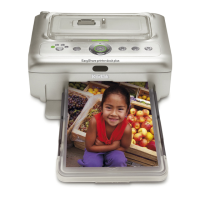
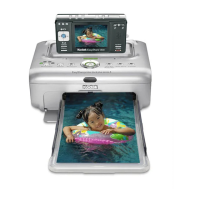
Diagram and labels for the front view of the Kodak EasyShare printer dock 6000.

Back View

Diagram and labels for the back view of the Kodak EasyShare printer dock 6000.

Side Views

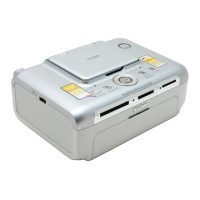
Diagrams and labels for the side views of the Kodak EasyShare printer dock 6000.

Getting Started with Your Printer Dock

What Can I Do With My Printer Dock?

Outlines the printer dock's primary functions and compatible cameras.

Printer Dock Package Contents

Lists all items included in the Kodak EasyShare printer dock 6000 package.

Finding a Location for the Printer Dock

Provides guidelines for optimal placement and airflow for the printer dock.

Installing the Camera Insert

Instructions for fitting camera inserts into the printer dock.

Connecting the Power

Details on connecting the AC adapter and power cord to the printer dock.

Loading the Color Cartridge

Step-by-step guide to inserting the color cartridge into the printer dock.

Loading the Paper

Instructions for loading paper into the printer dock's paper tray.

Inserting the Paper Tray

Steps to insert the paper tray into the Kodak EasyShare printer dock.

Indicator Lights and Buttons

Explains the function of printer dock lights and buttons.

Getting Started with Your Camera

Loading the Camera Battery

Instructions on installing the correct battery type for the camera.

Setting Picture Quality

Recommends camera settings for optimal print quality.

Docking and Charging the Camera

How to connect and charge the camera using the printer dock.

Printing Without a Computer

Printing from Your Camera

Steps to print photos directly from the camera using the printer dock.

Removing Perforated Tabs from Prints

Guide on how to remove the perforated edges from printed photos.

Canceling Printing

Instructions on how to stop an ongoing print job on the printer dock.

Reviewing Pictures and Videos

Running a Slide Show

How to display photos and videos as a slideshow on a TV.

Displaying Pictures and Videos on a Television

Steps to connect the printer dock to a TV for picture display.

Using the Printer Dock with a Computer

System Requirements

Lists hardware and software requirements for Windows and Mac computers.

Installing the Software

Instructions for installing the printer dock software on computers.

Connecting to a Computer

Guide on connecting the printer dock to a computer via USB cable.

Transferring Pictures

Steps to transfer photos from camera/dock to computer.

Printing from a Computer

How to print photos using the Kodak EasyShare software.

Printing Using Other Applications

Instructions for printing from applications other than Kodak software.

Kodak Color Mode

Explanation of Natural and Enhanced color modes for printing.

Ordering Supplies

How to order accessories and supplies for the printer dock.

Care and Maintenance

General Care

Basic guidelines for maintaining the printer dock and its environment.

Cleaning the Print Head

Steps to clean the printer's print head for better print quality.

Clearing a Paper Jam

How to resolve paper jams in the Kodak EasyShare printer dock.

Clearing a Color Cartridge Jam

Steps to resolve jams involving the color cartridge.

Cleaning the Printer Dock

Instructions for cleaning the exterior of the printer dock.

Traveling with your Printer Dock

Tips for safely transporting the Kodak EasyShare printer dock.

Troubleshooting

Printing Problems

Lists common printing issues and their solutions for the printer dock.

Problems Transferring Pictures

Lists issues related to transferring photos and their solutions.

Printer Dock Status Lights

Explains the meaning of various status lights on the printer dock.

Getting Help

Helpful Web Links

Provides useful website addresses for support and product information.

Help in this Users Guide

Directs users to specific sections for assistance within the guide.

Software Help

Points to installation help for the Kodak EasyShare printer dock software.

Telephone Customer Support

Information on how to contact customer support by phone.

Telephone Numbers

Lists customer support phone numbers for various countries.

Appendix

Printer Dock Specifications

Technical details and dimensions of the Kodak EasyShare printer dock.

Upgrading Your Software and Firmware

Instructions on how to download and install software/firmware updates.

Accessories and Supplies

Lists available accessories and their catalog numbers.

Safety Labels

Information on safety warnings and precautions for the printer dock.

Regulatory Information

Details on FCC compliance and other regulations for the device.

Disposal Information

Guidance on environmentally responsible disposal of the product.

Kodak EasyShare printer dock Specifications

General IconGeneral
Print Resolution300 x 300 dpi
Supported Paper Size4 x 6 inches
ConnectivityUSB
CompatibilityKodak EasyShare cameras
Print SpeedApproximately 90 seconds per print
Power SourceAC adapter
Print TechnologyDye Sublimation

Related product manuals