EasyManua.ls Logo

Kodak S2000f Series - User Manual

Kodak S2000f Series
82 pages
Print Icon
To Next Page IconTo Next Page
Loading...
A-61981
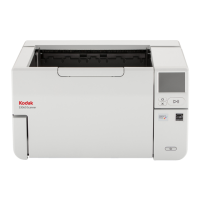
KODAK S2085f Scanner
KODAK S3060 Scanner
KODAK S3060f Scanner
User's Guide
KODAK S3100 Scanner
KODAK S3100f Scanner
KODAK S3120 Scanner
KODAK S3120
Max
Scanner
KODAK S3140 Max Scanner
Kodak S2000f/S3000 Series Scanners

Table of Contents

Questions and Answers

  • M
    Max VillarrealAug 20, 2025
    What to do if documents are jamming in my Kodak S2000f Scanner?
    • L
      leeelijahAug 20, 2025
      To address documents jamming or multiple documents feeding in your Kodak scanner, ensure all documents meet the size, weight, and type specifications detailed in Appendix A. Remove all staples and paper clips. Clean all rollers and tires, and ensure the separation roller and feed module are properly installed. To remove a document jam, remove any documents from the feeder area, open the scanner cover, locate and remove the jammed document(s), then close the scanner cover and resume scanning.
  • T
    Travis WilliamsAug 21, 2025
    Why is my Kodak S2000f not feeding documents?
    • A
      Alicia ClineAug 22, 2025
      If your Kodak scanner won't scan or feed documents, check the following: Ensure the power cord is plugged in and the power is on, with the green LED lit. Verify the scanner cover is completely closed and documents are making contact with the feed module and covering the paper present sensor. Confirm documents meet the required size, weight, and type specifications. For thicker documents, turn the gap release dial vertically. For curled, wrinkled, perforated, or slippery documents, engage the feeder adjustment tab. Check the feed module and separation roller for wear and replace if necessary. Power cycling the scanner may also help.
  • R
    rachelherreraAug 25, 2025
    How to fix a paper jam in Kodak S2000f Scanner?
    • J
      Jacob GallowayAug 25, 2025
      If your Kodak scanner is experiencing a paper jam, open the scanner cover and carefully remove the jammed pages.
  • P
    peter83Aug 26, 2025
    What to do if my Kodak S2000f is multifeeding?
    • J
      james85Aug 27, 2025
      If your Kodak scanner is experiencing a multifeed, open the scanner cover and remove the pages that were fed together. Choose one of the options presented on the scanner screen to proceed.
  • G
    gregorydiazAug 28, 2025
    What to do if long documents jam in Kodak S2000f?
    • K
      Kayla MedinaAug 28, 2025
      If 11 inches / 27.94 cm or longer documents are not feeding or are jamming in your Kodak scanner, make sure the input and output tray extenders are pulled out to provide support for long documents.
  • D
    dwilsonAug 29, 2025
    Why is my Kodak S2000f running so slow?
    • S
      Samantha JonesAug 30, 2025
      If your Kodak scanner is running slowly, your PC may not meet the minimum requirements. Try disabling any anti-virus or security suite software. Some image processing functions can reduce scanner speed. The resolution (dpi) setting may be too high. Ensure you are scanning to a local drive.
  • C
    Christopher NorrisSep 1, 2025
    How to fix skewed scanning on Kodak S2000f?
    • N
      Nathan LloydSep 1, 2025
      To correct skewed documents during scanning with your Kodak scanner, ensure the input tray side guides are adjusted to fit the documents, and that documents are fed perpendicular to the feed module. Remove all staples and paper clips. Clean the feed module, separation roller, and drive rollers. Make sure the scanner cover is firmly closed.
  • A
    Alfred CoxSep 3, 2025
    How to remove vertical lines from Kodak S2000f images?
    • J
      Jacqueline GrahamSep 3, 2025
      If vertical lines appear on the image when using your Kodak scanner, clean the CIS Imagers. Alternatively, enable the Streak Filter option or increase its aggressiveness.
  • B
    Brittany GonzalezSep 5, 2025
    Why is my Kodak Scanner multifeeding documents?
    • M
      Matthew HessSep 5, 2025
      To prevent documents from multifeeding in your Kodak scanner, ensure the leading edges of all batched documents are centered in the feeder. Verify that the feed module and separation roller are clean and not worn. Feed documents with an unusual texture or surface manually. Ensure the gap release is not in the vertical position.
  • A
    angelabakerSep 7, 2025
    Why does my Kodak Scanner pause so much during scanning?
    • S
      Shannon JonesSep 7, 2025
      If your Kodak scanner pauses excessively during scanning, ensure the host computer meets the minimum requirements. Verify there is enough free space on the hard disk drive and close all other applications. Use a USB 2.0 (or higher) connection. You can also try changing the scanning options (compression, etc.) in your scanning application.

Kodak S2000f Series Specifications

General IconGeneral
BrandKodak
ModelS2000f Series
CategoryScanner
LanguageEnglish

Related product manuals