English
37
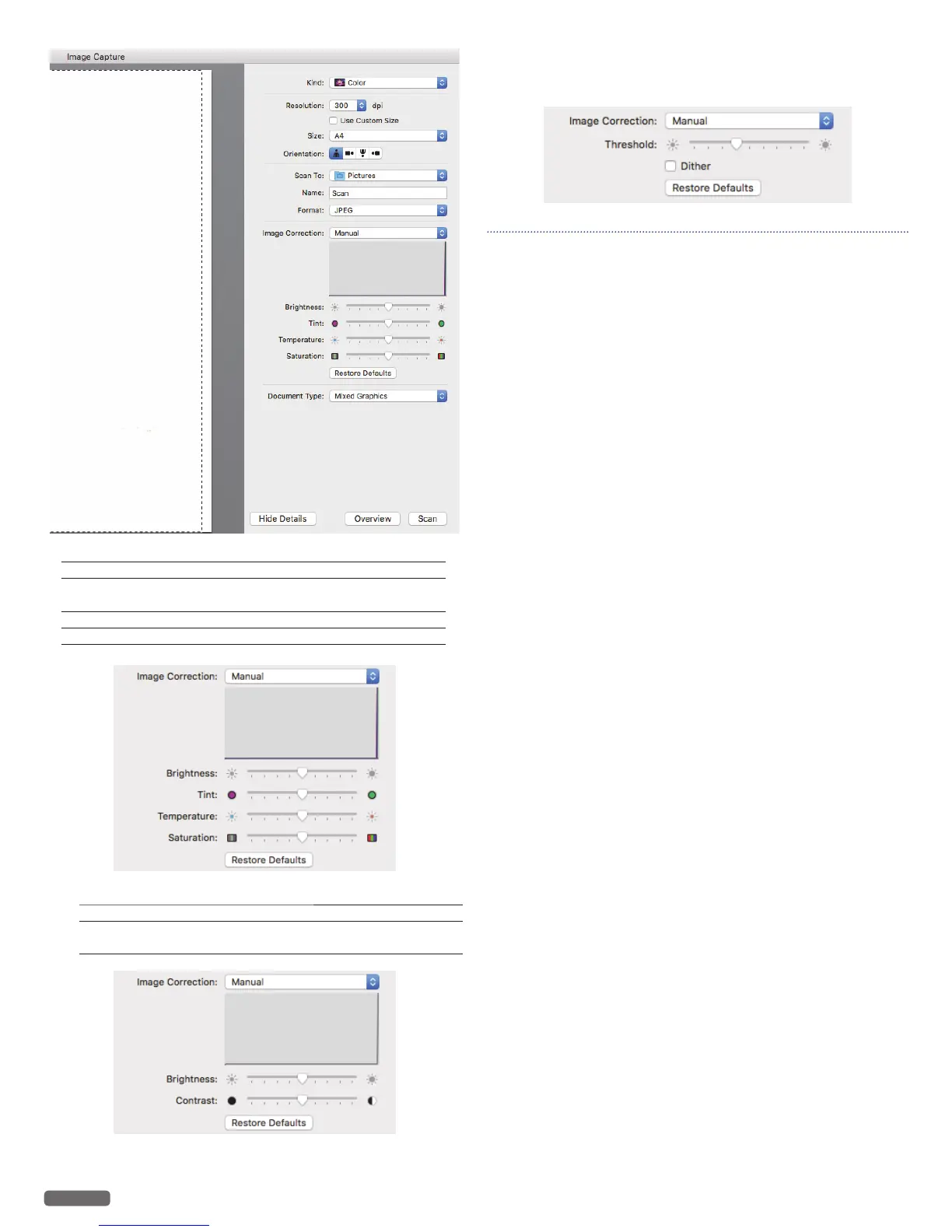
When choosing [Color] in [Kind:]
[Brightness] – to adjust the balance between light and dark.
[Tint] – to adjust the color balance between red and
green.
[Temperature] – to adjust the color balance of warm and cool.
[Saturation] – to adjust the vividness of colors.
When choosing [Black & White] in [Kind:]
[Brightness] – to adjust the balance between light and dark.
[Contrast] – to adjust the balance of sharpness and
softness.
When choosing [Text] in [Kind:]
– [Threshold] to adjust the transition point between dark and light.
Note(s) ❏
• Those images are created based on the screen of OS X 10.11.
If the version of the OS is different or the OS is updated, it is
possible that the display on the screen changes.



 To Next Page