EasyManua.ls Logo

Koldfront WAC12001W - User Manual

Koldfront WAC12001W
23 pages
Print Icon
To Next Page IconTo Next Page
Loading...
V2.2-06232017
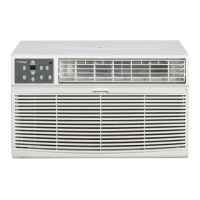
Window Air Conditioner
with Supplemental Heater
Owner’s Manual
For more information on other great EdgeStar products on the web, go to
http://www.edgestar.com
To use the EdgeStar self-diagnostic tool, go to
https://support.edgestar.com
WAC8001W / WAC12001W

Other manuals for Koldfront WAC12001W

Questions and Answers

  • S
    Scott HunterAug 20, 2025
    Why doesn't the air from my Koldfront Air Conditioner feel cold enough?
    • D
      David ShafferAug 20, 2025
      If the air from your Koldfront Air Conditioner doesn't feel cold enough, it could be because the room temperature is below 17°C (62°F); cooling might not occur until the room warms up. Another possibility is that the temperature sensing element is touching the cold coil. Straighten the tube away from the coil. Also, if you recently changed modes, the compressor might have shut off; wait approximately 3 minutes for it to restart in COOL mode.
  • T
    Tracey BrownAug 22, 2025
    Why is my Koldfront WAC12001W making the room too cold?
    • L
      lwatsonAug 22, 2025
      If the room is too cold when using your Koldfront Air Conditioner, the temperature might be set too low. Try increasing the set temperature.
  • R
    Ronald FordAug 25, 2025
    What to do if Koldfront Air Conditioner is cooling but room is too warm?
    • H
      halljaimeAug 25, 2025
      If your Koldfront Air Conditioner is cooling, but the room is too warm and there's no ice forming on the cooling coil, start by cleaning the air filter, as a dirty filter restricts airflow. Ensure that the temperature isn't set too high; adjust it to a lower setting. Check the air directional louvers and position them properly for better air distribution. Also, make sure that the front of the unit isn't blocked by drapes, blinds, furniture, or anything else that could restrict air distribution.
  • M
    matthewrandallAug 26, 2025
    Why Koldfront WAC12001W is cooling but room is too warm and ice is forming?
    • E
      Erin GarciaAug 27, 2025
      If your Koldfront Air Conditioner is cooling but the room is too warm, and ice is forming on the cooling coil behind the decorative front, try setting it to FAN ONLY mode to defrost the coil, especially if the outdoor temperature is below 18°C (64°F). Clean the air filter, referring to the maintenance section. Also, if the thermostat is set too cold for night-time cooling, set it to FAN ONLY mode to defrost the coil and then set the temperature to a higher setting.
  • K
    Kathryn AguirreAug 27, 2025
    Why Koldfront WAC12001W Air Conditioner air from unit does not feel cold enough?
    • C
      Caitlin PetersonAug 28, 2025
      If the air from your Koldfront Air Conditioner doesn't feel cold enough, it could be because the room temperature is below 17°C (62°F); cooling may not occur until the room temperature rises above this level. Another cause could be the temperature sensing element touching the cold coil behind the air filter; straighten the tube away from the coil. Also, the compressor might have shut off due to changing modes; wait approximately 3 minutes and listen for the compressor to restart when set in the COOL mode.
  • C
    Charles CastilloAug 29, 2025
    How to troubleshoot a Koldfront WAC12001W that is not turning on?
    • C
      Christopher CarpenterAug 30, 2025
      If your Koldfront Air Conditioner isn't working, there are several possible reasons. First, ensure the unit is properly plugged into the wall. If it is, check the LCDI power cord and press the Reset button. Also, inspect your house fuse or circuit breaker; replace the fuse or reset the breaker if necessary. Make sure the control panel is turned ON and set to your desired settings. Finally, try moving the unit to another outlet and check the circuit breaker, as insufficient power could be the issue.
  • K
    Kristina SchwartzAug 31, 2025
    What to do if Koldfront Air Conditioner is cooling but the room is too warm (no ice forming)?
    • S
      smithdavidAug 31, 2025
      If your Koldfront Air Conditioner is cooling, but the room remains too warm and no ice is forming, the air filter might be dirty and restricting airflow. Clean the air filter to resolve this. Also, ensure the temperature isn't set too high; try setting it to a lower temperature.
  • L
    leonardmichaelSep 2, 2025
    Why is my Koldfront WAC12001W Air Conditioner cooling but the room is too warm and ice is forming?
    • A
      Andrew GonzalezSep 2, 2025
      If your Koldfront Air Conditioner is cooling, but the room is too warm and ice is forming on the cooling coil, the outdoor temperature may be below 18°C (64°F). Set the unit to FAN ONLY mode to defrost the coil. Also, a dirty air filter can cause this issue, so clean the filter and then defrost the unit by setting it to FAN ONLY mode. If the thermostat is set too cold for night-time cooling, defrost the coil by setting the unit to FAN ONLY mode and then set the temperature to a higher setting.
  • C
    christinehaydenSep 4, 2025
    Why does my Koldfront WAC12001W turn on and off rapidly?
    • M
      Matthew LopezSep 4, 2025
      If your Koldfront Air Conditioner is turning on and off rapidly, the air filter might be dirty and restricting airflow; cleaning the air filter should help. Alternatively, if the outside temperature is extremely hot, setting the FAN speed to a higher setting can help bring air past the cooling coils more frequently.
  • L
    Laura MooreSep 6, 2025
    What to do if the Koldfront WAC12001W Air Conditioner remote control is not sensing?
    • S
      Sean SmithSep 6, 2025
      If the remote control isn't working with your Koldfront Air Conditioner, make sure it's within 20 feet and a 180-degree radius of the unit's front. Also, check for and remove any obstructions blocking the remote control signal.

Summary

Important Safety Information

Electrical Safety

Safety precautions related to electrical connections and usage of the air conditioner.

General Safety

General safety guidelines and precautions for operating the unit to prevent injury or damage.

Operation of Safety Plug

LCDI Plug Functionality and Testing

Instructions for testing the Leakage-Current Detection and Interruption (LCDI) safety plug for proper operation.

Introduction

Product Overview and Record Keeping

Introduction to the manual, product, and space for recording purchase details like model and serial number.

Pre-Contacting Customer Service

Steps to take before contacting customer support for issues, including manual review and troubleshooting.

Parts Identification

Unit Diagrams (Side and Front Views)

Illustrations identifying key components of the air conditioner from side and front perspectives.

Preparations for Installation

Installation Safety and Requirements

Essential safety precautions and pre-installation checks, including tools and parts needed.

Window Installation Instructions

Preparing the Unit for Window Installation

Steps for removing the unit from its cabinet and attaching the top channel and side curtains.

Attaching Side Curtains and Foam Adhesive

Instructions for attaching side curtains and applying foam adhesive for better performance and efficiency.

Installing Cabinet into Window

Securing the Cabinet in the Window

Steps for centering and securing the air conditioner cabinet in both wooden and vinyl windows.

Final Adjustments and Securing Side Curtains

Instructions on tilting the unit, attaching side curtains to the frame, and sealing gaps.

Completing Installation

Final Assembly and Power Up

Steps to finish installation, including securing the unit, plugging it in, and powering it on.

Control Panel Operations

Basic Control Functions

How to turn the unit on, change temperature, and adjust fan speeds using the control panel.

Operating Modes and Features

Guide to selecting operating modes (Auto, Fan, Dry) and using features like Energy Saver.

Sleep, Timer, Filter Check, and Error Codes

Instructions for Sleep, Timer, Check Filter features, and common error code explanations.

Air Directional Louvers

Adjusting Airflow Direction

How to adjust the 4-way air directional louvers to control airflow direction.

Additional Tips

Operational Tips and Temperature Units

Tips on delayed start, temperature unit conversion, and fan speed adjustments.

Remote Operations

Remote Control Functions

Explanation of all buttons and their functions on the remote control for operating the unit.

Maintenance

Air Filter Cleaning Procedure

Detailed steps for cleaning the air filter, including warnings and storage notes.

Cabinet Cleaning and Normal Sounds

Instructions for cleaning the cabinet and descriptions of normal operating sounds.

Energy Saving Guide

Tips for Efficient Operation

Recommendations for maximizing energy efficiency and unit performance.

Troubleshooting

Common Issues and Solutions

A guide to diagnosing and resolving common problems encountered with the air conditioner.

Additional Troubleshooting Scenarios

Further common issues and their solutions, including remote control and noise problems.

Specifications

Product Technical Details

Comprehensive technical specifications including model, voltage, BTUs, dimensions, and plug type.

EdgeStar Limited Warranty

Warranty Coverage and Claims

Details on what is covered, excluded, and how to obtain warranty service.

Koldfront WAC12001W Specifications

General IconGeneral
BrandKoldfront
ModelWAC12001W
CategoryAir Conditioner
LanguageEnglish

Videos

How to Easily Set Your Koldfront WAC12001W AC to Heating Mode

Related product manuals