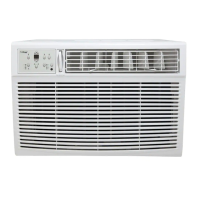
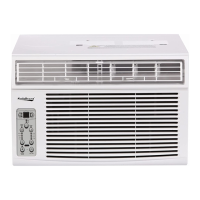
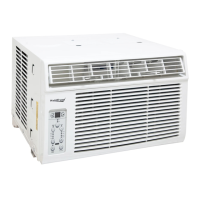
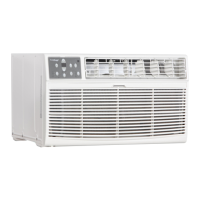
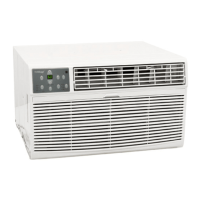
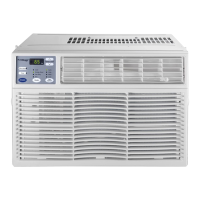
This document describes the Koldfront WAC6002WCO Window Air Conditioner, an appliance designed for domestic home use to cool and dehumidify rooms. It is not intended for commercial or industrial applications.
Function Description
The Koldfront WAC6002WCO is a window-mounted air conditioner that provides cooling, dehumidification, and fan-only operation. It is equipped with a Leakage-Current Detection and Interruption (LCDI) safety plug to reduce the risk of fire due to arcing faults in the power supply cord. The unit operates by drawing in ambient air, cooling it, and then circulating the conditioned air back into the room. It features a compressor for cooling and a fan for air circulation. The air conditioner is designed to maintain a desired temperature within a range of 61°F (16°C) to 86°F (30°C).
Usage Features
The air conditioner can be controlled via a control panel located on the unit or through a remote control.
- Power On/Off: The unit is turned on and off using the Power button on the control panel or remote.
- Operating Modes: The unit offers several operating modes:
- Auto Mode: In this mode, the unit automatically selects cooling or fan-only operation to maintain a default cooling temperature of 66°F. The fan speed is automatically calibrated to the room temperature, and the set temperature cannot be adjusted. The unit periodically takes temperature readings to adjust its operation.
- Cool Mode: This mode cools the room to a desired set temperature. Users can adjust the temperature using the Up/Down buttons and select the fan speed (Auto, Low, Medium, High) using the Fan Speed button.
- Energy Saver Mode: This mode attempts to save energy by cooling less frequently while still maintaining the desired set temperature. The fan speed can still be adjusted.
- Fan Only Mode: This function is used for room circulation or to exhaust air when cooling is not desired. Users can choose any fan speed except "Auto." The set temperature cannot be adjusted in this mode.
- Dry Mode: In this mode, the air conditioner operates as a dehumidifier. It runs at a fixed Low fan speed, which cannot be adjusted. Some degree of cooling will occur in this mode.
- Temperature Adjustment: The desired temperature can be set using the Up/Down buttons on the control panel or remote. The digital display shows the set temperature in degrees Celsius or Fahrenheit.
- Fan Speed Adjustment: The fan speed can be cycled through Auto, Low, Medium, and High settings by pressing the Fan Speed button. Note that in "Dry" mode, the fan speed is automatically set to Low and cannot be adjusted.
- Timer Feature (Auto Start/Stop): This feature allows users to program the unit to automatically start or stop at a specified time. The timer can be set in ½-hour increments up to 10 hours, and then in 1-hour increments up to 24 hours.
- Air Directional Louvers: The unit features 4-way air directional louvers, allowing users to direct the airflow up, down, left, and right throughout the room. The center handles are used to adjust the louvers side to side.
- Digital Display: The display shows the set temperature in Celsius or Fahrenheit. In Fan Only mode, it shows the ambient room temperature. The display can be switched between Fahrenheit and Celsius using the remote control.
- Filter Check Feature: An LED light illuminates after 250 hours of operation to remind users to clean the air filter for efficient operation. Pressing the Filter Check button resets the reminder.
Remote Control Features:
The remote control duplicates most of the functions available on the control panel. Additionally, it offers:
- "I Feel" Mode: In this mode, the remote sends the ambient temperature value to the air conditioner every 10 minutes, allowing the unit to adjust its operation based on the temperature at the remote's location.
- Sleep Mode: This mode increases the set temperature by 2°F (1°C) per hour for the first two hours, then maintains the new temperature for the duration of Sleep mode. Pressing the button again turns off Sleep mode. Sleep mode is available in Cool, Energy Saving, and Dry modes.
- Child Lock: This feature can be activated by simultaneously pressing the Increase and Decrease buttons on the remote to prevent accidental changes to settings.
- Temperature Display Change: The display on the unit can be switched between Celsius and Fahrenheit by simultaneously pressing the Decrease and Mode buttons on the remote when the unit is off.
- Light Function: The LED display on the unit can be turned on or off by holding the Increase and Fan buttons simultaneously for three seconds.
- The water produced by the unit is not potable.
- Always ensure hands are dry before operating.
- Do not spray water directly on the unit.
- Unplug the unit before cleaning or if not in use for a long period.
- Do not operate with a damaged plug or socket.
- The power cord with LCDI plug must be replaced if it fails to reset.
- Do not use the TEST and RESET buttons as an ON/OFF switch.
- Ensure proper air circulation by not obstructing air vents.
- Supervise children when operating the unit.
- Do not use strong detergents for cleaning.
- Route the power cord carefully to avoid tripping hazards.
- Use caution during unpacking and installation due to potential sharp edges.
- The unit requires a grounded 3-prong outlet.
Maintenance Features
Regular maintenance is crucial for maximizing performance, efficiency, and prolonging the unit's life. Always unplug the air conditioner from the power outlet before performing any maintenance.
- Air Filter Cleaning:
- The air filter should be checked at least once a month.
- To clean, push the vent handle to the "vent closed" position, open the front panel by pulling the grooves on both sides, and then grasp and pull out the filter.
- Wash the filter with liquid dishwashing detergent and warm water, rinse thoroughly, and gently shake off excess water. Ensure the filter is completely dry before replacing it.
- Alternatively, the filter can be gently cleaned with a vacuum.
- Important: Never use hot water over 113°F (45°C) to clean the air filter, and never operate the unit without the air filter.
- Cabinet Cleaning:
- The cabinet and front panel can be dusted with an oil-free cloth or wiped with a cloth dampened in a solution of warm water and mild dishwashing detergent.
- Rinse thoroughly and wipe dry.
- Avoid using harsh cleaners, wax, or polish on the cabinet front.
- Wring excess water from the cloth before wiping around the controls to prevent damage.
- Winter Storage: If storing the unit for winter, remove it from the window according to installation instructions. Clean the unit thoroughly and cover it with plastic or return it to its original carton.
- Routine Maintenance: Perform routine maintenance as needed and inspect air filters regularly.
Normal Sounds:
Users may hear certain sounds during normal operation:
- High Pitched Chatter: From high-efficiency compressors during the cooling cycle.
- Sound of Rushing Air: From the fan moving air.
- Gurgle/Hiss: From refrigerant passing through the evaporator.
- Vibration: Due to poor wall/window construction or incorrect installation.
- Pinging or Switching: From water droplets hitting the condenser.
Energy Saving Guide:
To optimize performance and efficiency:
- Do not cover the air outlet.
- Use the timer to operate the unit before it's needed.
- Minimize heat sources in the room (direct sunlight, computers, people).
- Close all windows and doors.
- Use the unit in a contained room (four walls and a ceiling).
- Ensure no gaps where air can escape.
- Minimize room humidity (e.g., run in dehumidifier mode).
- Wait at least 3 minutes before turning the unit back on after shutting it off to prolong compressor life.
- Inspect and clean air filters regularly.
- Perform routine maintenance.

 Need help?
 General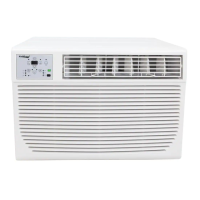


 To Next Page