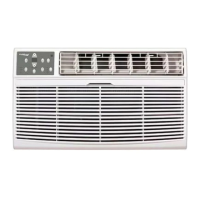
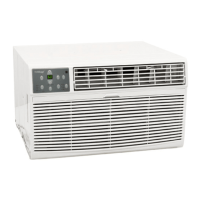
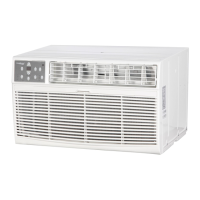
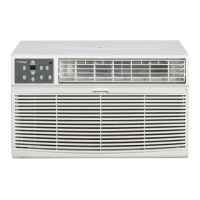
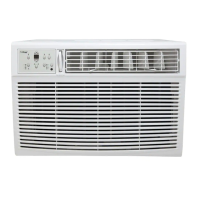
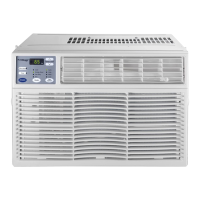
This document describes the Koldfront Through The Wall Air Conditioner with Supplemental Heater, models WTC8001W and WTC12001W. It serves as an owner's manual, providing comprehensive instructions for installation, operation, and maintenance of the unit.
The primary function of this device is to provide cooling and supplemental heating for a room, operating as a through-the-wall air conditioner. It is designed to be installed into a compatible wall sleeve, which provides structural support and proper sealing. The unit also functions as a dehumidifier in "Dry Mode" and can circulate air in "Fan Only" mode.
Usage Features:
The air conditioner features a control panel and a remote control for operation.
Control Panel Operations:
- On/Off: A dedicated button to turn the unit on or off.
- Temperature Adjustment: Up and Down arrow buttons allow users to set the desired temperature between 62°F (17°C) and 86°F (30°C). The unit will automatically maintain this temperature.
- Fan Speed Adjustment: A "Fan Speed" button cycles through four settings: Auto, Low, Medium, and High. In "Dry Mode," the fan speed is automatically set to Low.
- Operating Mode Selection: A "Mode" button allows selection between Auto, Cool, Heat, Dry, and Fan modes. An indicator light illuminates next to the selected mode.
- Auto Mode: This mode automatically switches between Cool, Fan, and Heat to maintain the desired set temperature. The fan speed cannot be manually adjusted in Auto Mode. The AUTO indicator remains illuminated, even if the internal operation switches between cooling, heating, or fan. The unit's temperature sensor is located near the air intake port on the front, so manual readings elsewhere in the room may differ. The unit takes periodic temperature readings, not constant ones.
- Cool Mode: Provides cooling for the room.
- Heat Mode: Provides supplemental heating. It has a lower BTU rating than the cool mode and is intended to supplement an existing heat source, not to heat the same square footage as the cooling function. The maximum heating capacity is 15°F above the ambient room temperature.
- Dry Mode: Operates as a dehumidifier. Some cooling will still occur in a closed space.
- Fan Only Mode: Circulates air without cooling or heating. The display shows the actual room temperature.
- Energy Saver Feature: Activated by the "Energy Saver" button, this feature is available in Cool, Dry, and Auto modes. The fan continues for 3 minutes after the compressor shuts off, then cycles on for 2 minutes at 10-minute intervals until the room temperature exceeds the set temperature, at which point cooling resumes.
- Sleep Feature: Initiated by the "Sleep" button, this mode adjusts the selected temperature by 2°F (1°C) after 30 minutes, and again after another 30 minutes. This new temperature is maintained for 6 hours before returning to the original setting. It can be canceled at any time. This function is available on COOL and AUTO mode only.
- Timer (Auto Start/Stop) Feature: The "Timer" button initiates an Auto Start or Auto Stop program. Users can adjust the time in 1/2-hour increments up to 10 hours, and then 1-hour increments up to 24 hours using the Up and Down buttons. The selected time displays for 5 seconds before reverting to the temperature display (or no display if off). Turning the unit on/off or setting the timer to 0.0 cancels the program.
- Check Filter Feature: An LED light illuminates after 250 hours of operation to remind users to clean the air filter. Pressing the "Check Filter" button resets the light.
- Digital Display: Shows the set temperature in Celsius or Fahrenheit, Auto-Timer settings, and room temperature in Fan Only mode. The unit can switch between Fahrenheit and Celsius by pressing and holding the Up and Down Temp/Timer buttons simultaneously for 3 seconds.
- Air Directional Louvers: The unit features 4-way air directional louvers, allowing users to direct airflow Up, Down, Left, and Right. The center handles adjust side-to-side direction, and the louvers can be pivoted with fingers for desired airflow.
- Automatic 3-Minute Delay Start: In "Cool" mode, there's an automatic 3-minute delay start if the unit is turned off and on quickly. This prevents compressor overheating and circuit breaker tripping, with the fan continuing to run during this delay.
Remote Operations:
- The remote control has an operating range of 16 ft.
- The remote signal receiver is on the control panel, and commands are confirmed by an audible beep.
- Direct sunlight can interfere with the infrared signal, so curtains may be needed to block sunlight from the receiver.
- The remote uses a lithium button/coin cell battery. Users are warned about the chemical burn hazard and instructed to keep batteries away from children, secure the compartment, and seek medical attention if swallowed. Used cells should be disposed of properly.
- ONE TOUCH button: Automatically shifts to COOL operation with auto fan speed and a setting temperature of 26°C / 80°F, canceling any existing timer program.
- Other buttons on the remote mirror the control panel functions: ON/OFF, TEMP DOWN, TIMER, MODE, TEMP UP, FAN SPEED, and SLEEP.
Maintenance Features:
Regular cleaning of the air conditioner and its filters is crucial for maximizing performance, efficiency, and prolonging the unit's life. Always unplug the unit before cleaning.
- Air Filter Cleaning:
- The air filter, located behind the Front Grille/Air Intake Panel, should be checked at least once a month.
- To clean, grasp the handle/tab at the top of the Front Grille and pull the filter upward and outward.
- Wash the filter with liquid dishwashing detergent and warm water, then rinse thoroughly.
- Gently shake off excess water and ensure the filter is thoroughly dry before re-inserting.
- Alternatively, the filter can be gently cleaned with a vacuum.
- Important: Never use hot water over 40°C (104°F) to clean the filter, and never operate the unit without the air filter.
- Cabinet Cleaning:
- Unplug the air conditioner to prevent shock or fire hazards.
- The cabinet and front can be dusted with an oil-free cloth or wiped with a cloth dampened in a solution of warm water and mild dishwashing detergent.
- Rinse thoroughly and wipe dry.
- Important: Never use harsh cleaners, wax, or polish on the cabinet front. Wring excess water from the cloth before wiping around the controls to prevent damage to the air conditioner.
Troubleshooting Tips:
The manual includes a comprehensive troubleshooting guide to help users resolve common issues such as the unit not functioning, insufficient cooling, ice formation, water dripping, and remote control problems. Solutions often involve checking power connections, resetting the LCDI cord, cleaning filters, adjusting temperature settings, or ensuring proper installation and airflow.
Energy Saving Guide:
To optimize performance and efficiency, users are advised to:
- Avoid covering the air outlet.
- Use the timer to pre-cool the room.
- Minimize heat sources in the room (e.g., direct sunlight, computers, people).
- Close all windows and doors.
- Use the unit in a contained room.
- Ensure the unit is securely installed with no gaps for air escape.
- Minimize room humidity by using the dehumidifier function.
- Wait at least 3 minutes before restarting the unit after shutting it off to prolong compressor life.
- Regularly inspect and clean air filters.
- Perform routine maintenance.
The manual also provides information on error codes (AS for room temperature sensor error, for evaporator temperature sensor error, HS for electric heating sensor error), which typically require unplugging and re-plugging the unit, or calling for service if the error persists.


 To Next Page

 General