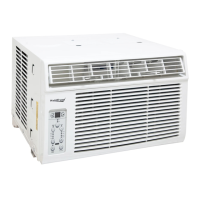
This document is a service manual for Koldfront Cool Only Window Air Conditioners, covering models WAC8002WCO, WAC10002WCO, and WAC12002WCO. It provides comprehensive information for certified technicians regarding the operation, maintenance, and troubleshooting of these units.
The primary function of these devices is to provide cooling for indoor spaces. They are designed as window air conditioners, meaning they are typically installed in a window opening to facilitate heat exchange with the outside environment. The "Cool Only" designation indicates that their main operational mode is cooling, as opposed to models that might also offer heating or dehumidification as primary functions.
Usage Features:
The air conditioners are equipped with a control panel and a remote control for user interaction.
- On/Off Button: This button allows the user to power the unit on or off.
- Energy Saver Feature: This feature is automatically activated in Cool, Dry, and Auto modes. When engaged, the fan continues to run for 3 minutes after the compressor shuts off. The fan then cycles on for 2 minutes at 10-minute intervals until the room temperature rises above the set temperature, at which point the compressor restarts cooling. This helps optimize energy consumption.
- Timer Button: The timer function allows users to program the unit for automatic start or stop. When the unit is on or off, pressing the Timer button initiates the "Timer On" program. Pressing it again switches to the "Timer Off" program. The auto time can be adjusted in 1/2-hour increments up to 10 hours, and then in 1-hour increments up to 24 hours. The control panel displays the selected time for 5 seconds before reverting to the temperature display. The timer setting is not permanent and must be reset each time it is desired for use. Turning the unit on or off, or adjusting the timer to 0.0, cancels the program.
- Mode Select Button: This button cycles through various operating modes: Auto, Cool, Dry, and Fan. An indicator light next to the button illuminates to show the currently selected mode.
- Auto Mode: In this mode, the unit automatically switches between Cool and Fan-only operation to maintain the desired set temperature. The unit determines whether to cool or run the fan based on the difference between the ambient room temperature (TA) and the set temperature (TS). If TA-TS is greater than 4°F, it cools. If TA-TS is between -2°F and 4°F, it runs in fan-only mode. The unit defaults to running mode upon powering on, changing to auto mode, or adjusting the temperature. There's a compressor restart protection delay of 3 minutes.
- Cooling Mode: The cooling temperature can be set between 62°F (17°C) and 86°F (30°C). The compressor runs based on the difference between the set temperature and the actual ambient room temperature. If the ambient temperature is at or below the set temperature for 1 minute, the compressor turns off. If the ambient temperature is 2°F above the set temperature, the compressor turns on.
- Dry Mode: In this mode, the air conditioner acts as a dehumidifier. While primarily for dehumidification, some cooling will still occur in a closed space. The temperature in dry mode can be set between 62°F (17°C) and 86°F (30°C). The fan speed is automatically set to Low and cannot be adjusted by the user.
- Fan-Only Mode: If the temperature cannot be controlled by the selected mode, or if the room ambient temperature is displayed, the unit defaults to fan-only mode. The display shows temperatures between 32°F (0°C) and 99°F (37°C); temperatures outside this range will show "LO" or "HI." The timer function is available in fan-only mode.
- Temp / Timer Up/Down Buttons: These buttons allow users to adjust the desired temperature setting. The temperature can be set between 62°F (17°C) and 86°F (30°C). Holding both buttons for 3 seconds toggles the display between Fahrenheit (°F) and Celsius (°C). These buttons also adjust the auto time when setting the timer.
- Fan Speed Button: This button cycles through four fan speed settings: Auto, Low, Medium, or High. The fan speed cannot be adjusted in Dry mode.
- Sleep Mode: When activated, the selected temperature will increase by 2°F (1°C) after 30 minutes, and then by another 2°F (1°C) after an additional 30 minutes. This new temperature is maintained for 6 hours before returning to the originally selected temperature. The fan speed defaults to Auto in sleep mode. This mode is available in Cool and Auto modes. Changing any settings after sleep mode starts will cancel the function.
- One Touch Button (Remote Control): This button automatically shifts the system to COOL operation with auto fan speed, a setting temperature of 80°F (26°C), and cancels any active timer program.
Maintenance Features:
The manual emphasizes several maintenance aspects to ensure efficient operation and prolong the unit's life.
- Filter Cleaning: The air filter should be checked at least once a month for cleaning. A "Check Filter" LED light illuminates after 250 hours of operation as a reminder. To clean the filter:
- Open the front panel.
- Take the filter by the center and pull it up and out.
- Wash the filter with liquid dishwashing detergent and warm water, then rinse thoroughly. Gently shake off excess water and ensure it is completely dry before reinstallation. Alternatively, a vacuum cleaner can be used.
- Reinstall the dry air filter.
- Important Notes for Filter Cleaning: Never use hot water over 104°F (40°C). Do not operate the unit without the air filter. Clean the filter before re-use if the AC has not been used for a prolonged period.
- Proper Installation and Drainage: The manual explains that current Koldfront window air conditioners do not use drain plugs. Instead, the fan blade splashes and disperses water over the condenser coils, which aids in cooling efficiency. Any excess water drains from the lower back edge of the unit. It is crucial for the unit to be installed with a slight rearward slope (about 3° to 4° downward toward the outside) to ensure proper drainage and prevent water accumulation inside the unit during normal use.
- Troubleshooting Guide: The manual includes a detailed troubleshooting guide for common issues, categorized into Starting Failure, Air Conditioning failure, and Structural Damage. It provides possible causes and solutions for problems such as the unit not functioning, air not feeling cold enough, ice forming on the cooling coil, and noise during operation.
- Error Codes and Sensor Malfunctions: The manual lists specific error codes (AS, LO, HI, ES) that indicate sensor issues.
- AS (Room temperature sensor error): Requires checking the sensor connection to the main PCB and securing any loose connections.
- LO (Room sensor is an open circuit) / HI (Room sensor is a short circuit): Requires checking the sensor wire for damage and repairing it if possible.
- ES (Defrost sensor is open or short circuit): Requires testing the sensor and replacing it if defective.
The manual also provides a "Temperature Sensor Resistance Test Table" to assist technicians in testing sensor functionality by correlating temperature with expected resistance values.
The document emphasizes that service should only be performed by certified technicians, and only genuine replacement parts should be used. It also includes general safety precautions, particularly regarding electrical safety, to prevent electric shock, fire, or injury.

 Need help?
 General


 To Next Page