- 26 -
15. Other Functions
15.1. Search Criteria
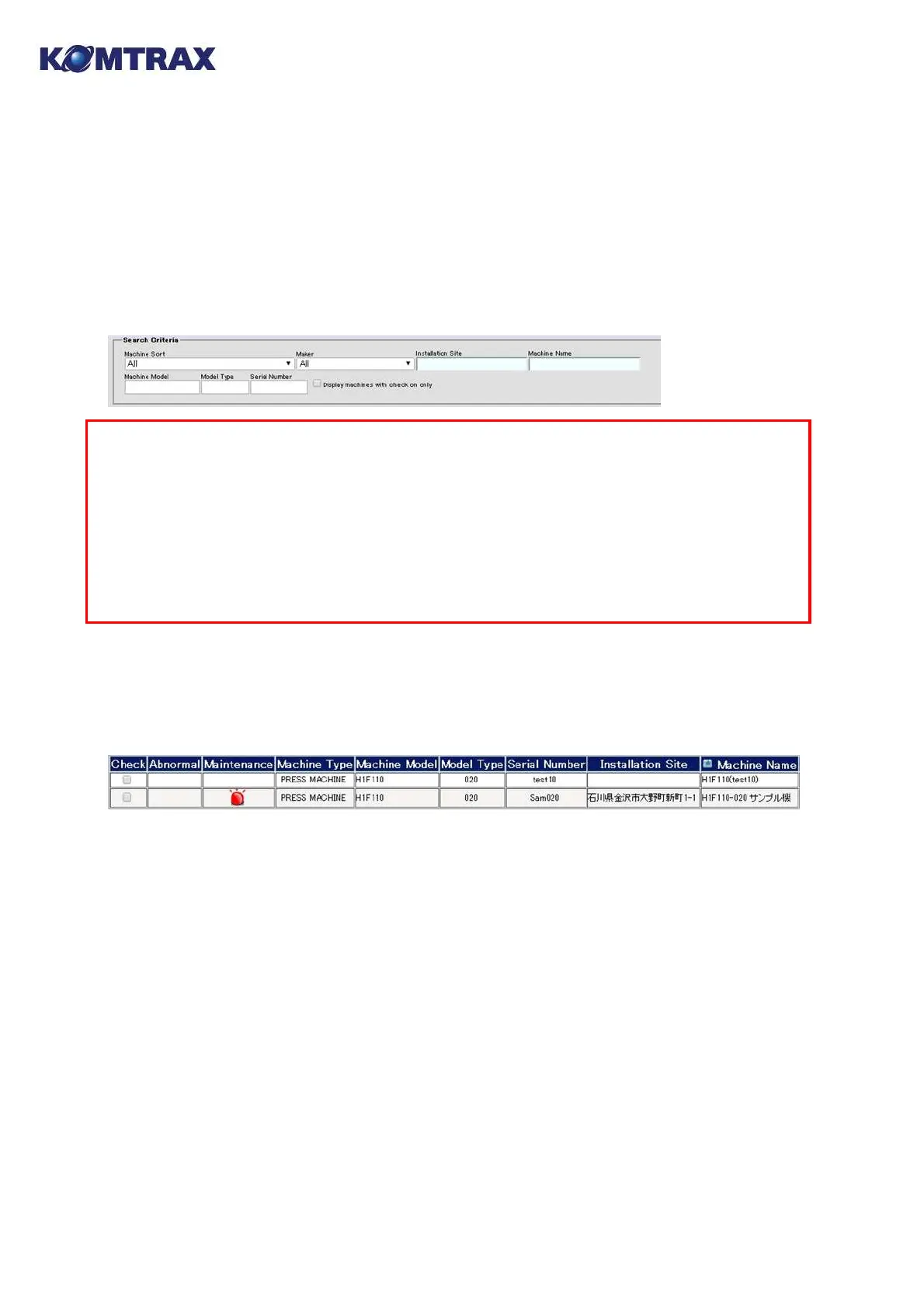
Information to display can be limited by entering letters to narrow down into the "Search
Criteria" columns and pressing the "Search" button. Only the information to comply with the
entered letters is displayed.
Search Criteria
・Machine Sort and Maker: Select from the pull-down menu.
・Installation Site and Machine Name: Enter a key word in the text box. (partial-match
search)
・Machine Model, Model Type and Serial Number: Enter a key word in the text box.
(complete-match search)
* Wild card (*) search is also possible.
15.2. Sort
By clicking the item description, the list is sorted in ascending order with the column of the
item. The list order changes in the order of (ascending → descending → no sorting →
ascending) on each clicking.
15.3. CSV Download
On the screen where [CSV Download] button is provided, the equivalent data with the
displayed data can be downloaded as a CSV text file. Since the dialog box for saving the file shall
be displayed by pressing the [CSV Download] button, save it at your appropriate location.
The saved file can be used with miscellaneous spreadsheet and database programs. (See the
manual of the software for using the file.)



 To Next Page