- 30 -
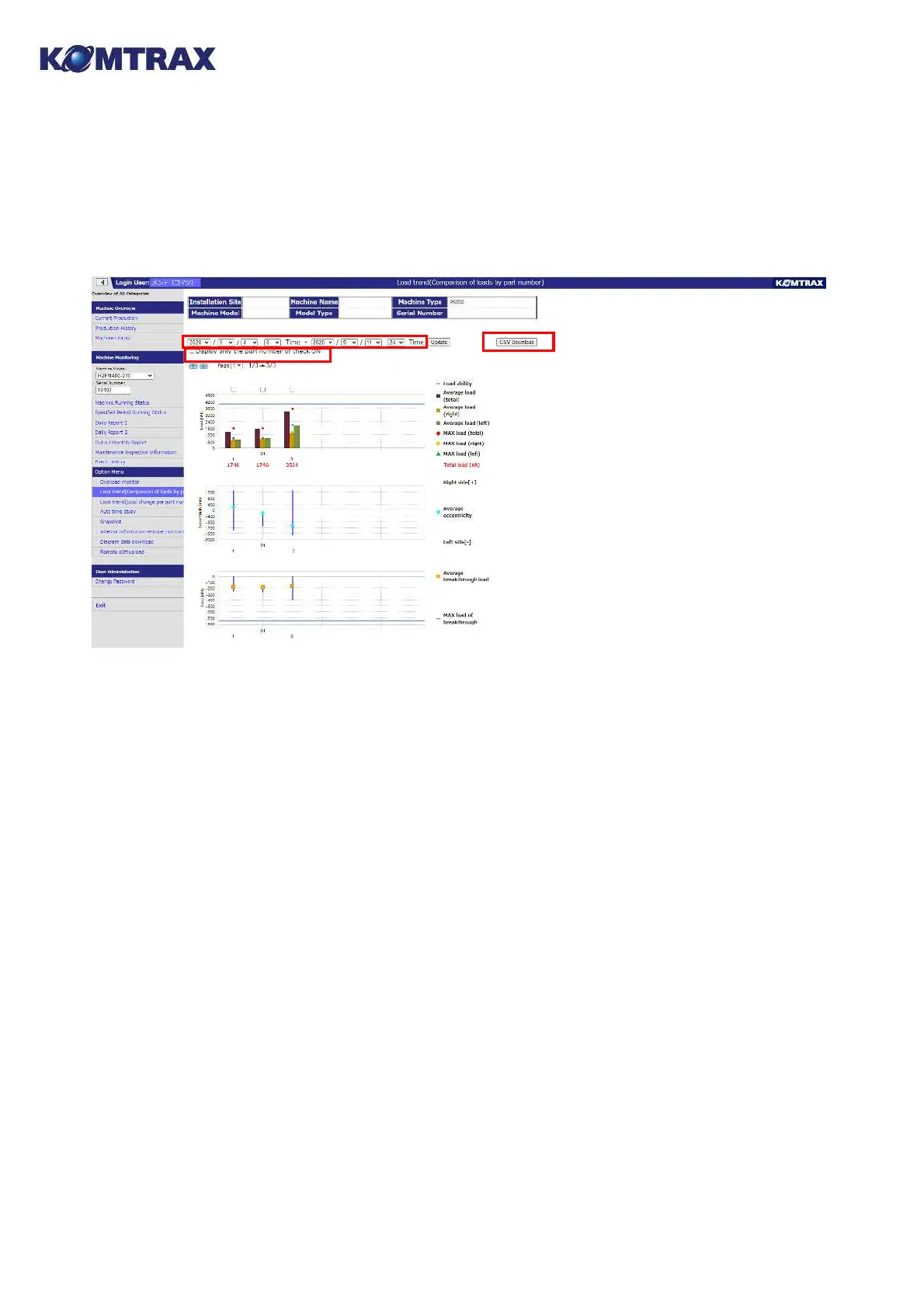
17.2. Load trend (Comparison of loads by part number) (Press)
Average load, maximum load, eccentric load and break through load (average, maximum) within
the appoint period are shown in order and the differences among part numbers are compared.
Explanation of monitor information
1) Appoint period Set period to output.
2) Update Update screen data to show for the appoint period.
3) CSV download Parts event information of the load within the appoint period is
downloaded as csv file.
4) Show check-ON The parts with check-ON are only shown.
5) Load ability display Average load and maximum load for each part are shown with the point
axes. And the selected part in above check box is shown.
6) Eccentric load display An eccentric load information is shown.
7) Break through display Average and maximum break through load are sown for each
part.
①
①
②
②
③
③
④
④
⑤
⑤
⑥
⑥
⑦
⑦



 To Next Page