2-68
PC210/240-ENG
12.10 WORKING MODE SELECTION
WORKING MODE
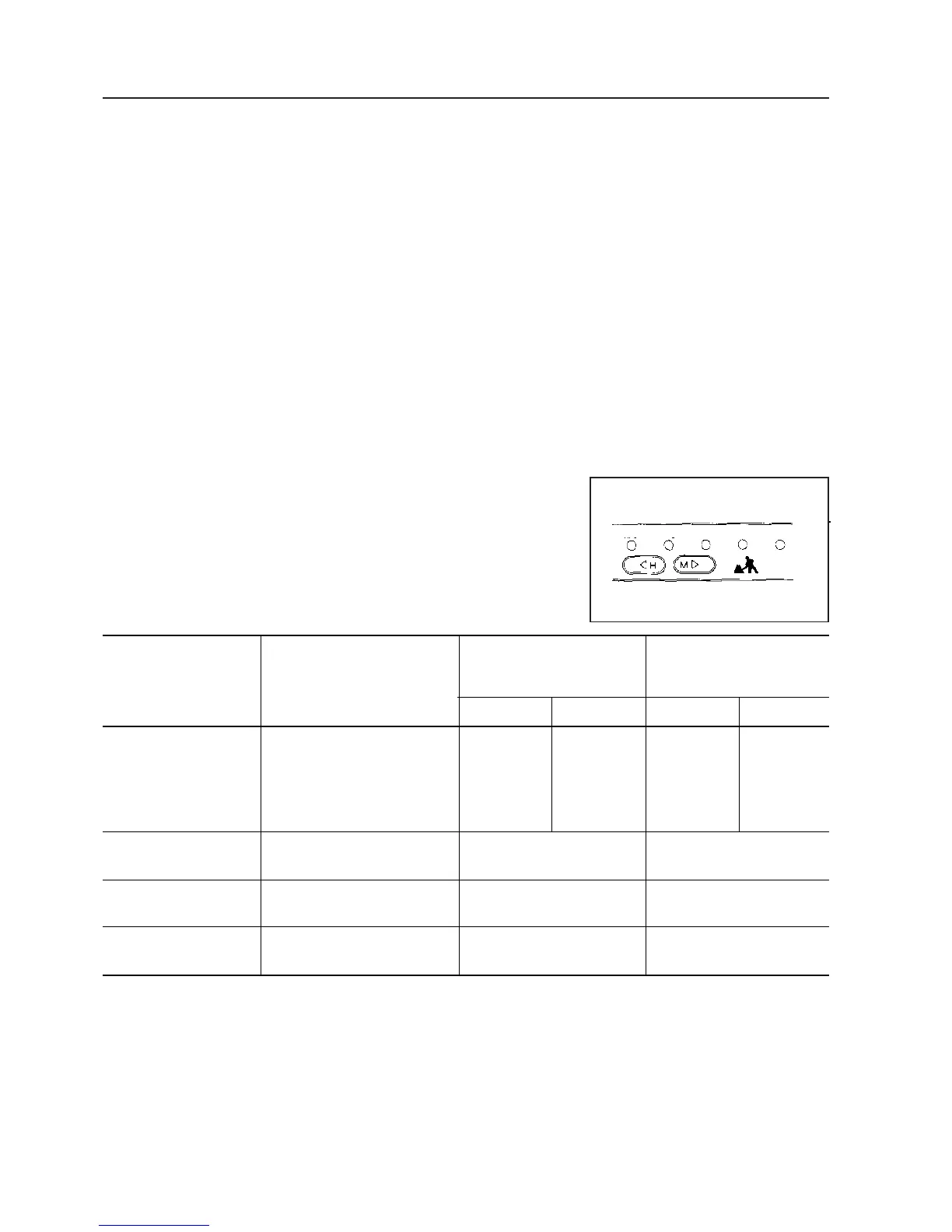
The mode selector switches can be used to switch the mode to
match the conditions and purpose of work, thereby enabling efficient op-
eration.
Use the following procedures to make the most effective use of each
mode.
When the starting switch is turned ON, the working mode is set to
general operation mode (G.O.), so normal work can be carried out with-
out needing to set the mode.
Set the most effective mode according to the type of work using
working mode selector switch.
NOTICE
Never carry out breaker operation in heavy-duty operation
mode (H.O.) as this may result in breakage of hydraulic equipment.
12. OPERATION
Power max. Swift slow-down
Working mode Applicable work (power up) (speed down)
Power Set pressure Speed Set pressure
Heavy-duty operation Large amount of digging
mode (H.O.) and loading in a short time
General operation Normal digging and loading
mode (G.O.) operation
Finishing operation Finishing, levelling and - -
mode (F.O.) general hauling operation
Lifting operation Positioning, etc. - -
mode (L.O.)
Breaker operation Breaker operation - -
mode (B.O.)
5% up 9% up 40% down 9% up
23% up 9% up 30% down 9% up
H/O G/O F/O L/O B/O





 To Next Page