3-64
PC210/240-ENG
24.7.7 CHECK FAN BELT TENSIONER
BEARING BELT AND FAN HUB.
• Check fan belt
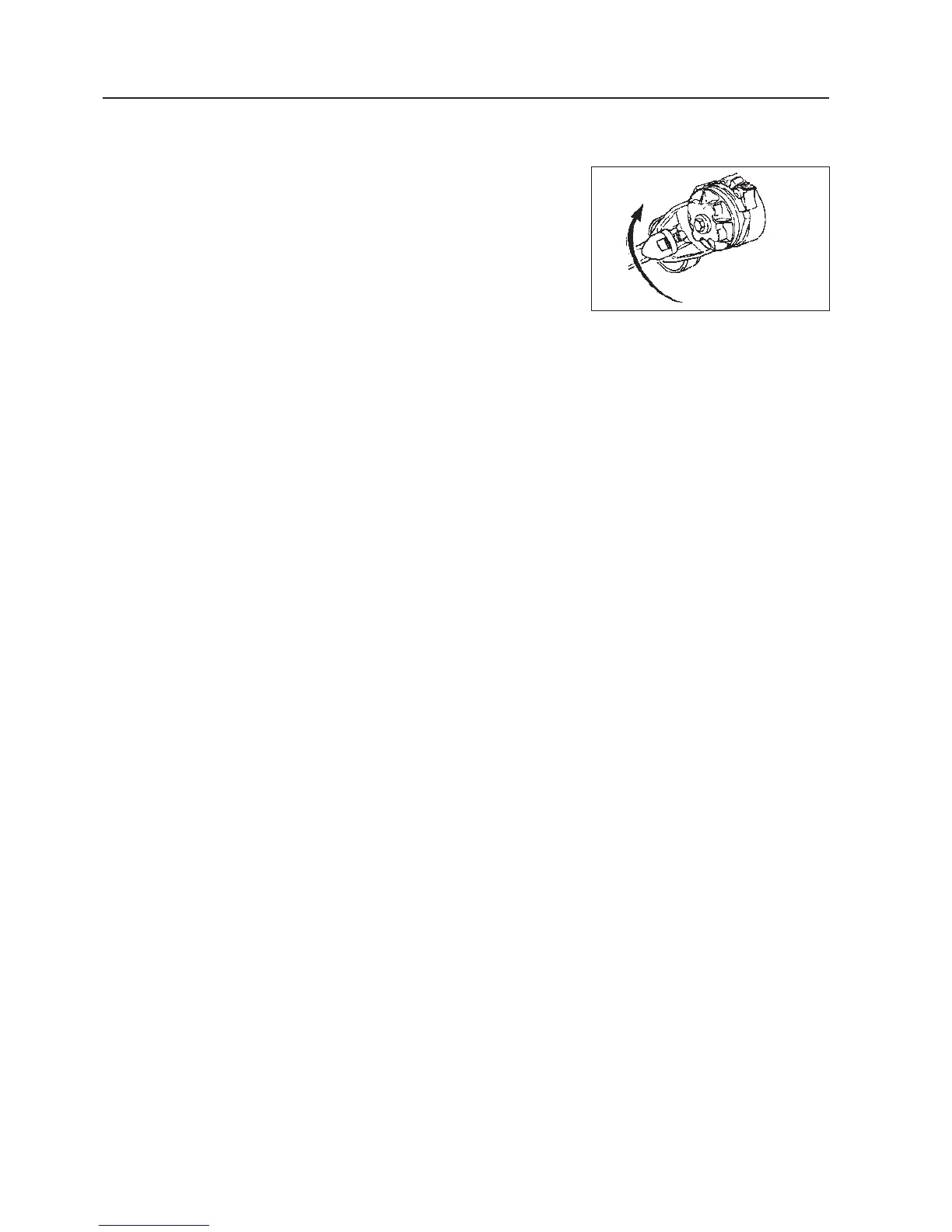
Remove the drive belt by lifting tensioner using a 3/8 inch square drive
wrench to release the tension.
Inspect the belt for damage.
Replace belt if any damage is found.
• Check tensioner bearing
With the fan belt removed rotate fan hub.
The tensioner pulley should spin freely with no rough spots
defected under hand pressure.
• Check the tensioner bearing.
• Replace bearing if damaged.
• Check fan hub. With the drive belt removed, rotate fan hub.
The fan hub should spin freely without excessive end play.
• Check the fan hub bearing.
• Replace bearing if damaged.
24.7.8 CHECK FAN BELT TENSION
• Measure the belt deflection at the longest span of the belt.
• Maximum deflection: 9.5-12,7 mm (3/8-1/2 inch)
If tension is low (deflection is outside range):
(see 24.7.6. “Check fan belt tensioner bearing, belt and fan hub.”)
• Check belt & replace if damaged
• Check tensioner & replace if damaged
24. SERVICE PROCEDURE




 To Next Page