2-11
PC210/240-ENG
Manual setting
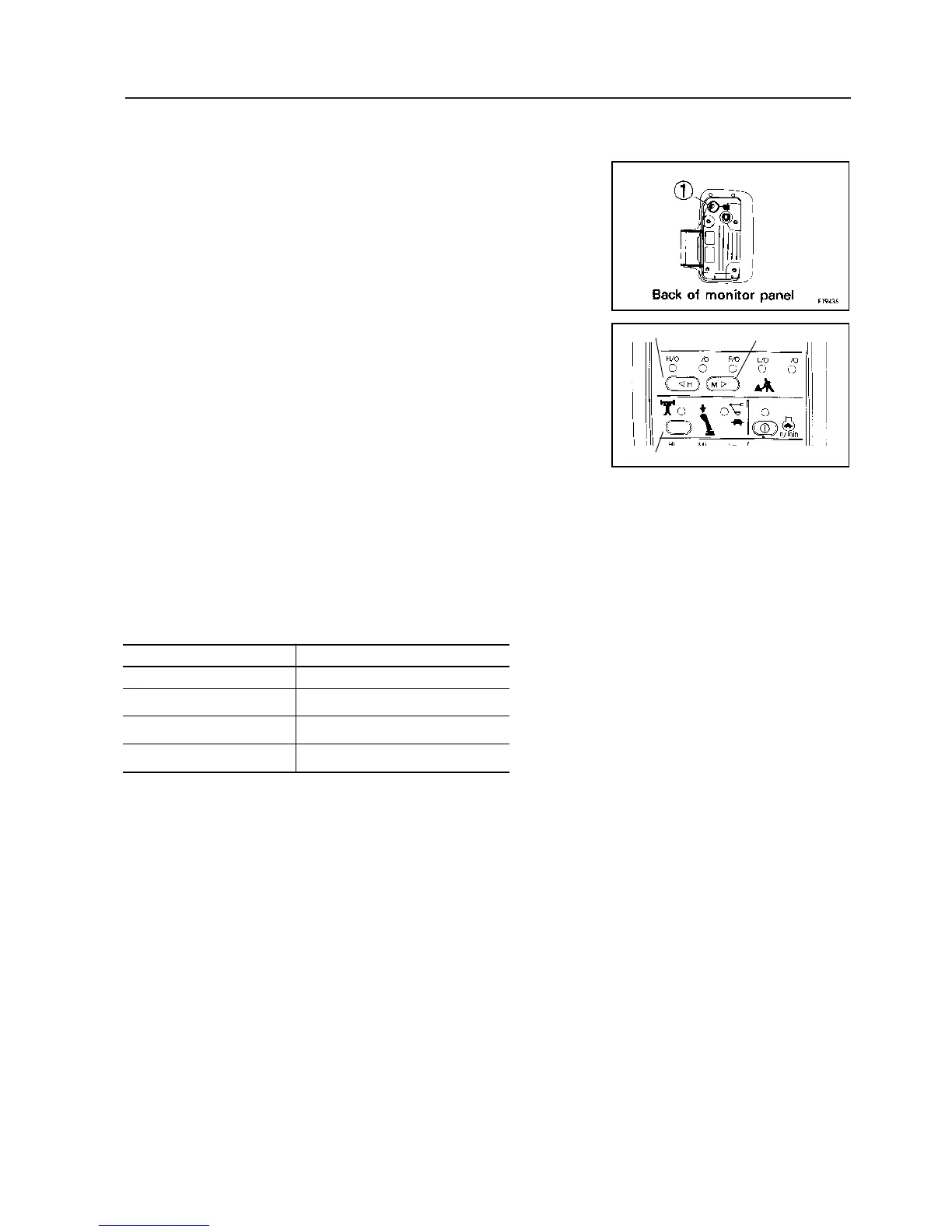
1. When the time is displayed, depress clock switch y for 2.5 sec or
more.
2. “TIME” flashes.
3. Pressing H switch x increases hours and pressing M switch c in-
creases minutes. If switch b or c is pressed for 2.5 seconds or
more, hours or minutes increase continuously.
4. When the correct time is reached, press clock switch y. This com-
pletes clock setting.
Correct time setting
1. When the time is displayed, depress the clock switch for 2.5 sec or
more.
2. “TIME” flashes.
3. When SET switch v is pressed, the hour is rounded off for 0 to 14
minutes and rounded up for 45 to 59 minutes.
[Examples) 10:14 becomes 10:00 /rounded off)
10:45 becomes 11:00 (rounded up)
When SET switch (4) is pressed at the time signal or standard clock,
the correct time is obtained.
4. When the correct time is reached, press clock switch y. This , com-
pletes clock setting.
If the machine has a fault, error information appears while the starting
switch is ON. The monitor flashes and displays all error informations
sequentially.
Monitor indications Error mode
E02 TVC valve system error
E03 Swing brake system error
E05 Governor system error
CALL Non-operating error
If any of these monitors flashes, see 16.6.4 “ELECTRONIC CON-
TROL SYSTEM”.
b c
d
11. EXPLANATION OF COMPONENTS









 To Next Page