E
PT043328 Issue 3 October 2021 29
i-Pulse RS Print Head (M1630 Jet Only)
The i-Pulse RS print head requires regular cleaning when using heavily pigmented ink.
Check the print head before every shift and clean as necessary.
To clean the i-Pulse RS print head:
(1) Press and hold the standby button for 2 seconds and wait for the printer to shut
down.
(2) Disconnect the power lead from the rear of the printer.
(3) Remove the print head cover.
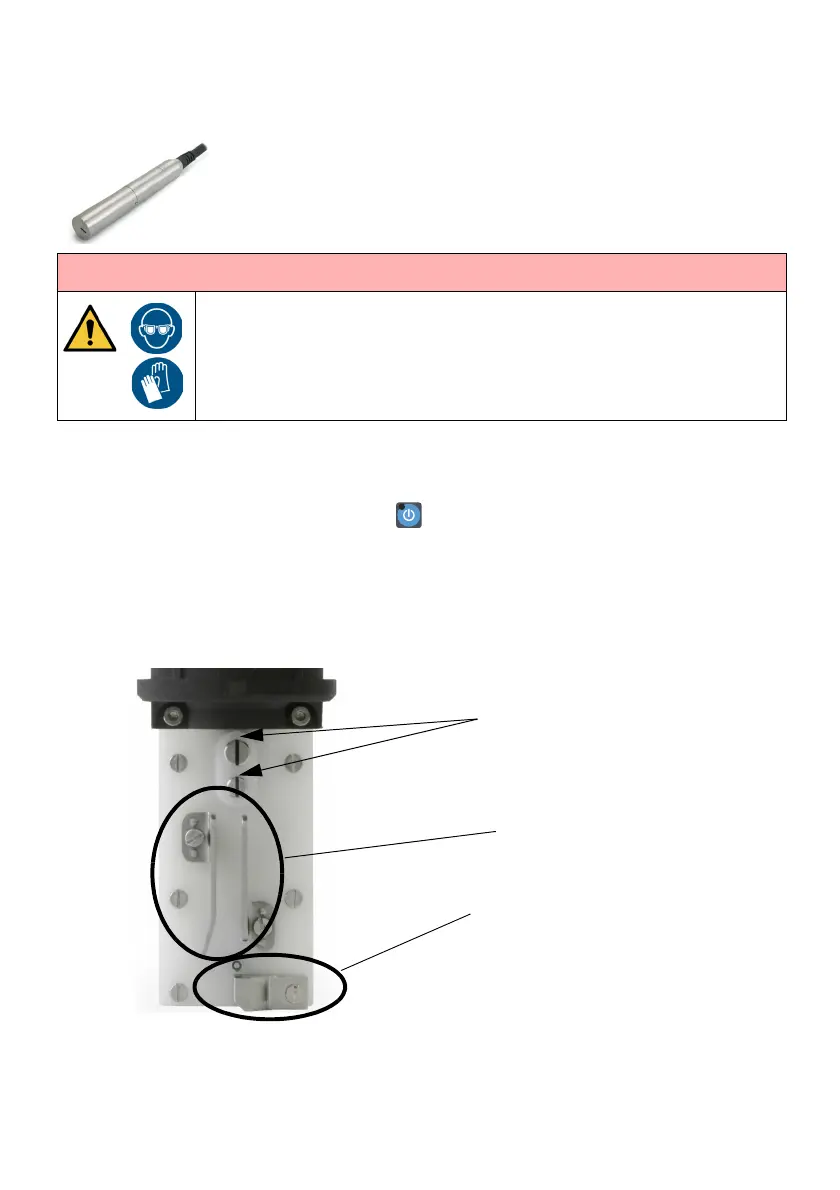
(4) Obey the annotated instructions in the next illustration. If required, use a beaker to
collect waste fluid.
(5) Replace the print head cover.
WARNING: Hazardous chemicals. Risk of personal injury.
Wear protective equipment such as gloves and glasses when near the
printer. Physical contact with printer ink or make-up can cause skin or eye
damage.
Clean in the slots with
relevant wash, dry using lint
free tissue.
When cleaned, use a
magnifying glass to ensure
both slots are lint free.
Clean any ink residue
from deflector plates
Clean any ink residue from
gutter area


 To Next Page