E
PT043328 Issue 3 October 2021 31
INSTALLATION
The installation technician (or distributor) should make sure that the printer, and the
production line it is installed on are connected to ground.
• Securely ground all metallic items within 12 inches (300 mm) of the print head.
• Check the ground connection using an Ohm Meter, DVM or other suitable
device.
• Use additional static dissipating devices, such as anti-static brushes, as
recommended.
The customer must be aware of the importance of this grounding since it is not Komax's
responsibility to maintain the customer's equipment.
• Check the grounding periodically.
• Check the grounding whenever a printer is relocated.
• Make sure that antistatic precautions are obeyed.
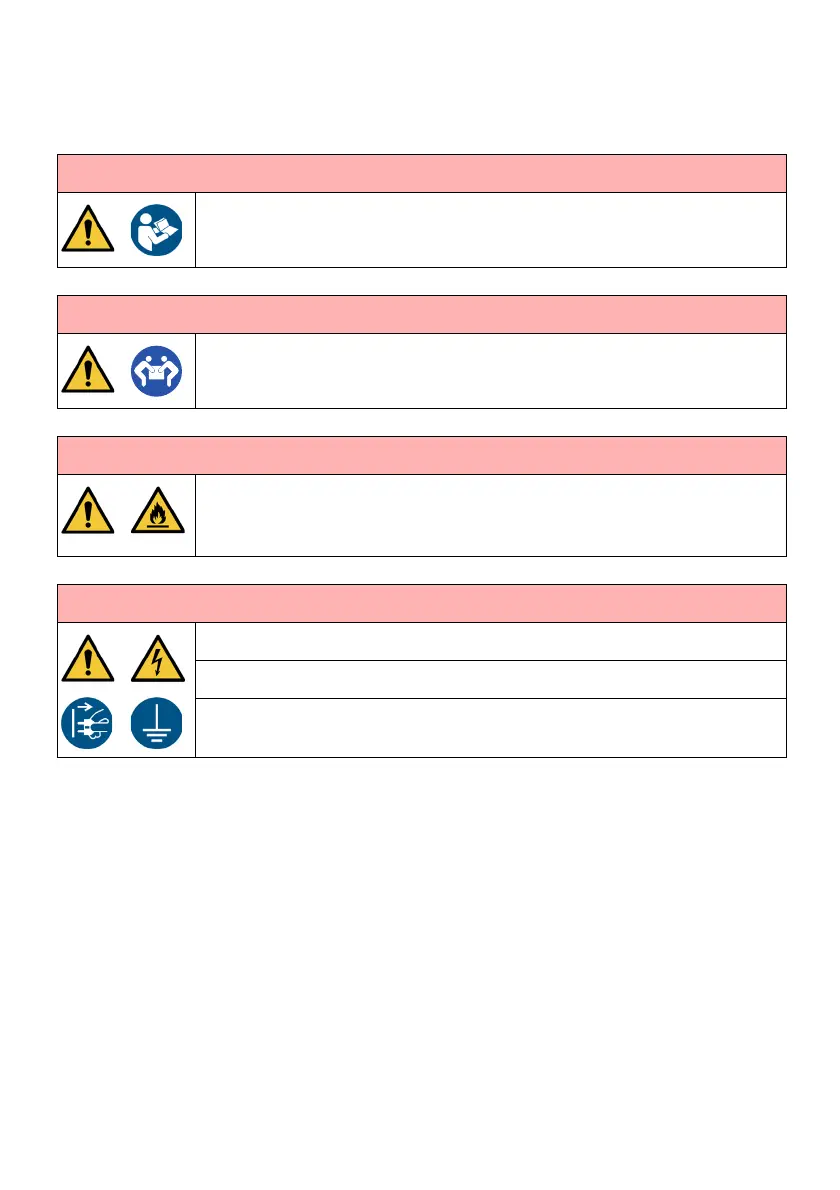
WARNING: Risk of personal injury.
Only a trained person may install the printer. For full installation
instructions, refer to the product manual.
WARNING: Heavy weight. Risk of personal injury.
Carry out a risk assessment of the lift before moving the printer.
Dry weight of the printer is between 16kg (35.3lb) and 23kg (50.7lb).
WARNING: Flammable vapour. Risk of fire and personal injury.
Install and operate the printer in a well ventilated environment.
Do n
ot install or operate the printer in closed or sealed rooms or cabinets.
Insufficient ventilation may cause an accumulation of flammable vapour.
WARNING: Electric shock hazard. Risk of personal injury.
Electrical Supply Present: Refer to the product specification label.
Conn
ect the printer cabinet to ground.
Indoor use only.


 To Next Page