35
The Konftel 55W is continually being developed with smart features and the software
can be upgraded to ensure the unit is always running the latest software version. You can
upgrade via a USB or via an SD card.
Note that in upgrade mode, the text is always in English whatever language has been
selected in the the Konftel 55W. The same applies to the software Konftel Upgrade
Utility.
UPGRADING FROM A PC
This method requires a PC with Microsoft
®
Windows
®
.
Installing Konftel Upgrade Utility
Visit www.konftel.com/upgrades and select Konftel 55W.
Download Konftel Upgrade Utility.
Install the software on your computer.
Follow the instructions given by the installation program.
Updating software
Connect your Konftel 55W to the computer using the USB cable.
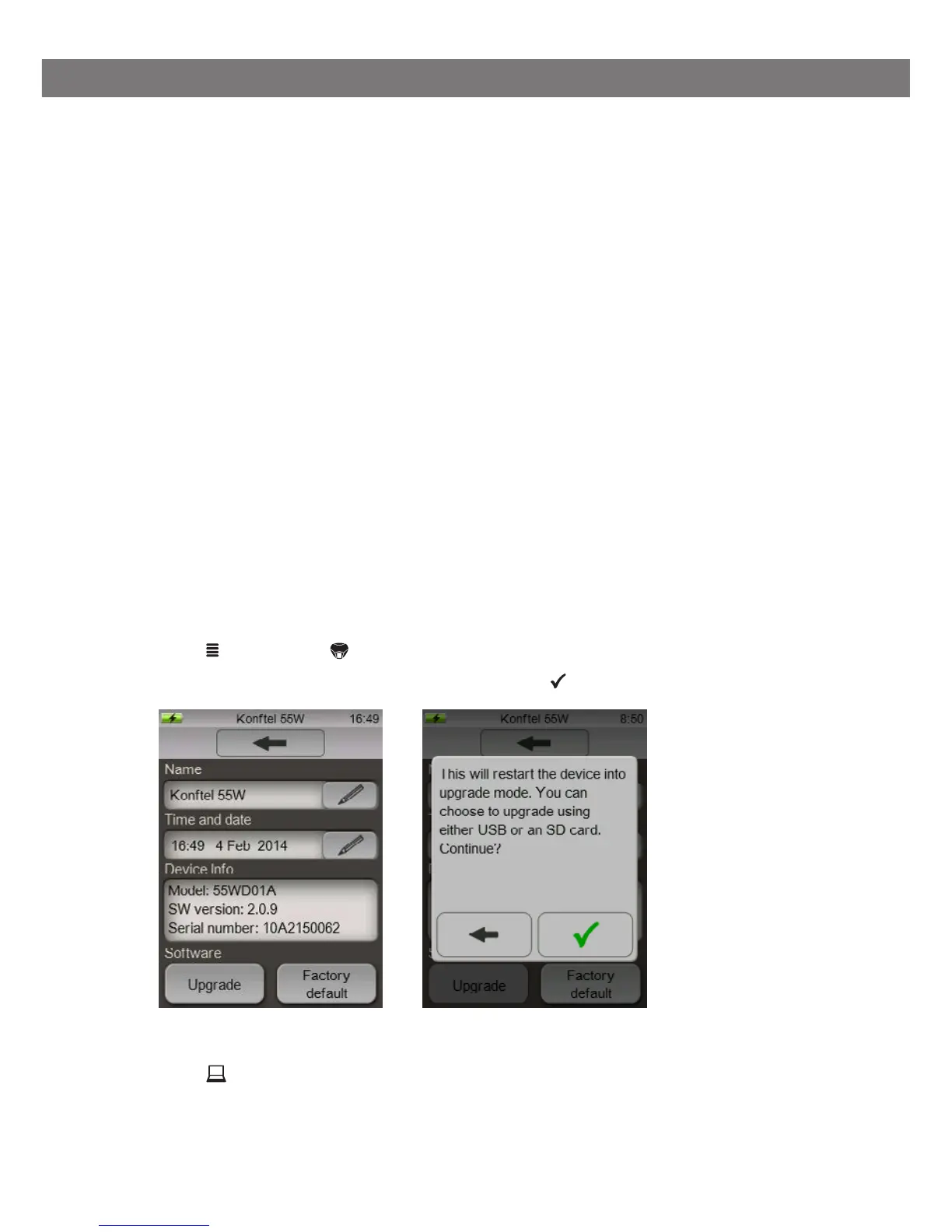
Press MENU, select System.
Press the Upgrade button and confirm by pressing to reboot in upgrade mode.
The Konftel 55W restarts in upgrade mode.
Press Use USB when the Konftel 55W reboots.
Start Konftel Upgrade Utility on your computer.
Follow the instructions that the software guide gives you.
UPGRADING SOFTWARE



 To Next Page