3.4 Camera Printing (Link Print)
3
Konica Minolta Mobile Print 3-15
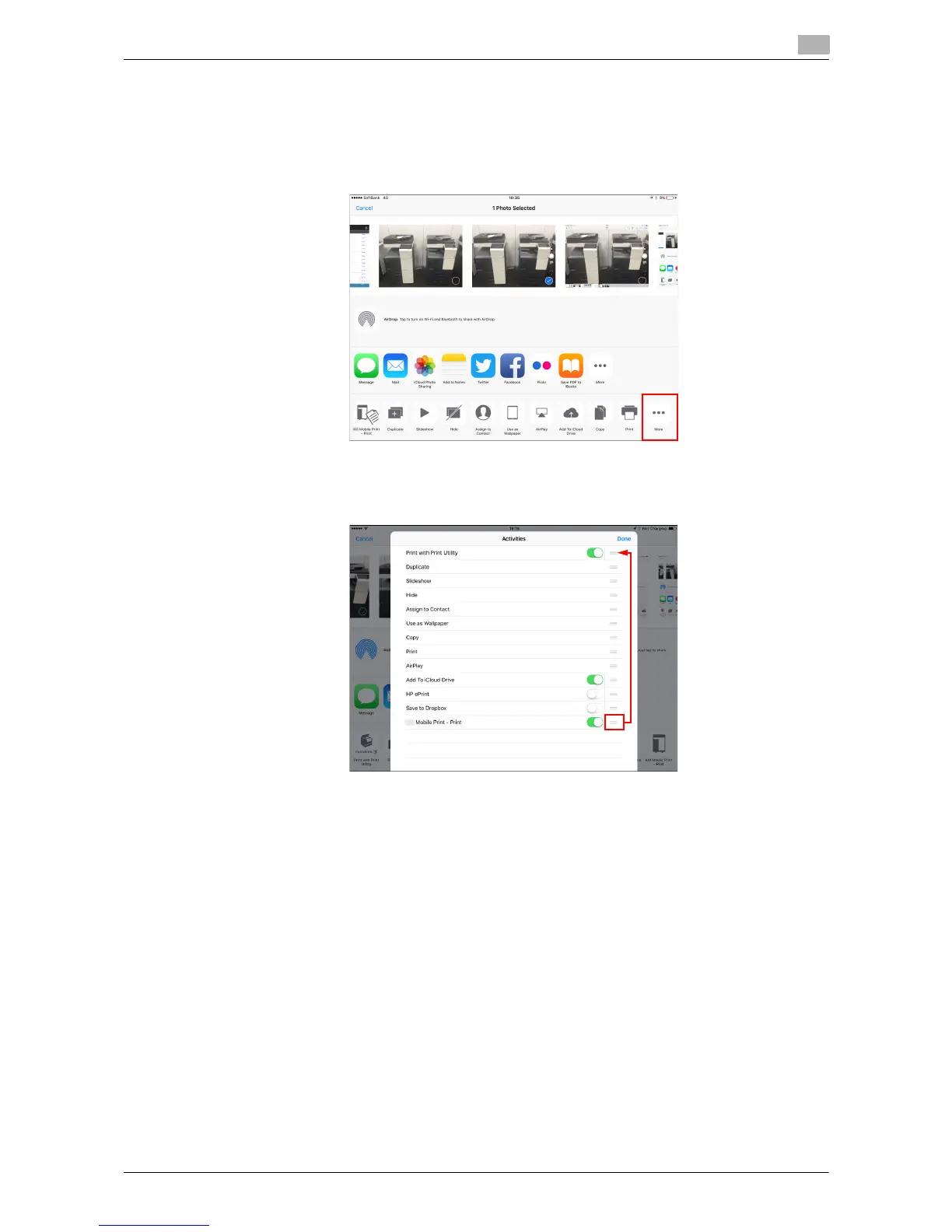
Presetting for using the link print function
This application is not displayed in the Action menu just after it has been installed. Configure a setting to dis-
play this application in the Action menu.
1 Select [More] in the Action menu.
2 Set this application to On.
% You can long-tap the right side of the bar of this application to move the display position to the top.











 To Next Page