Konica Minolta Mobile Print 4-2
4.1 Scan
4
4 Scanning Procedure
4.1 Scan
Selecting Scan allows you to save data in the storage application or a local folder (folder management appli-
cation, etc.).
4.1.1 For iOS
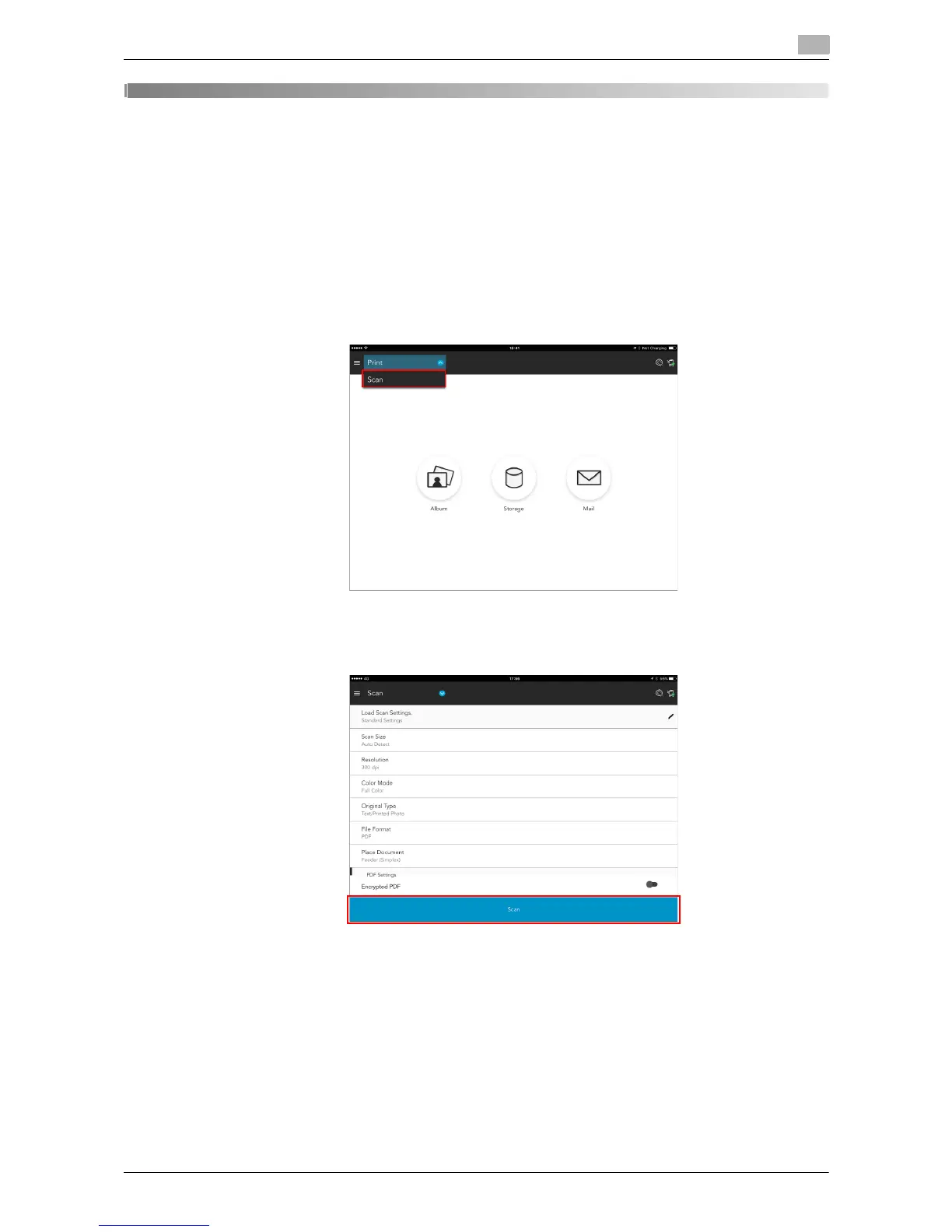
1 Select [Scan] from the pull-down menu of the main menu.
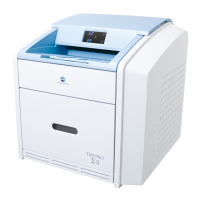
2 Load the target original on the device, then execute scanning.
% You can change scan settings as necessary.











 To Next Page