Konica Minolta Mobile Print 2-4
2.2 For Android
2
2.2 For Android
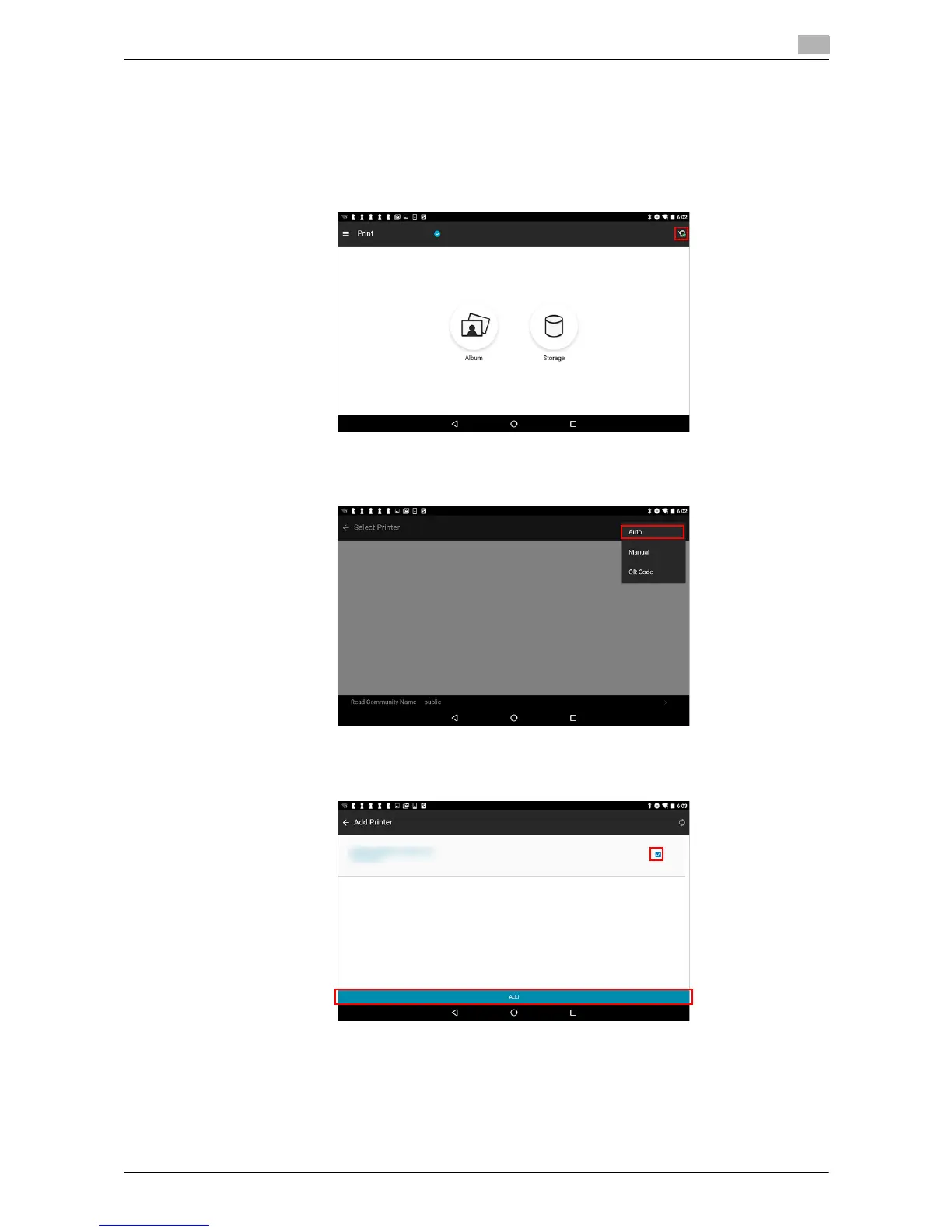
You can select the desired option from Auto, Manual, and QR Code to register a device.
This section describes a procedure example to register a device using Auto.
1 Select the printer icon in the upper right-hand part of the main menu.
2 Tap the [+] button in the upper right-hand part of the screen, then select [Auto].
3 When devices are detected, select the target printer, then tap [Add].
Device registration is completed.











 To Next Page