16
KONICA FAX 9760
|
Removing the Protective Sheet
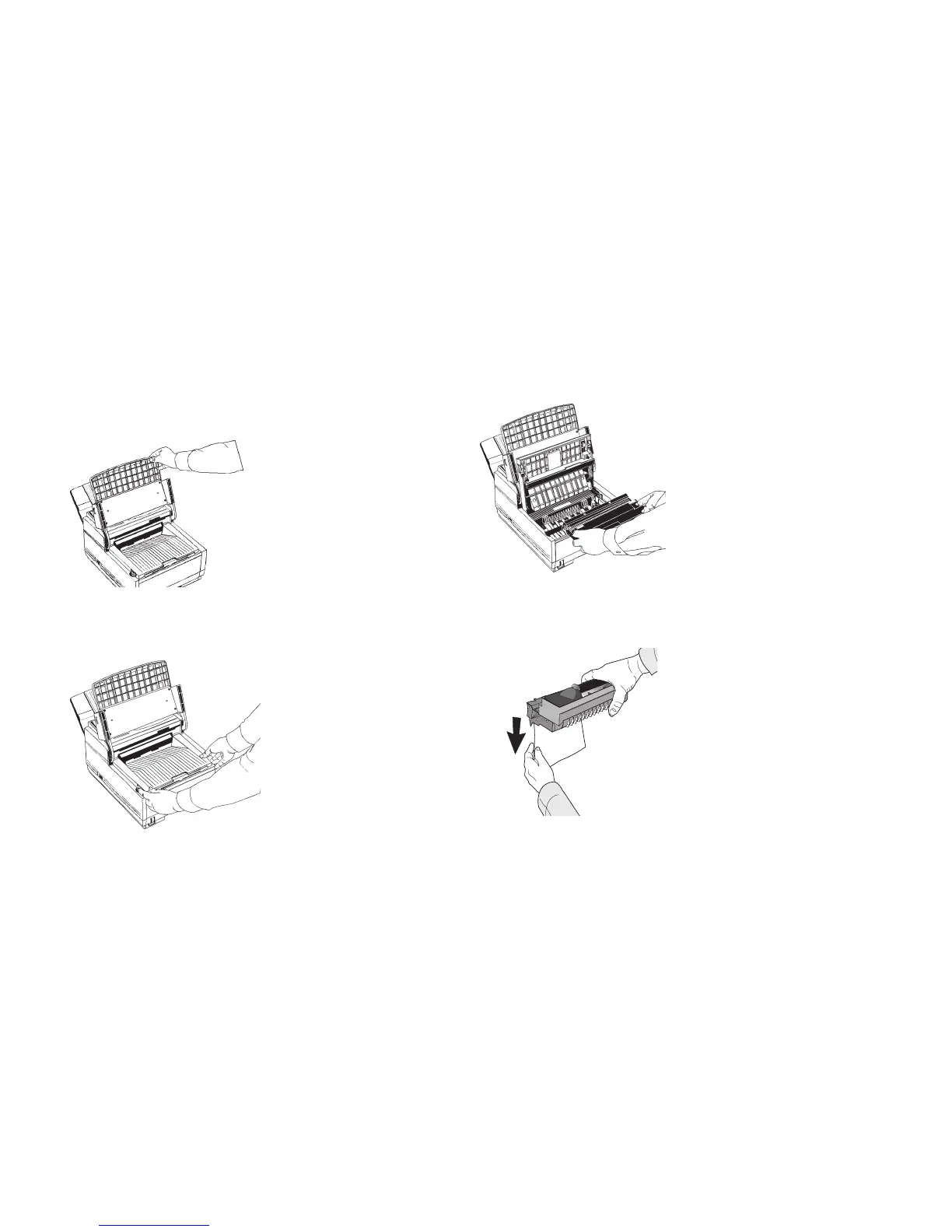
1 Lift up the document table.
2 Press in the cover release buttons on the side of the copy
stacker until it clicks open. Lift up the stacker.
3 Take out the image drum cartridge.
4 Remove the protective sheet. Be careful not to touch the
green surface of the drum.


 To Next Page