|
User’s Manual 23
!
You must have the TAD mode feature turned on for an
answering machine to work with your fax machine.
Refer to the “Answering Mode, Setting the Answering
Mode” section of this user's manual.
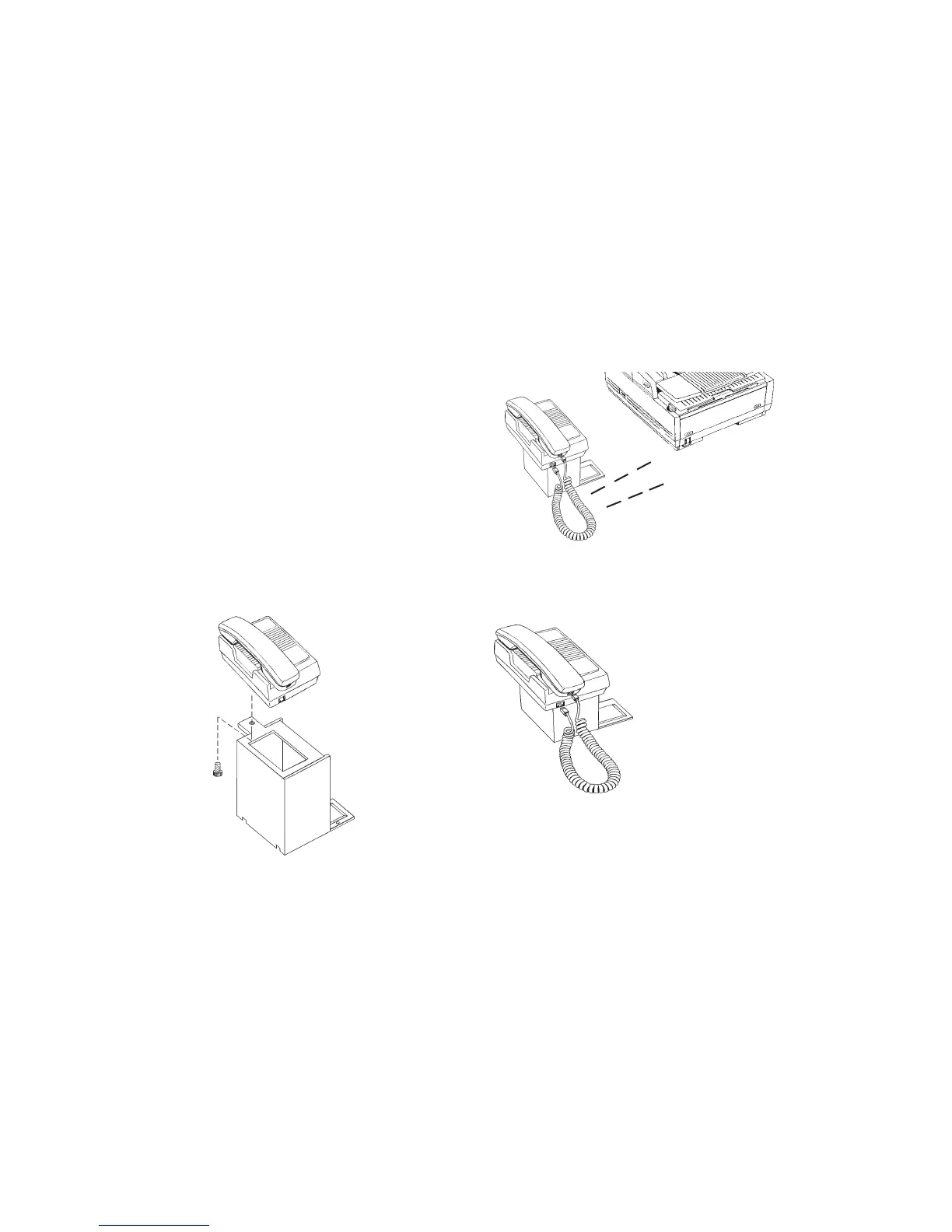
Connecting The External Handset (Option)
If you purchased the external handset option with your fax
machine, follow these instructions to install it.
1 Using the supplied screw, connect the handset cradle to its
base.
2 Position the handset cradle on the left side of the fax
machine.
3 Plug one end of the handset cord into the handset and the
other end into the jack on the front of the cradle. Place the
handset in the cradle.
4 Insert the supplied telephone cord into the jack located on
the back of the cradle.



 To Next Page