30
KONICA FAX 9760
|
8 Document Guides
Adjust these guides to the page width of the documents
that are to be copied or faxed.
9 Numeric Keypad
Use to enter phone numbers, auto dial numbers, or
information programmed into the fax machine.
10 Display Panel
Shows status of machine and faxes in progress
11Document Stacker
Holds your original documents after they are faxed or
copied.
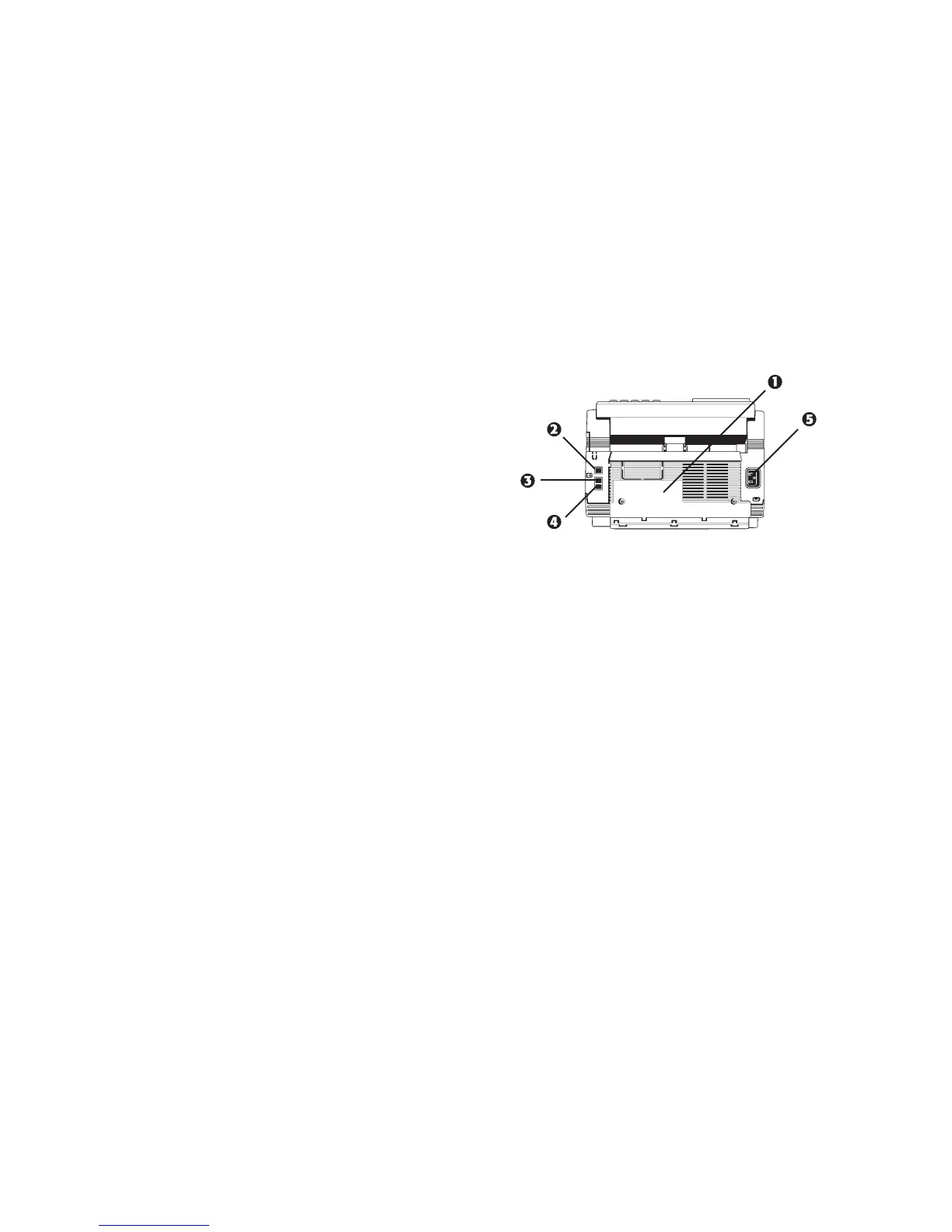
Back of the Unit
1 Back Cover
Open this cover to expose the expansion slot to install the
• optional memory expansion board
and / or
• Multifunction Printer Option (MFP, also known as the
PC interface).
2 LINE Jack
Jack for connecting to an outside telephone line.
3 TEL 1 Jack
4 TEL 2 Jack
Jacks for connecting to an optional handset, external
phone, or answering machine.
5 AC Power Inlet
Plug the supplied AC power cord into this inlet.



 To Next Page